

Userplay is a playtesting platform for PC games. It helps game studios run playtests, distribute steam keys, record gameplay sessions, collect feedback, and stay connected with their audience - all from a single place.
Build your audience
Waitlists, reminders, announcements, email campaigns
Recruit players
Player screening, onboarding, key distribution, access management
Manage your community
Player directory, groups, segmentation, profiles
Run Playtests
Single-session, multi-session, longitudinal, multiplayer playtests
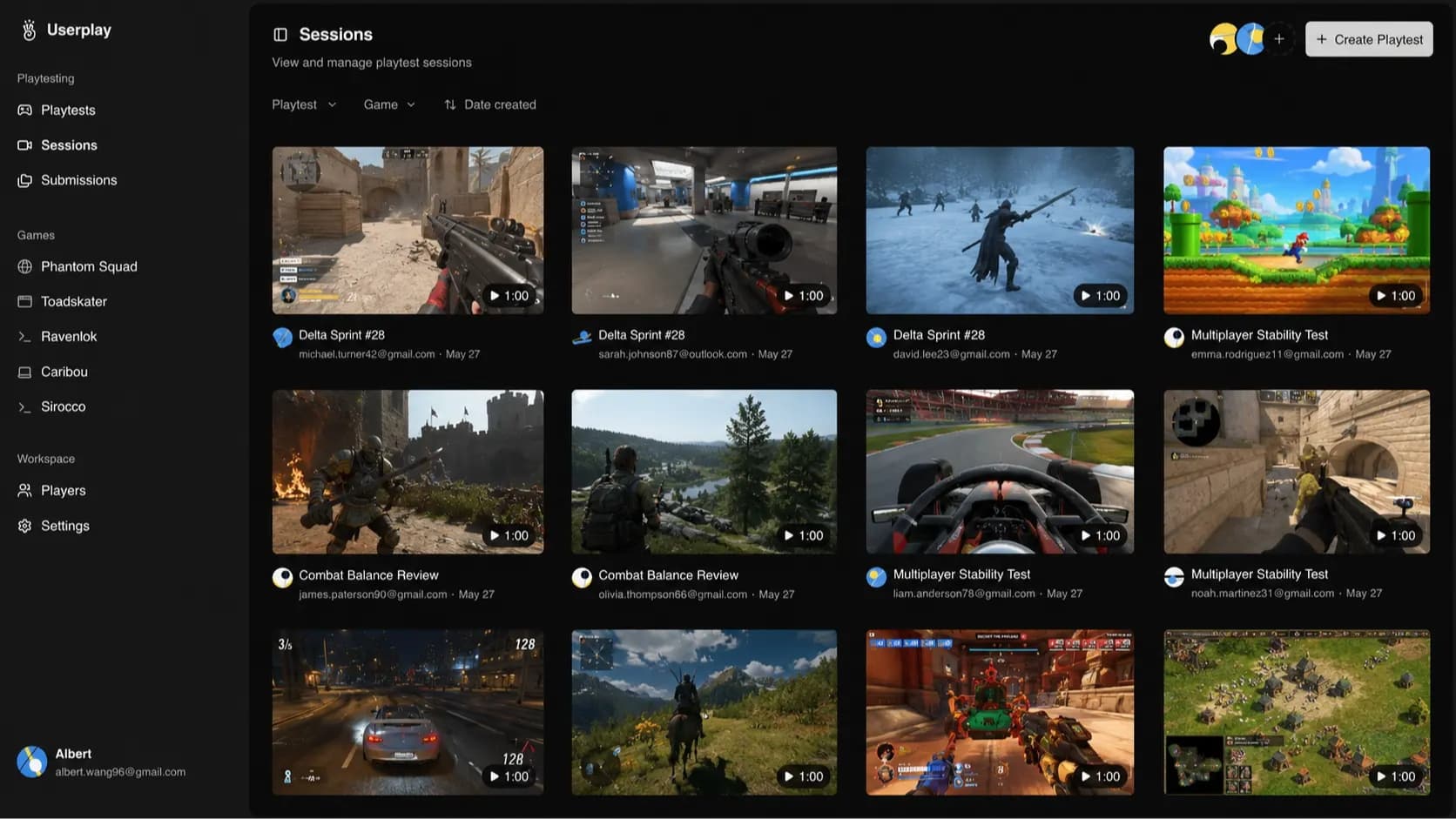
Capture gameplay
Session recordings, gameplay highlights, transcripts
Understand players
Gameplay analysis, player insights, steam analytics
Collect Feedback
Surveys, in-game feedback, post-playtest questionnaires
Workflow integration
API, CLI, data exports, integrations with discord, mailchimp, steam, etc.
Whether you’re running a small playtest, collecting survey responses, or building a waitlist for an upcoming release, Userplay gives you the tools to manage the entire process end-to-end.
6 ratings

Building Userplay | TestFlight for PC Games

AI video with native sound, paid per clip. Nothing stored.

A calmer Mac menu bar, one click away.

Enterprise Software. Intelligent Automation. Global Impact.


Comments
4Playtesting our indie title used to mean juggling Discord DMs, a Google Form, and a spreadsheet full of Steam keys. Userplay collapsed all of that into one place — we distributed keys, watched recorded sessions of testers actually playing (turns out half of them never found the crafting menu), and collected structured feedback without chasing anyone down. We caught five usability issues in two weeks that we never would have spotted ourselves, and the follow-up tools made it easy to keep testers engaged for the next build. If you're a small studio still gathering feedback by hand, this pays for itself in sanity alone.
AI researcher · Apple apps · AI consulting
"TestFlight for PC games" is a good line, and the session recordings are the part TestFlight genuinely does not have. On Apple's side you get crash logs and a feedback form, and you are left guessing at everything in between - the tester who quit at the permissions dialog never tells you why. The comment above about half the testers never finding the crafting menu is the whole argument for this category. That is invisible to any survey, because someone who never found a feature cannot report anything about it. One question: how heavy is the capture on the player's machine? For a game that is already pushing the GPU, a recorder competing for the encoder is the thing that would make testers drop out - and a playtest that changes the frame rate is measuring the wrong build.
The multiplayer playtest mode is the part I'd want most. Watching one tester's recording tells you what they did, but in a 4-player match the interesting bit is usually why three people ganged up on the fourth, and that only makes sense if you can line the sessions up side by side. Can you sync multiple recordings from the same match on one timeline? Also, is Steam required? Our game is a WebGL browser build with no Steam page yet, so I'm wondering whether recording and surveys still work when there's no key to hand out.
DnD 5e HP Calculator Calculate D&D 5e hit points accurately. Practical inputs, clear results, and mobile-friendly layout for 2026 searchers. https://wallalphacoder.com/dnd-5e-hp-calculator/