
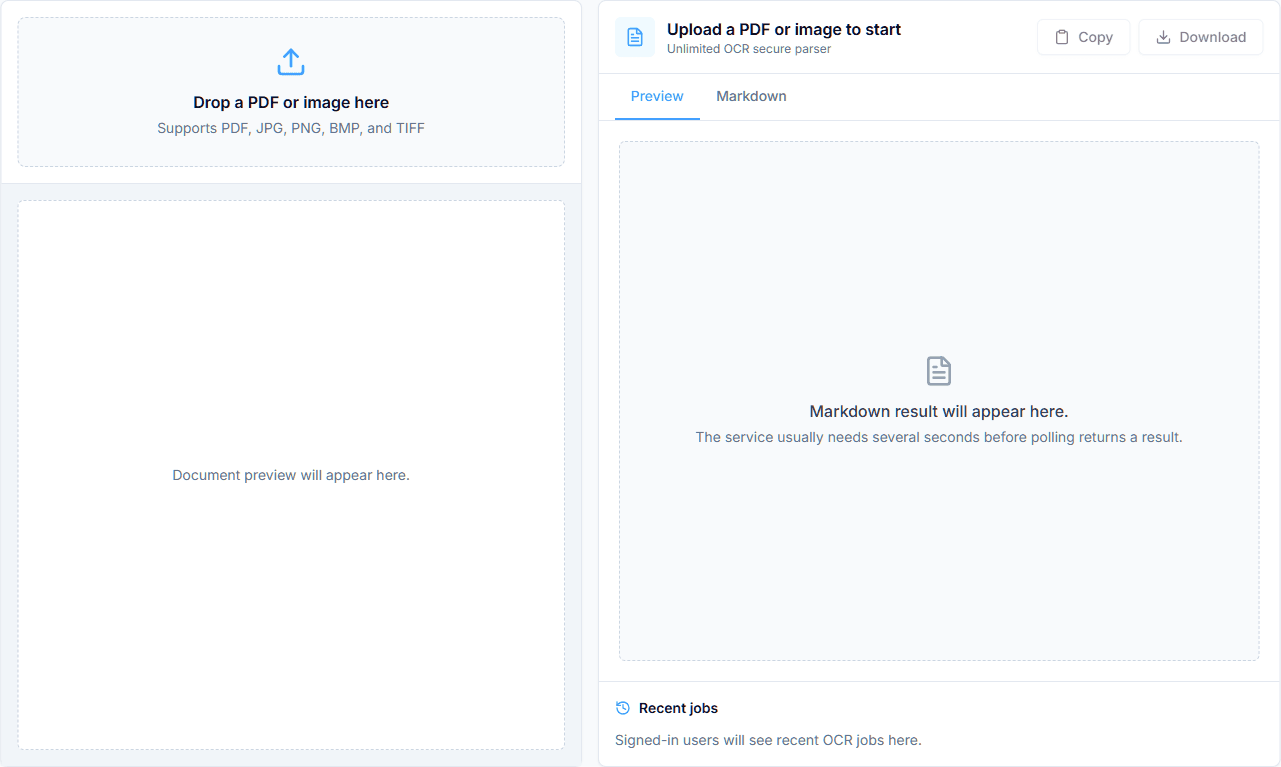
Unlimited OCR is an online tool for converting PDFs and document images into structured Markdown. Upload a scanned PDF, research paper, screenshot, or photo and
review the extracted content beside the original file.
The tool aims to preserve headings, paragraphs, lists, tables, formulas, images, and reading order instead of returning a single block of plain text. You can preview
the result, copy the Markdown, or download a ZIP containing the Markdown and available image assets.
Unlimited OCR supports common PDF and image formats. PDFs can contain up to 50 pages. Files are processed in the cloud using Baidu Unlimited-OCR.
- Convert PDF, JPG, JPEG, PNG, BMP, TIF, and TIFF files
- Process PDFs containing up to 50 pages
- Extract text, headings, lists, tables, formulas, and images
- Preserve document structure and multi-column reading order
- Compare the source file with the rendered result
- Copy the extracted Markdown directly
- Download Markdown and available image assets as a ZIP file
- Reopen and manage recent OCR jobs after signing in
- Convert scanned research papers into editable Markdown
- Digitize reports, books, contracts, and other image-only documents
- Extract tables and text from invoices, receipts, and forms
- Copy content from screenshots, slides, and photographed pages
- Prepare document content for notes, search, RAG, or knowledge bases
- Archive older documents in a reusable text format
6 ratings
Follow your dreams, your passions, your explorations.

AI video with native sound, paid per clip. Nothing stored.

A calmer Mac menu bar, one click away.

Enterprise Software. Intelligent Automation. Global Impact.


Comments
2Data science
Unlimited OCR has great potential! A few improvements could make it even better. I'd love to share my feedback and suggestions. Email: [email protected]
I build & lead the engineering behind AI agents · Co-Founder & VP R&D @ Dial
Unlimited OCR solves a real friction point - when you need to digitize documents or extract text from PDFs without losing structure. Most OCR tools dump everything into a plain text block, losing headings, lists, and organization. The fact that this preserves document structure in Markdown format is genuinely useful for researchers managing papers, developers building knowledge bases, or anyone archiving documents long-term. The ability to preview alongside the original file before downloading means you're not stuck with bad extractions. For people dealing with lots of scanned documents or research materials, this saves hours of manual reformatting.