
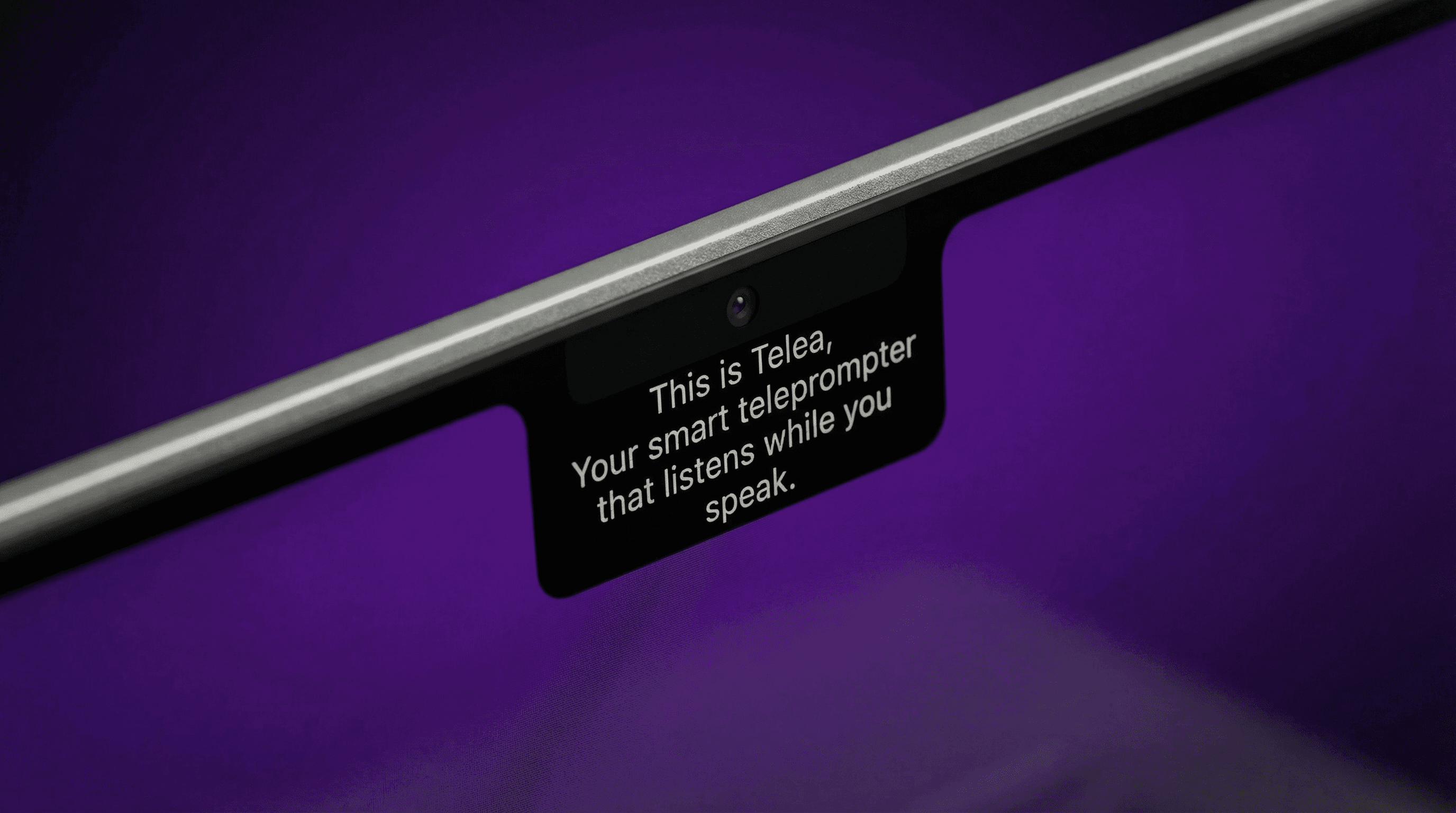
An intelligent prompter placed right next to the camera, keeping your eye contact natural and effortless.
37 people supporting this launch
4.8
6 ratings

10% off on the one-time purchase
TELEA10Software Engineer :)

AI video with native sound, paid per clip. Nothing stored.

A calmer Mac menu bar, one click away.

Enterprise Software. Intelligent Automation. Global Impact.


Comments
35Software Engineer :)
I built Telea out of a real need during presentations. I often found myself repeating the same script over and over, trying to memorize it or reading it in a way that felt obvious and unnatural. It broke the flow and confidence. Telea solves this by letting you speak naturally while your script follows you, so you can focus on what matters: delivering your message clearly and confidently.
I am a developer who creates easy to use websites
I know lots of interviewees who would need this
Software Engineer :)
Appreciate that, Tony! If you know someone who could benefit, feel free to share it with them. Also, there’s a free trial available, so they can test it out. :)
The eye contact problem is one of those things everyone notices but nobody talks about - you either look at the camera and lose your script, or read from a screen and look distracted. Placing the prompter right next to the lens is a clever hardware-level solve. Would be great for founders recording product demos and investor updates where credibility matters. Does it work with any camera setup or is it specific to webcams?
Software Engineer :)
It actually works with any camera setup. There’s a mode where the prompter becomes a movable and resizable box, so you can place it anywhere near your lens and the script keeps following you smoothly. If you want to test it in your own setup, there’s a free trial available. Would love your feedback! :)
DevOps Architect | Solo Founder | Building in Public
can it listen and analyze the current call?
Software Engineer :)
At the moment it doesn’t listen or analyze the call in real time, it’s focused on helping you stay natural and maintain eye contact while speaking. But that’s definitely an interesting direction for the future 👀
Founder | Software engineer
It seems like a really nice product that a lot of creators would like to use. Is by feature "Adjustable scroll speed synced to speaking pace" meant this: built in AI or other technique which listens as you speak and adjusts in rela time to speed of your voice? Or you can just preset the speed?
Software Engineer :)
Great question — it doesn’t use AI yet, but it does have voice recognition that scrolls the script as you speak. Right now the speed is still a preset, but I’m working on an upcoming update to better match your speaking pace in real time. If you want to try it out, there’s a free trial available. Would love to hear your thoughts after testing! :)
On a quest
This idea: I can see the potential here.
Software Engineer :)
Appreciate that, Dan! Still early, but a lot of people are already finding it useful in real scenarios. If you’re curious, feel free to try it — there’s a free trial live now!
teleprompter on your device.. I like it!
Software Engineer :)
Simple as that, glad you liked it! f you want to see how it feels in practice, there’s a free trial. :)
Founder of Meridian
It would be great , when we share the screen the teleprompter wouldn't be seen even tho the screen is shared , it would be great for interviews ! If you added this !
Software Engineer :)
That’s exactly what Telea was built for 🙌 It runs in a way that only you can see it. Even during screen sharing, the prompter doesn’t show up. Perfect for interviews and presentations.
Hand on entrepreneur
Simple but very practical — keeping eye contact while reading is a real pain point. Nice execution.
Software Engineer :)
That pain point kept coming up over and over, so I wanted to keep the solution as simple and practical as possible. If you want to give it a spin, there’s a free trial. :)
This is good for presentations
Software Engineer :)
Totally, presentations are one of the main use cases. It helps you stay natural while keeping eye contact. If you want to try it, there is a free trial available. :)
looks cool, would defenitly recommend
Software Engineer :)
Thank you, I really appreciate that. If you get the chance to try it, there is a free trial available. I would love to hear what you think. :)
Placing the teleprompter directly next to the lens is the key insight here — it solves the eye-contact problem that every video creator struggles with. The hardware-level approach means no software latency or drift. Would be great to know if it pairs with auto-scrolling based on speech pace, and whether there is multi-language support for international creators.
Software Engineer :)
Really appreciate this thoughtful feedback. That was exactly the idea, to solve eye contact in a simple and natural way. It already supports auto scrolling based on your voice, but the speed is still a preset for now. I am working on improving this to better match your speaking pace in real time. For languages, you can use any script you want, so it works well for international creators. If you want to test it, there is a free trial available.
This solves a real pain point I've seen in many development teams. The onboarding looks clean and the documentation seems solid. Curious about the pricing model as it scales with team size.
Software Engineer :)
Thank you, that means a lot. Right now it is a simple and affordable individual license, mainly to cover the app costs. With one license you can activate up to 3 devices at the same time. I am still thinking about how this could evolve for teams. Do you think it would make sense to have a team plan or shared access model? If you want to explore it, there is a free trial available.
We have a prompt library to make your AI inputs better to get a MUCH better output: promptifyapp.vercel.app
This is a good idea, however there are already a lot of apps that do this. There should be a clear hallmark between you and your multiple competitors.
Software Engineer :)
That is a fair point, I appreciate the honest feedback. Right now I am focusing on a few differences like keeping the app very simple and fast to use, and also working on upcoming features like AI and better pace follow. I am very open to suggestions since I want to improve the product together with the community. If you are open to trying it, there is a free trial available and I would love to hear your thoughts.
This solves a real pain point. I've been using sticky notes next to my webcam for script prompts during video recordings, which is far from ideal. The floating prompter placement right next to the camera lens is smart. Quick question, does it support importing scripts from external sources or is it only the built-in editor?
Software Engineer :)
That sticky note setup is very relatable, I have been there too. Right now it does not support importing from external sources, but I would love to hear what you have in mind. That could definitely become a next feature. That said, the editor is very simple to use. You can just copy and paste your script and it is ready to go. If you want to try it in your setup, there is a free trial available.
Creator of The Founder Manual
This is really neat! I haven't found anything like this before, and I would usually position a Notepad document near the top of the screen to simulate this. But Telea makes it much easier and more professional.
Software Engineer :)
Thank you, I really appreciate it. That Notepad workaround is exactly what many people do today. The goal with Telea was to make that experience smoother and more natural. If you want to try it yourself, there is a free trial available. I would love your feedback. :)
Maybe that I can implement it in my stack of use
Software Engineer :)
That sounds cool, could you try the free trial and let me know what you think, or what could be improved?
Software Engineer :)
Hey everyone, if you're interested in Telea, I created a promo code (TELEA10) that you can use at checkout. :)
sounds useful, best of luck