

The calm, private speed reader for PDFs and EPUBs
4.8(6)24ProductivityBooksPrivacy
You still think of yourself as a reader. The unread pile says otherwise. The problem usually isn't time. Your eyes jump ahead and dart back until you've read the same paragraph four times, and the book goes back on the pile.
Stillpoint holds every word at one still point instead. Drop in a PDF or EPUB and the words come to you, one at a time or in short phrases, aligned so the letter your eye locks onto never moves. After a minute it feels less like reading and more like listening.
Privacy you can verify: there is no server. Parsing, your library, highlights and reading positions all live in your browser, and your files never leave the device. Open the network tab and check.
Documents survive the stream: tables, images, figures and code are shown as the real thing, not read out as word soup.
Built for finishing: no speed-reading hype. Most people settle around 400 to 600 words a minute, dense sentences slow down by themselves, and progress is chapter-scoped like an audiobook.
No account, no upload, works offline as an installable PWA. Free forever, funded by a tip jar. Honest limits: scanned image-only PDFs need OCR and there is none yet, and DRM'd EPUBs won't open.
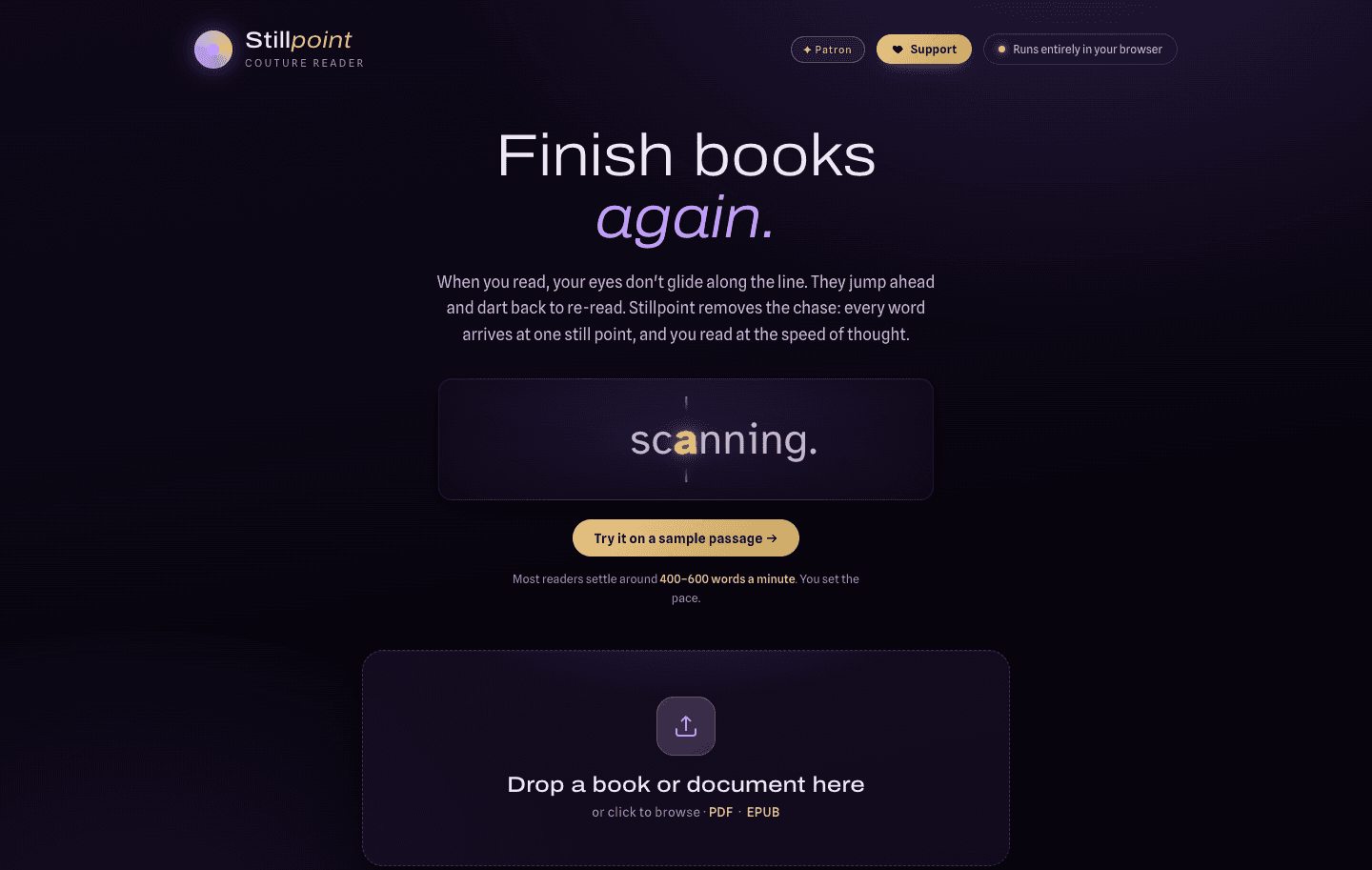
Focal-point reading: ORP, RSVP and Hybrid modes, with the letter your eye locks onto never moving
In-browser PDF and EPUB parsing: no upload, no server
Structure-aware reading: tables, images, figures and code shown as the real thing
Chapter-scoped progress: time left in the current chapter, like an audiobook
Retention aids: rewind on unpause, sentence replay, highlights with Markdown export
Offline PWA with an on-device library and a self-contained backup file for moving devices
Finishing the PDFs and EPUBs that pile up on your devices
Long reports and papers that need sustained attention
Reading with ADHD, when your eyes wander and you re-read the same paragraph
Private reading: nothing you read leaves your device
Offline reading on flights and commutes
24 people supporting this launch
4.8
6 ratings


AI video with native sound, paid per clip. Nothing stored.

A calmer Mac menu bar, one click away.

Enterprise Software. Intelligent Automation. Global Impact.


Comments
24Hi Fazier. I built Stillpoint because I wanted to actually finish the PDFs and EPUBs piling up on my devices, and every RSVP reader I tried either wanted an account and a subscription or wanted my files on their server. So it runs entirely in the browser: parsing, library, highlights and positions all stay on your device, and you can verify that in the network tab. Tables and figures are shown as the real thing instead of being streamed as word soup, and progress is chapter-scoped like an audiobook, because minutes left in this chapter keeps you going and a 17-hour countdown does not. It's free, with no account. If you have a PDF you've been avoiding, feed it this and tell me where it stumbles. I reply to everything.
Building ClearSpend AI.
I like that it focuses on reducing distractions and making reading feel more natural while keeping files private on the device. The offline support and clean approach make it a great tool for finishing books and documents more easily.
Gee thanks.
Private QR photo sharing for weddings and events
"Privacy you can verify: there is no server" is the right way to make that claim credible, and it resonates with how we think about privacy too. Curious about two things: how do highlights and reading positions move between devices without a server (export file?), and does the phrase mode adapt to punctuation or use fixed chunk sizes?
An export file, yes. There's no server to sync through, so moving between devices is one JSON file that carries the library, the reading positions, the highlights, the per-book settings and the book files themselves, encoded inline so the file stands on its own. Importing it merges rather than overwrites, keeping whichever position is more recent for each book. On a phone it goes out through the share sheet, so AirDrop handles the transfer. On phrase mode: the chunk size is fixed and you choose it, but the timing isn't fixed at all. A sentence ending gets the longest pause, clause punctuation gets a shorter one, words over eight characters buy a little more time, and a paragraph or chapter boundary gets an extra beat on top. There's also a per-sentence complexity factor, so a dense sentence slows down on its own without you touching the speed control. The gap is that the chunk window doesn't re-group itself around clause boundaries yet, so a three-word phrase can still straddle a full stop. That's the part I'd fix first.
i write a16z speedrun scout checks within 24hours | Co-Founder & CTO at Dial AI
Reading friction solved for real. Most PDFs and long documents trap you in endless re-reading cycles - your eyes jump around paragraphs, you lose focus, and hours evaporate in inefficiency. Stillpoint's focal-point approach changes that completely by anchoring your eye to one word at a time. The speed reader becomes accessible without sacrificing comprehension like speed-reading hype always does. Privacy-first matters too - highlights and reading positions staying on your device removes the surveillance tax other tools impose. Offline PWA means flights, commutes, and offline time don't force you back to browser tabs. The ADHD-friendly angle especially smart - re-reading friction disappears when your attention naturally wanders. Real win for knowledge workers buried in documents.
Thanks Gal. The re-reading loop was the thing I was aiming at, and most of the rest followed from trying to remove it.
I like this, the speed of my thoughts are faster than my eyes and hands. This should help.
That's the gap it's built for. Reading speed is mostly limited by your eyes jumping back rather than by how fast you can actually understand something, so holding every word at one point lets you run closer to the speed you're already thinking at. Start around 400 and move up from there. It feels too slow for about thirty seconds and then it doesn't.
The chapter-scoped progress is a smart detail. A 17 hour countdown on a big PDF is exactly why I abandon most readers, but minutes left in this chapter is a promise you can keep. Also respect for the verifiable no-server approach, I did open the network tab and it holds up. Question: how do you handle two column academic layouts? That is where every PDF parser I have tried falls apart.
It doesn't handle them, and you've found the one place I'd expect it to break. The text comes out in the order the PDF's own content stream provides it, with a spacing heuristic for when the vertical position shifts. Papers produced by LaTeX usually write that stream one column at a time, so those come through in the right order and read normally. A PDF that interleaves its columns will interleave in the reader too, because nothing currently sorts by horizontal position to catch it. Tables and figures are the exception: those get detected and shown as the real thing rather than flattened into the stream, so at least they don't turn into word soup halfway down a column. Sorting by horizontal position is the fix, and it's the next thing I want to do to the parser. If you have a paper that breaks it, send it over, because I'd rather build against a file that actually fails than one I made up. Thanks for opening the network tab, by the way. Not many people actually check.
Building utilo — task-first AI and productivity tool discovery
The self-contained backup file is a smart substitute for cloud sync. For sensitive documents, does the export include the original PDFs/EPUBs or only library metadata, highlights, and positions—and can it be encrypted before moving devices? That detail determines whether the privacy model stays intact during backup.
The export includes everything, and that's the part worth being precise about: library metadata, reading positions, highlights, per-book settings and the original PDFs and EPUBs themselves, encoded inline. That's deliberate, because a backup that carried only metadata would leave you on the new device with a list of books that aren't actually there. It is not encrypted. It's plain JSON sitting on your disk. So the privacy model holds while that file stays on your device or moves directly between your own devices over AirDrop, and it stops holding the moment it lands in a cloud drive or an email attachment. You're right that this is where it gets thin. Passphrase encryption on export can be done entirely in the browser with WebCrypto, so there's no real reason not to add it. It should stay optional though, because plenty of people are just moving a stack of public papers between two machines and shouldn't have to manage a passphrase to do that.
Meet Styla: The AI Stylist That Turns Your Closet Into Endless Outfits
As someone who reads a lot, this might actually be super useful.
Thanks. If you're reading a lot, the on-device library and the chapter-scoped progress are probably the parts that matter most, because both are built for having several books going at once rather than one at a time.
Looks cool! SOLID!!!
Thanks Iqbal, appreciated.
The on-device, offline model is a refreshing fit for long reports and sensitive material, and chapter-scoped time remaining sounds far more motivating than a huge document-wide countdown. The honest limits are appreciated too. A particularly useful next detail would be a short guide or sample showing how Stillpoint treats common academic PDFs—two-column pages, footnotes, inline citations, and code blocks—because that is where many readers lose their place.
That's a fair thing to ask for, and the honest version of that guide is partly a list of what doesn't work yet, which is probably the reason to write it. Where it stands today: code blocks and tables get detected and shown as the real thing instead of being streamed as words, which is the case I'd want to see demonstrated before I trusted a reader with a paper. Two-column pages are the weak one, because there's no horizontal-position sorting yet, so the ordering depends on how the PDF's content stream happened to be written. Footnotes and inline citations flow in wherever the stream puts them, so a citation marker can land in the middle of a sentence. I'll put together a page that runs a real paper through it and shows each of those cases with the failures included, because that's more useful than a feature list and it lets you predict whether your own documents will survive before you spend attention finding out.
i write a16z speedrun scout checks within 24hours | Co-Founder & CTO at Dial AI
Reading overload solved. Most professionals drown in documentation - dense research papers, long reports, compliance documents - and lose focus by paragraph two. The eye-scanning problem is real: we jump ahead, miss context, then have to re-read. Stillpoint fixes this at the mechanical level by anchoring your eyes to one word at a time, which forces active reading and eliminates that cognitive tax. The beauty is it works offline and doesn't need account creation, so no friction on adoption. For researchers, students, and people managing ADHD or dyslexia, this removes a massive accessibility barrier. The chapter-scoped progress tracking is clever too - it converts reading from a dreaded obligation into something trackable and achievable. Real win for knowledge workers who need to absorb dense information without losing hours to re-reading.
Data science
Stillpoint has great potential! A few improvements could make it even better. I'd love to share my feedback and suggestions. WhatsApp: https://wa.me/447307349530 Telegram: t.me/rforrank
Rewind-on-unpause and sentence replay are the details that make this ADHD-viable rather than just ADHD-mentioned — most RSVP readers assume you never look away, but the real failure mode isn't losing focus mid-stream, it's an interruption yanking you out entirely (Slack ping, someone walks in) and coming back with zero memory of the last 30 seconds. We deal with the same problem building Unstuck, just for calendar gaps instead of reading. Does rewind-on-unpause use a fixed lookback window, or does it try to detect how long you were actually away and scale the rewind to that?
Fixed window. Five words, every resume, with no away-time detection at all. So you've named the exact flaw. Five words is about right for a ten-second glance away and useless after a four-minute interruption, and today those are the same code path. The four-minute case is the one that actually matters and it's the one it handles worst. Scaling to measured away time is clearly right. Timestamp the pause, and past some threshold fall back to the start of the current sentence instead of a word count, because a word count doesn't respect meaning. Sentence replay covers it manually right now, but you have to remember to reach for it, and the whole point is that the interruption already took the context with it. This is going in. Most useful comment on the page. Curious how you handle it in Unstuck. A calendar gap has the same shape, where the length of the gap should change the re-entry, and I'd guess you hit the same threshold-tuning question.
A clean interface and a straightforward workflow often matter more than having dozens of extra features. Simplicity is a big plus for this type of tool. https://tombofthe-mask.com/