

Convert PDF bank statements to Excel/CSV instantly
StatementToExcel extracts transactions from bank statements, credit card bills and invoices, then exports them as clean Excel or CSV files. No signup, no upload — text-based PDFs are parsed locally in your browser. Optional AI mode handles scanned documents.
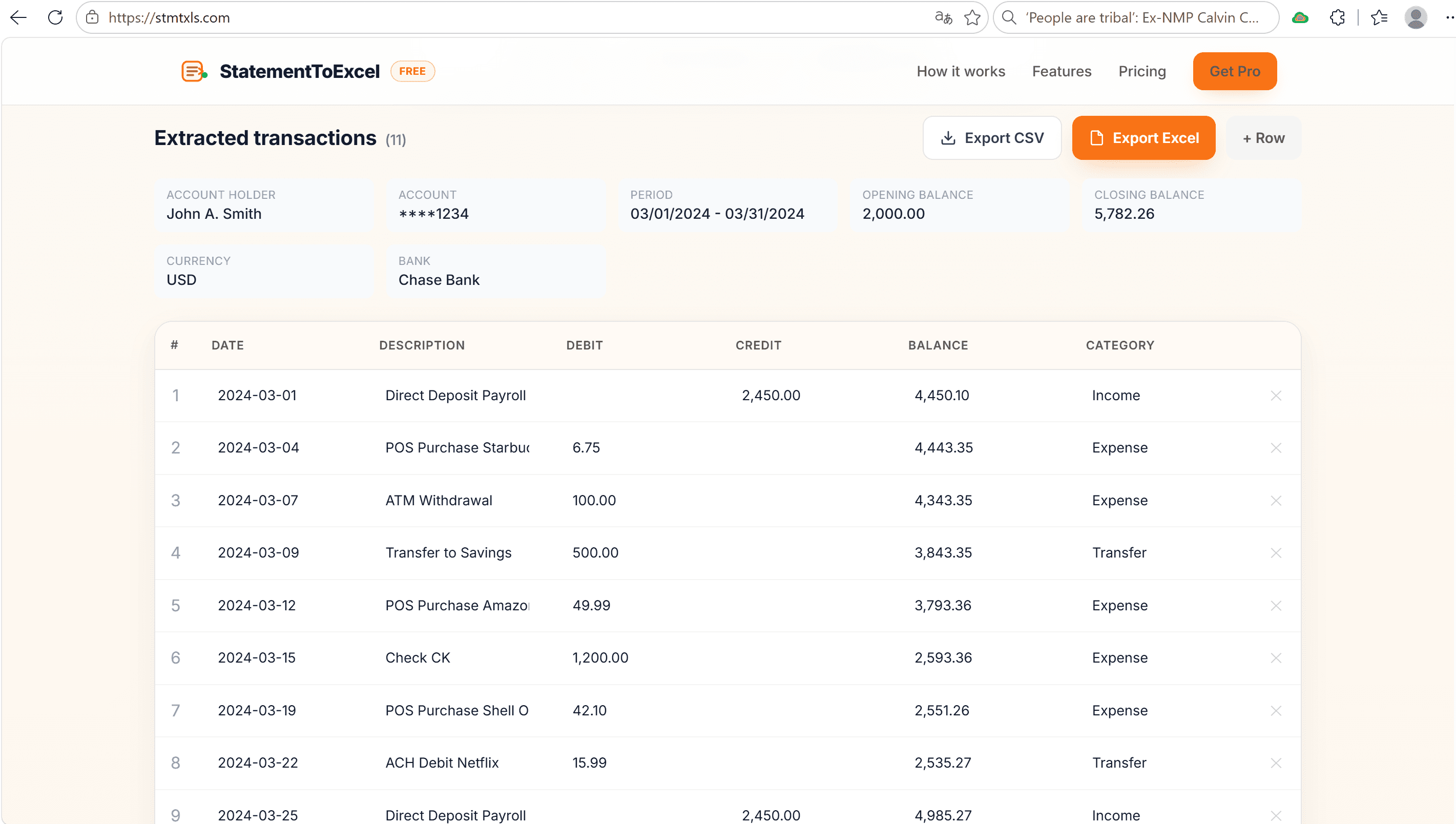
- Convert bank statements, credit cards & invoices from PDF to Excel/CSV
- No signup required, free tier for everyday use
- Local browser processing for text-based PDFs
- Optional AI-powered extraction for scanned statements
- Editable table preview before export
- Works with US, UK, EU and international layouts
- Accountants reconciling client bank statements
- Freelancers organizing invoices for tax season
- Small businesses importing transactions into QuickBooks or Excel
- Anyone who needs to stop copy-pasting from PDFs

AI video with native sound, paid per clip. Nothing stored.

A calmer Mac menu bar, one click away.

Enterprise Software. Intelligent Automation. Global Impact.


Comments
1I built StatementToExcel because I kept wasting time copying bank-statement and invoice PDFs into spreadsheets by hand. The existing tools were either paid, required uploading sensitive files, or missed the exact rows I needed. So I made a browser-based converter that keeps files local, exports clean Excel/CSV, and uses a tiny AI vision model only when the PDF is a scan.