

SnapIndex is a screenshot OCR Chrome extension built for what happens after the screenshot.
Capture screenshots, full-page scrollshots, dashboards, receipts, errors, docs, product pages, UI flows, and research material. SnapIndex extracts text with OCR, saves captures into a searchable library, and helps you find old screenshots by searching the words inside the image.
Most screenshot tools stop at capture. SnapIndex helps you organize, annotate, search, and reuse your captures later.
Instead of dumping images into folders, renaming files manually, or pasting screenshots into docs and chat threads, SnapIndex turns your captures into searchable visual memory.
Capture it. OCR it. Annotate it. Search it. Export it.
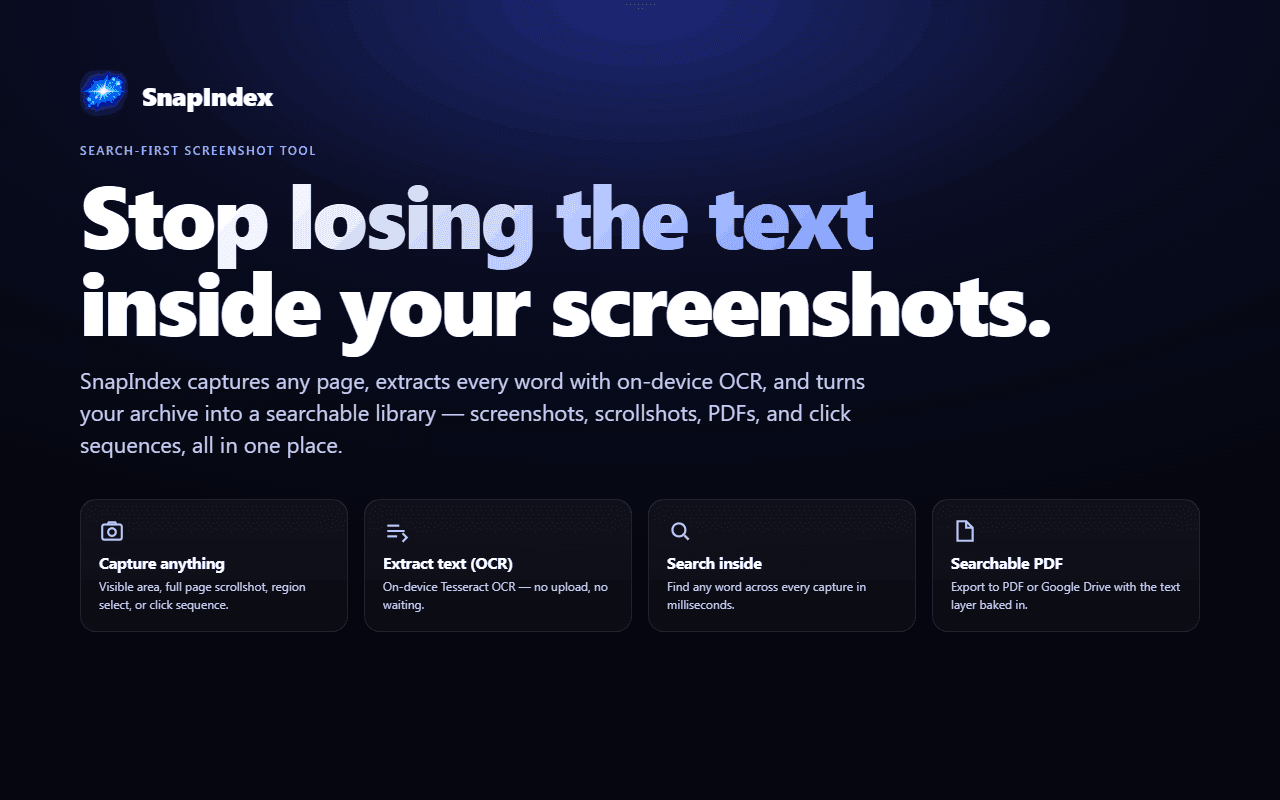
What you can do with SnapIndex:
• Capture visible screenshots
• Capture full-page scrollshots
• Extract text from screenshots with OCR
• Search inside saved screenshots
• Annotate images with notes and visual markers
• Document click sequences and multi-step flows
• Export searchable PDFs
• Keep screenshots organized without manual file naming
SnapIndex is useful for researchers, students, developers, founders, support teams, marketers, designers, QA testers, and anyone who saves visual information from the web.
• Error messages and bug reports
• Dashboards and reports
• Receipts and invoices
• Product pages and pricing pages
• Documentation and tutorials
• UI flows and onboarding steps
• Research references and web pages
• Screenshots you need to find again later
41 people supporting this launch
4.8
6 ratings

Farmer, Builder, GTM

AI video with native sound, paid per clip. Nothing stored.

A calmer Mac menu bar, one click away.

Enterprise Software. Intelligent Automation. Global Impact.


Comments
27Farmer, Builder, GTM
I built SnapIndex because screenshots are easy to take, but annoying to use later. Most screenshot tools solve the capture part. You take a screenshot or a scrollshot, download it, maybe annotate it, then it disappears into a folder, a desktop mess, a Notion page, a Slack thread, or a random file name you will never search correctly again. I would love feedback on: • whether the value is clear quickly • which screenshot workflows feel most useful • what you currently use as your screenshot system • what would make you switch from your current tool
AI Dev
the value of this is clear, it is really useful
indiehacker
I often need to take screenshots, but when there are too many, I can't process them all and can't find the screenshot I'm looking for. This product is great after I tried it; it solved this problem for me.
Turning screenshots into searchable memory is a genuinely useful idea. The OCR search feature solves a real productivity problem and makes saved screenshots much more valuable. Nice work! 🚀
This is an incredible product. How did it take this long for someone to make?
I like how this tool focuses on a very specific workflow instead of trying to be a generic AI assistant. The landing page explains the value quickly. One thing I would add is a short GIF or demo showing the first user action after signup.
very cool landing page.
Software Engineer :)
Searching from your past images is what I always wanted! Do you store the screenshots in some external server?
I immediately related to this problem because I take a huge number of screenshots for research, product inspiration, tutorials, and bug reports. Finding an old screenshot weeks later is often harder than taking it in the first place. The searchable OCR library sounds extremely useful, especially for people who work with a lot of visual information. I like that the product focuses on what happens after the screenshot is captured. I’d definitely be interested in trying it to see how well the search performs across a large collection of screenshots.
indie hacker
The strongest part is that you focus on the post-capture workflow, not just taking screenshots. OCR search across old captures would be useful for product research, bug reports, pricing page comparisons, and UI inspiration. I would love to see a short demo showing how fast search works once a library has hundreds of screenshots.
I immediately related to this problem because I take a huge number of screenshots for research, product inspiration, tutorials, and bug reports. Finding an old screenshot weeks later is often harder than taking it in the first place. The searchable OCR library sounds extremely useful, especially for people who work with a lot of visual information. I like that the product focuses on what happens after the screenshot is captured. I’d definitely be interested in trying it to see how well the search performs across a large collection of screenshots.
awesome tool. It's perfect
juk
This looks like a massive time-saver for anyone who constantly takes screenshots but can never find them later. I love that it handles OCR so you can actually search through your visual notes. If you ever need to animate those screenshots for presentations, you should check out this easy animation tool.
PursuitCI - Career Intelligence platform that makes a real difference. Smart job search, Resume & Cover letter Builder, Company Database, ATS Scanner & More. FREE to start!
This is an excellent idea!
It’s very useful and solved a real problem for me: when I provide screenshots to AI, the information is often incomplete.
aaa
The OCR-search angle is the right wedge — screenshots pile up precisely because filenames carry zero information. Two practical questions: does the OCR handle CJK text (a lot of my dashboard screenshots are Chinese UI), and does search run fully on-device or do captures hit a server? For receipts and internal dashboards that privacy detail would be the deciding factor.
Building OmniPix, an all-in-one AI image & video studio
The OCR-on-scrollshots part is the detail that stands out to me — most capture tools die at the screenshot, and searching the text inside an old dashboard or error screen is exactly the pain. Curious how it handles multi-language text in screenshots, and whether the searchable library syncs across devices or stays local to the browser?
Turning screenshots into searchable memory is a practical problem, especially for research and receipts you never name properly. I like the focus on private personal indexing. Curious whether it can search text inside images locally or needs cloud OCR.
Fast, Free, Professional Receipt Generation
This is a clever take on a problem many people don't realize they have until their screenshot folder becomes unmanageable. Turning screenshots into searchable, OCR-powered knowledge assets is a huge productivity boost for researchers, developers, marketers, and anyone who captures information daily. The focus on what happens after the screenshot is what makes SnapIndex stand out. Great idea and best of luck with the launch!
BrandsForCreators is a barter marketplace where brands send free products to verified creators and get authentic content
SnapIndex makes screenshots actually useful by turning them into a smart, searchable memory you can find in seconds. ✨