

AI that renames your files by reading what's inside them
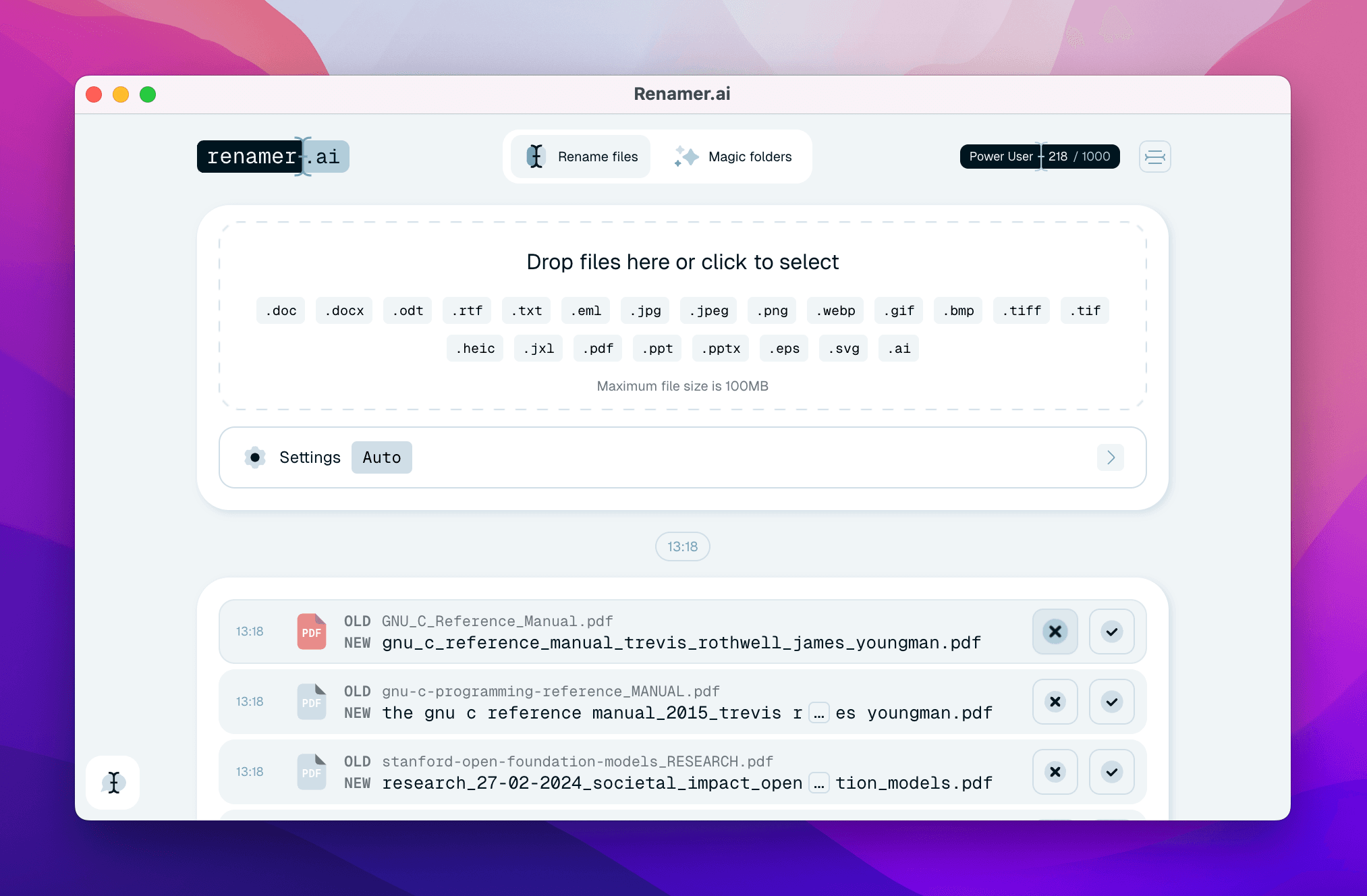
Renamer AI turns messy, meaningless filenames into clean, searchable ones - automatically. Instead of matching patterns like classic bulk renamers, it reads the actual content of each file (documents, images, PDFs) and generates a descriptive name that tells you what's inside. Drop in hundreds of files, review the suggested names, and rename everything in seconds - right in your browser, no install needed.
4.8
6 ratings
Marketing Manager

AI video with native sound, paid per clip. Nothing stored.

A calmer Mac menu bar, one click away.

Enterprise Software. Intelligent Automation. Global Impact.


Comments
6Beauty AI nerd & DJ · making siOsi.me
The "reads the actual content instead of pattern-matching filenames" distinction is the whole game — that's what separates this from every bulk renamer I've tried. Two questions: can it learn/enforce a convention across a batch (e.g. YYYY-MM-DD_client_type), and does the file content stay local in the browser or get sent to a model? For agencies, the privacy answer will decide adoption.
i write a16z speedrun scout checks within 24hours | Co-Founder & CTO at Dial AI
File organization friction is massive for knowledge workers and creative teams. Most spend hours manually renaming files across projects, documents, and downloaded assets. Having an AI that understands file content and auto-generates descriptive names that work across your entire system removes a real bottleneck from daily workflows. The ability to preview and adjust before applying means teams can enforce consistent naming conventions without the administrative overhead. This is especially valuable for agencies and teams shipping deliverables where file naming impacts client searchability.
Nice clean design. love it
Indie Hacker
I'll definitely give this a try. I have like a thousand files in my Downloads folder with weird names. This tool should help fix that.
Design instructor
Content-aware renaming is useful, but the review-before-commit step is the feature I would trust most. One addition that could make batch cleanup safer is a visible conflict check for duplicate suggested names, plus an undo or export map from old filenames to new ones. Are either of those already part of the workflow?
reading the actual file content instead of just pattern-matching the old filename is the real unlock here, most bulk renamers just do regex on what's already there. does it handle scanned PDFs or images with no embedded text, or does that need OCR first?