

Pure Macros is a free calorie and macro tracker for iPhone. Log meals by manual search, barcode scan, or AI photo scan, track water and exercise, and see real progress with weight trends, streaks, and badges. Core tracking is free forever. AI photo scanning is the only feature behind Pure Macros Pro, with no hidden tricks in the pricing.
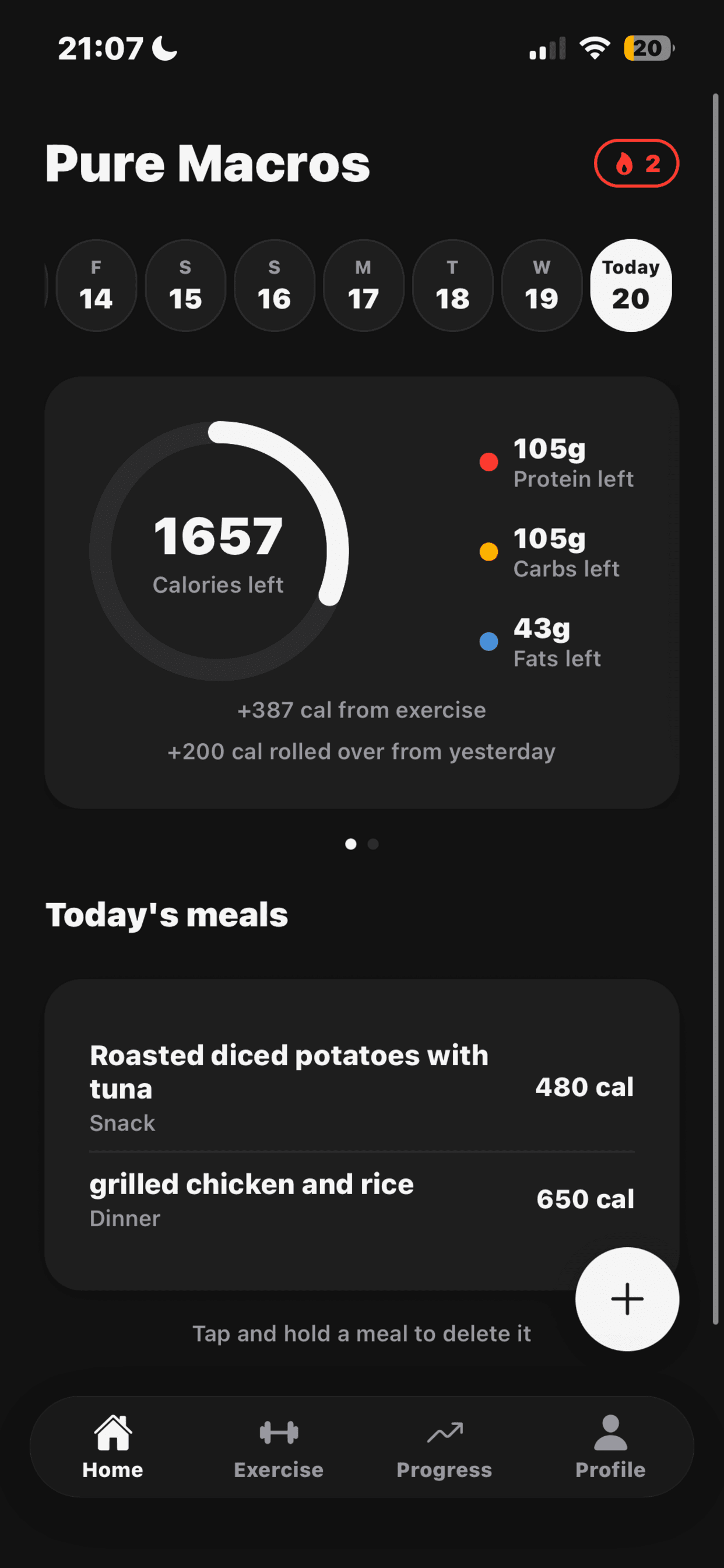
AI photo scan estimates calories and macros from a picture of your food
Manual search and barcode scanning for logging meals
Water and exercise tracking
Weight trend charts, BMI, and a PDF progress report
Streaks and badges for consistent logging
Free forever for core tracking, no ads
Logging meals quickly with AI photo scan while eating out
Tracking macros while working toward a specific fitness goal
Monitoring weight trends and BMI over time with the Progress tab
Building a consistent tracking habit with streaks and badges
Exporting a monthly nutrition summary report to share with a coach
6 ratings
Building Pure Macros, a free calorie and macro tracker for iOS.

AI video with native sound, paid per clip. Nothing stored.

A calmer Mac menu bar, one click away.

Enterprise Software. Intelligent Automation. Global Impact.


Comments
14Building Pure Macros, a free calorie and macro tracker for iOS.
Hey everyone, I'm Lloyd, a non-technical founder who built Pure Macros over about six weeks by talking through it with Claude. The idea came from being annoyed at how much friction normal calorie trackers add to logging a meal. Pure Macros lets you snap a photo of your food and get calories and macros back instantly, plus barcode scan and manual search. Core tracking is free forever, the only feature behind Pure Macros Pro is the AI photo scan, since that's the one part with a real per-use cost. Happy to answer anything about the build process or the app itself.
Really like the pricing line you drew: core tracking free forever and only the AI photo scan behind Pro. It's easy to explain, and it puts the paywall exactly where you have a real per-use cost. I went with a similar "one clear limit" model for my own app and it made the upgrade screen much simpler to write. Is Pro a subscription or a one-time unlock? And after a photo scan, can you adjust the portion size before it logs?
Building Pure Macros, a free calorie and macro tracker for iOS.
Subscription, not a one-time unlock. Each scan costs me money per photo, so one payment for unlimited scans falls apart quickly. On editing: nothing logs until you tap save. The scan fills in name, calories, protein, carbs and fat, and every one of those is an editable field sitting right there on the confirm screen. There's a note field too, prefilled if the model spots oil or a sauce, and you rewrite or clear it.
Building Blastra, an AI tool that submits real products to real directories.
The "no hidden tricks in the pricing" framing is refreshing, most macro trackers let you log a few meals free and then gate basic tracking itself behind a paywall. For the AI photo scan, does it try to segment a mixed plate into separate items, or does it estimate the whole plate as one entry?
Building Pure Macros, a free calorie and macro tracker for iOS.
Whole plate, one entry. The prompt tells the model to combine whatever's visible into a single estimate. I did try splitting plates into separate items. Every split adds another portion guess, and portion size is already the shakiest part of a photo estimate, so four wobbly numbers replaced one wobbly number. Went back to one. Everything's editable before you save anyway, so if the model lumps things oddly you fix them.
i build stuff
nice product bro,. keep working
Building Pure Macros, a free calorie and macro tracker for iOS.
Appreciate it, thanks.
Interesting concept. Making macro tracking as simple as taking a photo removes one of the biggest frictions in nutrition apps: the logging itself. I also like that barcode and manual entry remain available instead of forcing everything through AI. Curious to see how accurate the photo estimates become with mixed meals, sauces and portion size
Building Pure Macros, a free calorie and macro tracker for iOS.
Thanks. Keeping barcode and manual entry was deliberate. Photo scan is quickest when the food is obvious, and the other two cover everything else, a packet with a label, or the same lunch you log every week. On mixed meals and sauces, you get a confidence rating back with the estimate, low, medium or high. A low one throws up a warning and usually a note about oil or dressing. Numbers stay editable either way.
Building PZERO, saving you money - pzero.studio
Tracking calories and macros with barcode scans plus AI photo logging keeps food entry fast without a manual diary every meal. If you want to spend less on AI at work, take a look at pzero.studio.
Respect for the pricing logic: keeping everything free and charging only for the photo scan because it's the one feature with a real per-use cost is refreshingly honest. On the scan itself: a photo can't tell one tablespoon of oil from three, so the true answer is a range, not a single number. Have you considered showing the estimate as a range, or flagging low-confidence items, so people know which entries to double-check? And when a user corrects an item, does that adjust future estimates for them, or is every scan independent?
Building Pure Macros, a free calorie and macro tracker for iOS.
The flagging half is already built. Every scan comes back with a confidence rating, low, medium or high, and the model is told to judge two things separately: whether it knows what the food is, and whether it knows the portion. If either one is shaky, low. A low rating puts a banner up telling you portion size is hard to judge from a photo, check the numbers before saving. You also get a short note when something skews the estimate. Oil, a dressing, a portion bigger than normal. My favourite bit: if the model sees a sauce and doesn't know what the sauce is, it describes the colour instead of naming a type, because reddish tells you nothing about whether you're looking at hot sauce or BBQ. I picked a rating over a range because ranges invite people to log the bottom number. Corrections don't feed anything yet, every scan is independent. I'd like to fix this, and doing so properly on one person's data is harder than it sounds, so, not yet.
Kaky
AI photo scanning tackles the biggest pain point in calorie tracking — the friction of logging. Most people quit trackers because manual entry is tedious, so reducing that to a photo is smart. Curious how the estimates handle mixed or homemade dishes where portions are hard to judge from a picture. Free-forever core tracking with no ads is a refreshing pricing approach too.
Building Pure Macros, a free calorie and macro tracker for iOS.
Homemade is the hardest case, and honestly the photo scan is the wrong tool for a lot of it. Two better routes. The scan screen has a note field under the numbers where you type whatever the photo missed, oil, sauce, whatever. And manual entry has a meal builder where you add each real ingredient with the amount you used and the totals work themselves out. I built the meal builder after a friend searched smoothie, got a figure for some packaged product with nothing to do with what he'd blended, and ended up doing the maths on paper. Portion size is the harder problem, not identification. A photo has no scale in it. One tablespoon of oil and three look identical.