

Advanced process monitor for Mac
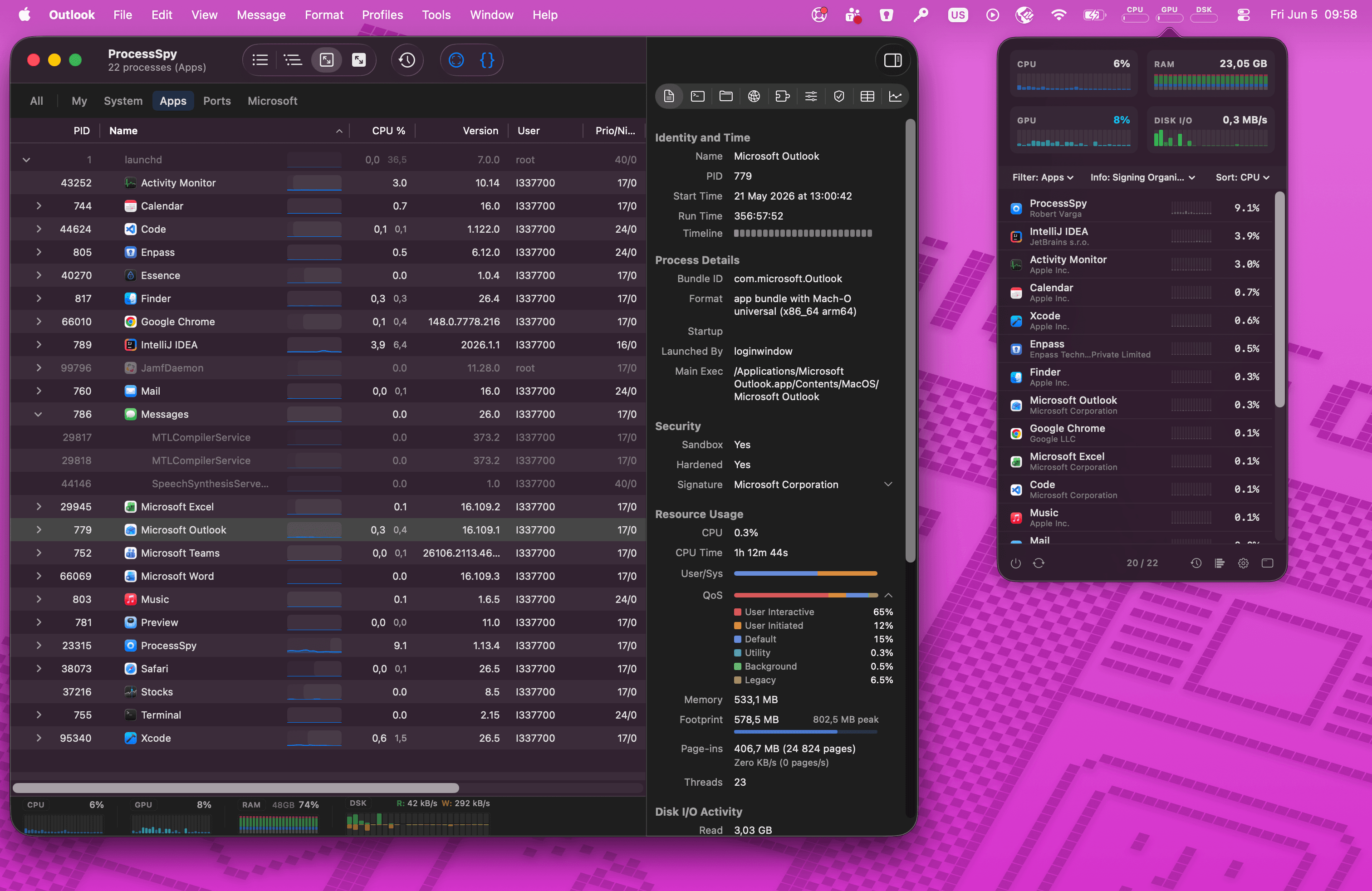
ProcessSpy is a lightweight, native macOS process explorer built for developers who need deeper system insights than Apple's default Activity Monitor provides. Serving as a powerful Mac alternative to Sysinternals Process Explorer, it grants power users full visibility into process hierarchies, command-line arguments, environment variables, and active network sockets. Designed to seamlessly integrate into your workflow, it even allows you to automate your system by triggering custom macOS Shortcuts whenever specific processes start or finish.
4.8
6 ratings

AI video with native sound, paid per clip. Nothing stored.

A calmer Mac menu bar, one click away.

Enterprise Software. Intelligent Automation. Global Impact.


Comments
5I was juggling several Java apps, each using a different JDK version — and I couldn't tell which process was which in Activity Monitor. All I saw was "java". No version, no path, no details. So I built ProcessSpy — a developer-focused native macOS process explorer that shows full command-line info, version details, environment variables, and more. It's the Sysinternals Process Explorer equivalent for macOS, revealing what Activity Monitor hides: process trees, open files, environment variables, and instant kill for stubborn apps.
This looks like a serious upgrade over the built-in Activity Monitor. The per-process CPU/memory history with mini graphs and the disk I/O tracking are exactly what I need to catch resource spikes as they happen. Being able to see full command-line arguments is a huge plus for debugging Java apps.
Great upgrade to built-in Activity Monitor. Does it work on windows too ?
The terminated-process recall plus full command-line and environment visibility solves a real gap in Activity Monitor. For debugging intermittent dev environment issues, CSV/JSON export would be even more useful if it included a short capture window around process start/end and the parent chain, so a snapshot can be shared later without keeping ProcessSpy open.
Nice tool, future update where we can monitor and manually adjust the fan speed would be a great improvement.