
All the tools you need, free and private forever.
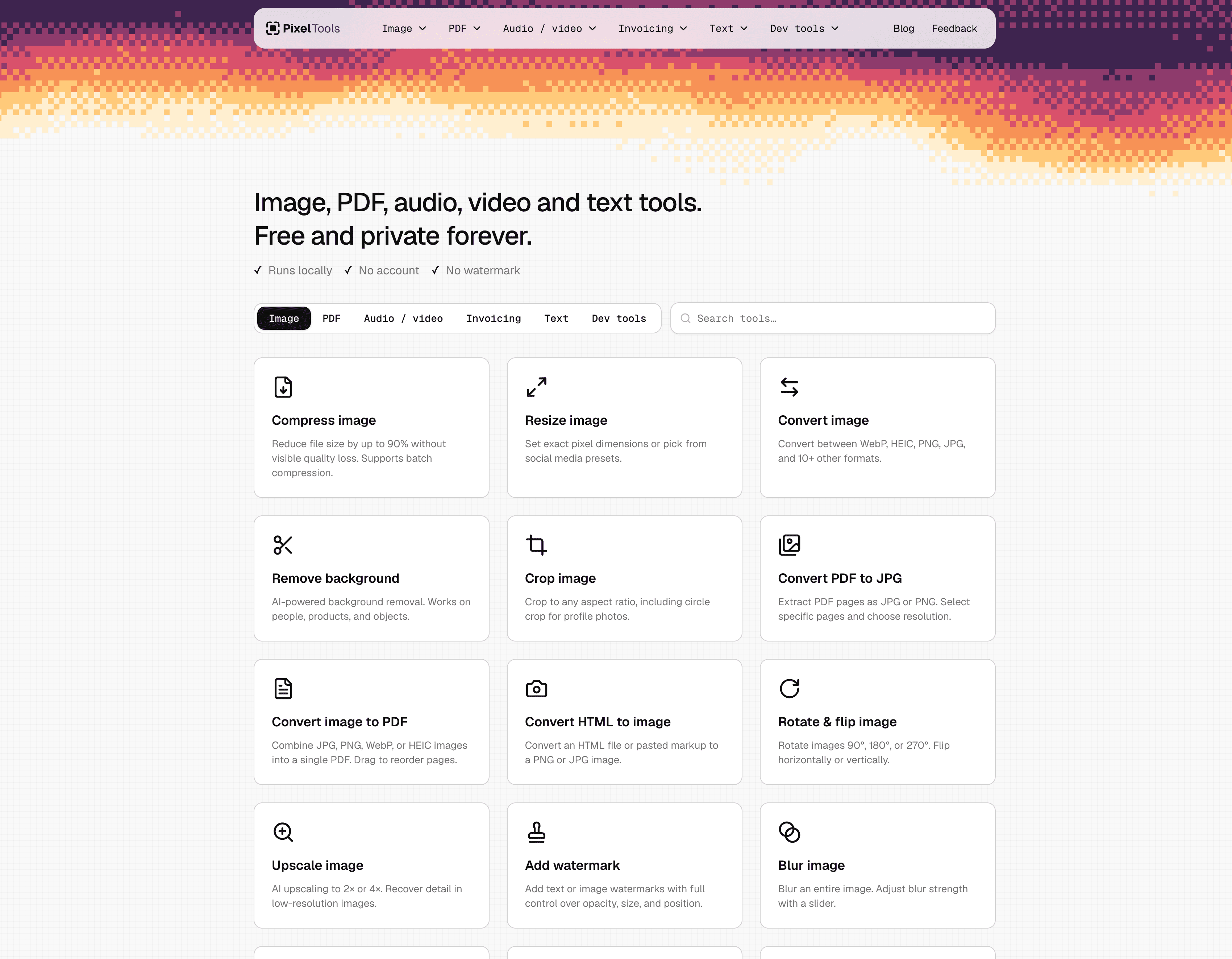
All the image, PDF, video, audio and text tools you need, 100% free and private. Convert, compress, merge, split, remove backgrounds, resize, sign, redact, OCR, upscale, watermark, generate invoices, encode/decode ciphers, and more. 82 tools, all running directly in your browser, nothing ever uploaded.
Image
Documents
Text & Ciphers
Dev Tools
45 people supporting this launch
4.8
6 ratings
Building Pixeltools.io

AI video with native sound, paid per clip. Nothing stored.

A calmer Mac menu bar, one click away.

Enterprise Software. Intelligent Automation. Global Impact.


Comments
17Building Pixeltools.io
Hi guys ! Noticed most tool sites have annoying sign up or pay walls. So I built one that's fully free and private. Hope you like it! Cheers, JB
Wed developer
This is amazing, great use for me
The privacy-first angle is what stands out here — running everything in the browser with no sign-up removes the usual friction of online tools. The Scan to PDF + OCR combo is genuinely useful for digitizing paperwork, and the invoice/receipt generators with no account needed are great for freelancers. One suggestion: a batch-processing option for compressing multiple images at once would make this even better for people handling large photo sets.
This is the kind of site that quietly replaces fifteen bookmarks. The signal that it's well-designed: none of the tools ask for an account — you land, do the thing, and leave. The invoice/receipt generators and the video utilities being equally frictionless suggests a consistent philosophy rather than a bundle of wrapped libraries. Question on privacy, since it matters a lot for file tools: are conversions like HEIC→JPG, PDF redaction and audio transcription processed client-side in the browser, or uploaded to your servers? If the files never leave the device, that's a strong selling point worth surfacing more prominently on the site.
Running all 82 tools fully in the browser is the right call for things like redact and sign, since people are rightly nervous about uploading contracts and IDs to random sites. Question: for the heavier jobs like video merge or upscaling, are you using ffmpeg.wasm / WebGPU, and is there a file-size ceiling on mobile browsers? A small note on each tool page about limits would save people from a stalled tab.
The audio-to-MIDI transcription running entirely in the browser is a standout — that is usually a paid desktop feature. Keeping everything local also makes the redact and sign tools genuinely trustworthy, which is exactly what privacy-sensitive tasks need.
The fact that the PDF, image, audio and video tools all run in the browser means the 'nothing uploaded' claim is easy to check, which matters for contracts or ID scans. How does the on-device audio-to-MIDI transcription cope with longer tracks, given browser memory limits? A file-size or progress note on the heavier tools like video merge would help people know what their machine can handle.
Web designer with love for AI and tech
Love a tool suite that respects privacy and doesn't gatekeep features behind paywalls or forced accounts. Amazing work❤️
Love seeing more tools go fully local. I’m building something similar for PDFs, and the hardest part for me was OCR: getting decent accuracy in the browser without a huge model download. Which OCR engine are you using, and how big is the first load? Also curious how video handles large files: ffmpeg.wasm can run out of memory fast on phones. Do you cap file size or stream it in chunks?
Contact for Trencada
The privacy-first angle is what makes this stand out — running 82 tools fully in the browser with no signup removes the biggest friction of tool sites. Audio-to-MIDI transcription in-browser is genuinely impressive, that's usually a paid feature elsewhere. Would love to see batch processing added for the converters. Great launch!
Putting OCR, redaction, and signing in a browser-only toolset is a meaningful privacy advantage, especially for one-off paperwork. For the heavier video and audio tools, a clear pre-flight estimate of local storage or memory use would be valuable—people could decide whether to run the job on mobile before waiting through a long conversion.
Running everything in the browser with nothing uploaded is a genuinely useful privacy stance for quick one-off conversions — the invoice and receipt generators without an account are a nice touch too.
Running everything in the browser with nothing uploaded is a genuinely useful privacy stance for quick one-off conversions — the invoice and receipt generators without an account are a nice touch too.
The range here is what impresses me — it covers the small jobs that usually send you hunting across five different sites, from generating an invoice PDF to cleaning up a photo before an upload. Running everything locally in the browser, with no account wall, is exactly right for one-off tasks where uploading a personal document to a random server feels wrong.
Running video tools like merge and reverse entirely in the browser is impressive. How do larger files hold up, say a 1 GB 4K clip? Is there a practical size limit before the tab runs out of memory? And since privacy is the whole angle, a "remove metadata" tool (EXIF and GPS for photos, author info for PDFs) would fit nicely next to Redact.
The 'private forever' promise is the real standout. Most free-tool sites fund themselves with ads and trackers, which is the opposite of privacy — if everything genuinely runs client-side in the browser with no uploads, that's a differentiator worth leading with. Which tools are people reaching for most so far — image converters, PDF tools?
Independent maker building browser-based creative tools and practical guides.
The PNG/JPG-to-SVG use case caught my attention. Is the tracing intended mainly for flat logos, or can users control the number of colors and path simplification for more detailed images? A before-and-after example showing both visual fidelity and SVG file size would make the tradeoff easier to judge.