

PdfCompare is an open-standard, zero-cloud PDF comparison tool built for attorneys, financial auditors, designers, and enterprise professionals.
Key Features:
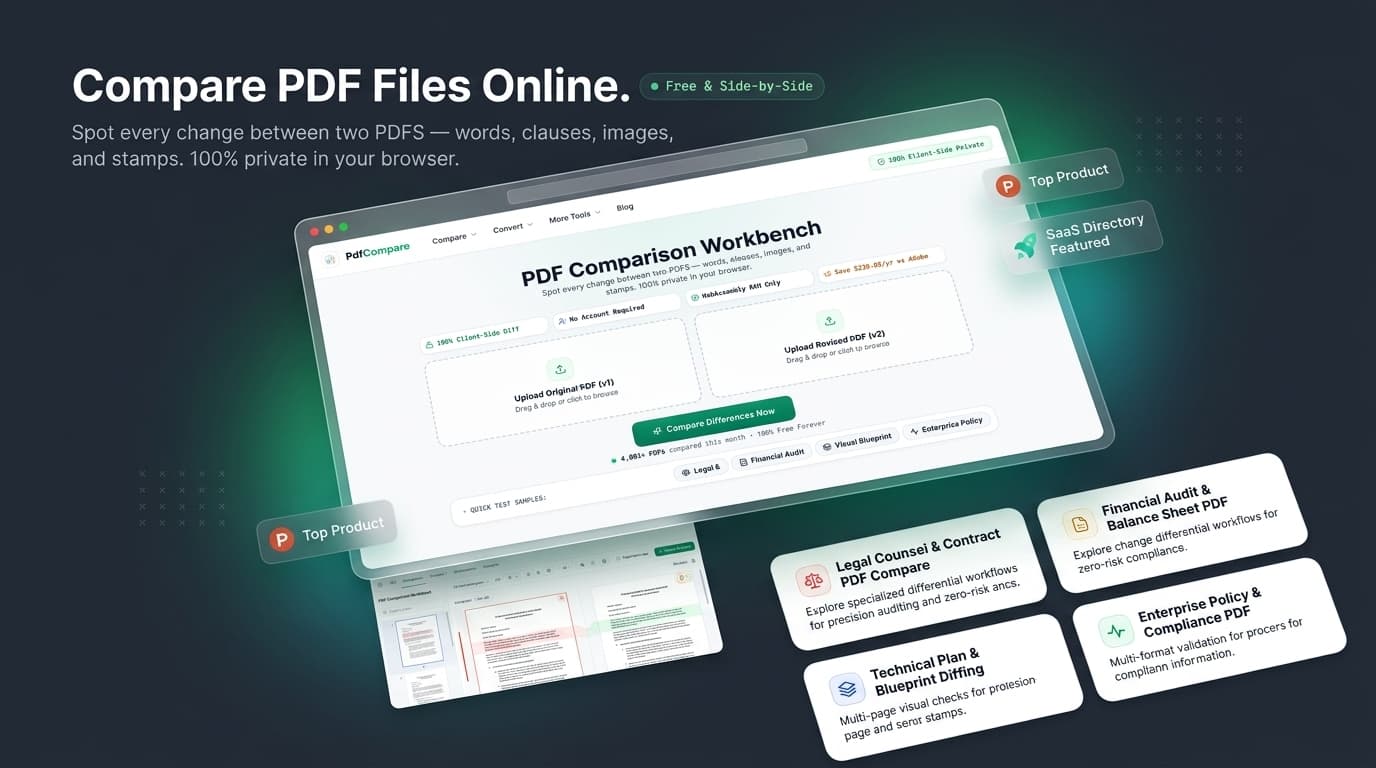
100% Client-Side Privacy: All file parsing and differential algorithms execute entirely inside your browser's WebAssembly memory. Zero files are uploaded to remote servers.
Word-Level Redline Precision: Highlights inserted text in vibrant emerald green and deleted phrases in red strike-through, filtering out distracting format noise.
Visual Pixel Overlay: High-DPI canvas overlay with a draggable slider to detect shifted stamps, relocated signatures, and altered drawing margins.
No Account Required: Instant zero-click comparison with no signups, no paywalled page limits, and no exported watermarks.
Audit Changelog Export: Export verified timestamped diff logs for legal compliance records with 1 click.
4.8
6 ratings

AI video with native sound, paid per clip. Nothing stored.

A calmer Mac menu bar, one click away.

Enterprise Software. Intelligent Automation. Global Impact.


Comments
12We built PdfCompare because comparing PDFs shouldn't require uploading sensitive documents to someone else's server. Legal contracts, financial reports, and business documents often contain information that people simply don't want leaving their device. Yet many PDF comparison tools rely on cloud processing. So we took a different approach: PdfCompare runs the comparison directly in your browser. No uploads, no account, no watermark. It combines precise word-level redlines with visual page comparison, so you can see both what changed in the text and what changed on the page. We're launching on Fazier because we want to hear from people who work with PDFs every day. What do you wish your current PDF comparison workflow did better? Try it, break it, and tell us what we're missing. We'd genuinely love the feedback.
GuestNiche: SEO tools for audits, keyword research, link building and content planning. https://guestniche.com/
How do you handle scanned PDFs without selectable text: does comparison fall back to the visual overlay, or is local OCR available? A short example of a changed table versus a text edit would help users understand which mode to use.
Every forum. One home. — CardGarden is a free directory of 1,342 forums and online communities, plus AI tools, domain registrars and hosting listings.
Running the comparison entirely on the client side makes this much easier to justify for contract work, where uploading drafts to a third-party server is often a non-starter. When you export the audit changelog, does each entry include the page number and surrounding wording for every insertion and deletion, so an auditor can trace it back to the visual overlay without re-running the files?
ProxyAI. One agent, every storefront, zero migration.
A sample comparison showing reordered pages would clarify the workflow. Can users distinguish moved paragraphs from deletions and insertions when a contract section changes position?
The combination of word-level redlines and a draggable visual overlay seems especially useful when a signature or stamp moves but the wording stays the same. Since processing runs in the browser, does an in-progress comparison continue if the network drops? A sample exported report showing both text and visual changes would help audit teams evaluate the workflow.
For comparing print-ready worksheets, can the visual overlay align pages when one PDF has a different crop box or page margin? Separating alignment differences from actual artwork changes would make the result much easier to inspect.
For the audit changelog export, does the report include hashes of both input PDFs and the comparison engine version? The timestamp records when a comparison ran, but those identifiers would also tie each result to the exact file revisions and make it easier to reproduce the comparison later. A sample export would clarify what the report preserves.
Running the whole diff in WebAssembly is the right call for contracts, most legal teams will not upload those anywhere. How does it handle scanned PDFs with no text layer? Is the pixel overlay the fallback there, or is OCR on the roadmap?
The client-side-only architecture is the standout choice here — most legal teams won't upload contracts to a cloud diff tool no matter how good it is, so running everything in WebAssembly inside the browser removes the whole security-review conversation. One question: how does it handle documents with different page counts or reordered pages? If I'm comparing v3 against v4 of a contract and a clause moved to a different page, does the word-level diff track it as a move, or does it show up as a deletion plus an insertion?
The client-side-only approach makes a lot of sense for contract reviews where you simply cannot upload sensitive PDFs to a third-party server. The word-level redline combined with the visual overlay slider sounds especially useful when a clause changes but the layout also shifts — you can check both what changed and where it moved. The audit changelog export is also a nice touch for keeping a compliance trail.
Building PZERO, saving you money - pzero.studio
Running the word-level redlines and the high-DPI pixel overlay entirely in WebAssembly memory keeps sensitive contracts on the device with no upload and no account. If AI spend ever starts eating into your margins, PZERO is at pzero.studio.
Running this 100% locally in the browser is a massive game-changer for sensitive documents. Love the visual overlay feature. Congrats on the launch!