
Turn any webpage into a screenshot worth sharing
4.8(6)6Design
Lustly started as a side project born out of frustration. Screenshots were being taken all day - for bug reports, design feedback, social posts, and documentation - and every time the workflow looked the same: capture, open a design tool, add a frame, export, realize the crop was wrong, start over.
The goal was a single button in the browser that does the whole thing. Select an area, style it, export it. No tab switching. No account required for the basics. No learning curve.
Today, Lustly is used by designers, product managers, support teams, and creators who want their visuals to look polished without spending ten minutes in an editor.
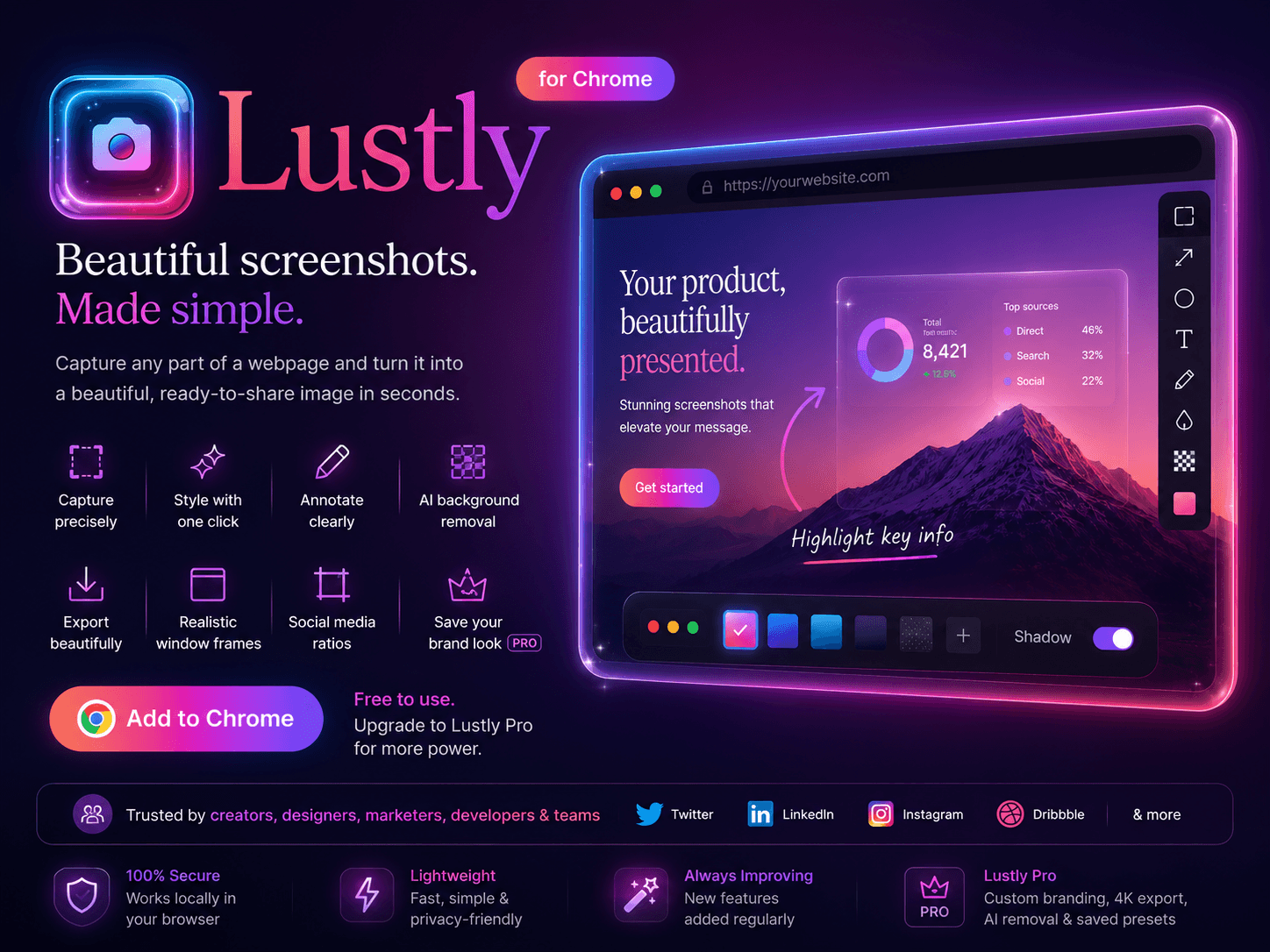
Lustly offers a streamlined workflow, enabling you to go from capturing an idea to exporting a polished image in under a minute. The free version requires no signup and provides essential features for personal use, while the Pro version unlocks advanced capabilities like AI background removal and social media ratios.
26 people supporting this launch
4.8
6 ratings
developer

AI video with native sound, paid per clip. Nothing stored.

A calmer Mac menu bar, one click away.

Enterprise Software. Intelligent Automation. Global Impact.


Comments
6This looks super useful. I really like the idea of capturing, styling, annotating, and exporting a screenshot without jumping between different tools. The browser and device frames are a nice touch too. Great tool for anyone who shares product updates, tutorials, or design feedback regularly!
Web developer helping students with amazing useful tools and resources.
It really helpful for me to share my web screenshots
Founder @ designdex.org
could be very big, a very cool and fresh concept
AI background removal running locally in the browser is a smart privacy call for a screenshot tool. Does it remember your frame and background settings between captures?
Meal App – Restaurant Management & Food Ordering
Really love the idea behind Lustly. Turning a simple screenshot into a polished, shareable visual without switching between multiple tools can save a lot of time. The one-click workflow sounds especially useful for designers, product teams, and creators. Great side project! 👏
Lustly - Beautiful Screenshots Your product has strong potential, but I found a few key improvements that could make it even better. I'd love to share my feedback and suggestions—please contact me at [email protected]