

Capture, annotate, record, and share visuals faster
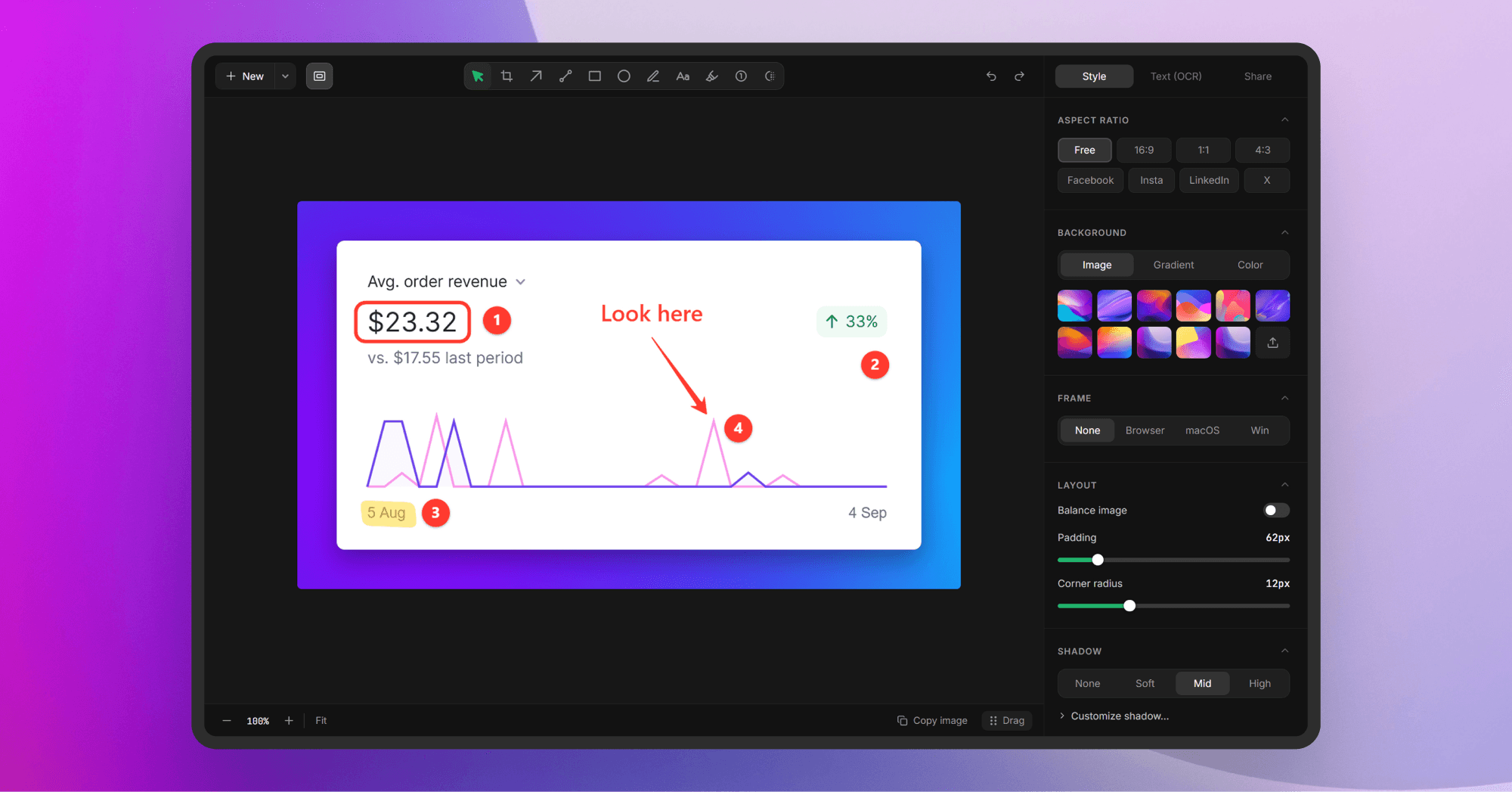
Lumshot is a modern screenshot and screen recording app for capturing, explaining, and sharing anything on your screen. Capture screenshots, annotate them, record your screen, extract text with OCR, redact sensitive information, and share your work without switching between multiple tools.
Lumshot also makes it easier to work with AI using AI Auto Paste, which sends screenshots directly to ChatGPT, Claude, Cursor, and other AI tools. You can also turn screenshots into Jira issues, capture scrolling pages, record with webcam and audio, and quickly share captures with drag-to-share.
54 people supporting this launch
4.8
6 ratings

Turning ideas into products. Learning, building, repeating

AI video with native sound, paid per clip. Nothing stored.

A calmer Mac menu bar, one click away.

Enterprise Software. Intelligent Automation. Global Impact.


Comments
47Turning ideas into products. Learning, building, repeating
Hey everyone! 👋 Really excited to finally share Lumshot here. I’ve been building it to make screenshots, recordings, and visual feedback much easier. Hope you find it useful!
Chat, community & workspace in one
The AI Auto Paste workflow is a really smart touch. Sending a screenshot directly to ChatGPT, Claude, or Cursor removes a surprisingly annoying step from debugging and feedback workflows. I’m curious how Smart Redact works in practice — does it automatically detect things like emails, API keys, or personal information before sharing, or is it mostly user-triggered? Automatic sensitive-data detection could make this especially useful for dev and support teams.
Turning ideas into products. Learning, building, repeating
Thanks! 🙌 Smart Redact automatically detects things like emails, API keys, and other sensitive info. Auto Paste doesn’t have redact yet, but we’re working on it.
Building PZERO, saving you money - pzero.studio
Screenshots, screen recording, OCR, and Smart Redact in one place, with AI Auto Paste that sends a capture straight into ChatGPT, Claude, or Cursor. When those model calls start stacking up, leftover capacity is at pzero.studio.
Turning ideas into products. Learning, building, repeating
Thanks! 🙌 That’s exactly the workflow we wanted to make simpler. Really appreciate it!
Oh it can be really useful, is it similar to shottr?
Turning ideas into products. Learning, building, repeating
Thanks! 😊 There are some similarities, but Lumshot goes further with screen recording, OCR, Smart Redact, AI Auto Paste, and Jira.
Smart Redact next to AI Auto Paste is the combination I'd actually use - the biggest risk of sending screenshots straight into ChatGPT or Claude is leaking an email, token or customer name by accident. Does the redaction run automatically before the auto-paste, or is it a separate manual step? Making it a default "redact then paste" option would be a strong selling point for teams.
Turning ideas into products. Learning, building, repeating
Thanks! 🙌 Right now, Smart Redact is a separate step before pasting. We’re working on adding it directly to Auto Paste.
Founder of SkillTa | Indie Hacker | QA Automation Engineer | Playwright + JS/TS 🎭 | Turning bugs into learnings | Building in public 🚀
nice what is the benefit users get in free?
Turning ideas into products. Learning, building, repeating
Thanks! 😊 Free gives you unlimited screenshots, annotations, export and sharing, with a Lumshot watermark. Pro unlocks the advanced features.
its helpful, need to try this more
Turning ideas into products. Learning, building, repeating
Thanks! Hope Lumshot comes in handy for you.
AI-Powered Calling & Messaging Platform for Sales and Support Teams
The combination of screenshots, screen recording, OCR, and smart redaction in one workflow looks genuinely useful. Auto Paste into tools like ChatGPT or Claude could save a lot of small repetitive steps during the day.
Turning ideas into products. Learning, building, repeating
Thanks! 🙌 That’s exactly what we’re aiming for, fewer repetitive steps and a smoother workflow.
Turning an annotated capture into a Jira issue looks useful for UI feedback. Can an issue include both the original screenshot and the annotated version? Having both would help designers and developers distinguish the actual UI from the suggested changes.
Turning ideas into products. Learning, building, repeating
Yep! 👍 The Jira issue includes the annotated screenshot, and you can also keep the original capture separately if needed.
Building TermLink, one browser tab for every Claude Code and Codex session. Contract dev in Seoul.
does smart redact catch api keys and tokens in a terminal screenshot, or mostly emails and names? thats the part id worry about before auto pasting into claude
Turning ideas into products. Learning, building, repeating
Good point! Smart Redact isn’t part of Auto Paste yet. We’re working on adding it while keeping the workflow fast. For now, you can screenshot, redact sensitive info, then paste it into Claude.
32 private, in-browser utilities with zero cloud uploads
The AI Auto Paste feature directly into tools like Claude and Cursor is super smart and saves a ton of context switching. Clean UI and solid workflow tool. Congrats on the launch!
Turning ideas into products. Learning, building, repeating
Thank you! 🙌 That was exactly the idea, cut out all the context switching and get the screenshot where you need it in seconds. Really appreciate it!
What is the main difference between the free and paid versions ? I must say the interface is easy an practical.
Turning ideas into products. Learning, building, repeating
Thank you! 😊 The free version includes unlimited screenshots, annotations, export and sharing with a Lumshot watermark. Pro adds OCR, screen recording, scrolling capture, Smart Redact, Jira integration, and watermark-free or custom watermark options.
The AI Auto Paste into ChatGPT/Claude/Cursor is such a nice touch - most screenshot tools stop at "copy to clipboard" and leave you to do the rest manually. We're building Botfay, a unified inbox for WhatsApp/Telegram/Instagram, so I appreciate tools that cut the copy-paste friction between apps like this. Congrats on the launch!
Turning ideas into products. Learning, building, repeating
Thanks! 🙌 That copy-paste friction is exactly what we wanted to remove. Appreciate the support, and best of luck with Botfay!
The AI Auto Paste into ChatGPT/Claude/Cursor combined with Smart Redact is a combo I haven't seen in other screenshot tools — redacting secrets before sending a screenshot to an AI tool is a genuinely important workflow. Does Smart Redact detect things like API keys automatically, or do you mark the regions manually? Also curious if scrolling capture works on pages behind a login.
Turning ideas into products. Learning, building, repeating
Thanks! 🙌 Smart Redact automatically detects things like API keys, emails, and names. And yes, scrolling capture works on pages behind a login.
It's good app but I think you have to give others little bit more access on free mode.
Turning ideas into products. Learning, building, repeating
Thanks for the feedback! 🙌 We’re definitely keeping an eye on the free limits and want to make sure there’s enough value to really try Lumshot before upgrading. Appreciate the suggestion!
Scrolling capture plus one-click Jira issues is a good pairing for long pages. When a scrolling capture becomes a Jira issue, does it attach as one tall image, or does it get split so it stays readable in Jira's preview?
Turning ideas into products. Learning, building, repeating
Images and videos added as attachments in the Jira board. as one image
The end-to-end path from scrolling capture to annotation to a Jira issue is the strongest part for product and QA teams. One enhancement that would make that flow even better: include OCR text from the capture as structured issue-body text, not only inside the image. That would make tickets searchable while keeping the visual context.
Turning ideas into products. Learning, building, repeating
Thank you for the suggestion! 🙌 We’ll keep it in mind for future updates. Stay with us!
Turning an annotated screenshot straight into a Jira issue removes the most tedious step in bug reporting. Does the issue keep the annotations as an image attachment, and can it pre-fill browser and OS details? That's usually the first thing developers ask for.
Turning ideas into products. Learning, building, repeating
Yep! The annotated screenshot is attached to the Jira issue, and there’s an option to add environment info. We’d love your real feedback as user to make this feature even better! 🙌
it can be really useful, is it similar?
Turning ideas into products. Learning, building, repeating
Thanks! 😊 If you mean similar to another screenshot tool, yes, there are some similarities, but Lumshot focuses more on the quick capture → explain → share workflow.
For screenshot-based bug reports, a consistent export size would help keep comparisons readable. Can Lumshot save an annotation/export preset so a team can reuse the same canvas size and styling across reports?
Turning ideas into products. Learning, building, repeating
Not yet, but that’s a great idea for team workflows. We’ll keep it in mind for future updates! 🙌