

Rewrite, translate and fix tone — native English in seconds
4.8(6)13WritingProductivityExtensions
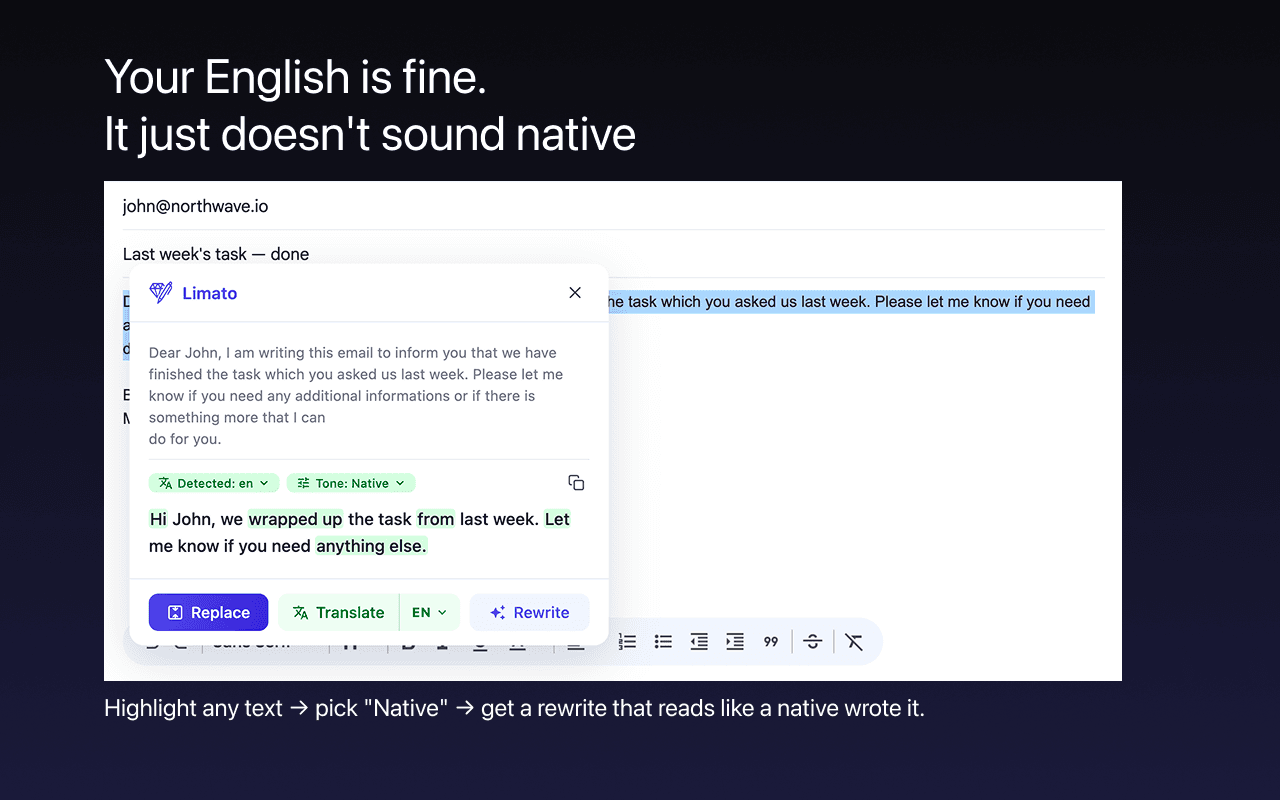
Limato is a Chrome extension for people who write English as a second language. Highlight text in any field — Gmail, Slack, LinkedIn, a comment box — press one key, and get it back rewritten, translated or re-toned in place. No copy-paste, no tab-switching. Seven tones: Native (a measured median 37% shorter), Humanize, Formal, Casual, Simplify, Academic, Grammar. Works across 34 languages. The free tier gives 20 rewrites a day when signed in, no card. Pro is $5.99/mo for unlimited.
4.8
6 ratings

AI video with native sound, paid per clip. Nothing stored.

A calmer Mac menu bar, one click away.

Enterprise Software. Intelligent Automation. Global Impact.


Comments
13Hi Fazier — I'm Mikhail, I build Limato alone. I moved to Spain and noticed I was spending ten minutes on a three-line email in Spanish: write it, paste it into ChatGPT, paste it back, still sounds translated. So I built the step that was missing — highlight the text where you already are, press one key, get it back native, translated or re-toned in place. The part I care most about is the Native tone: it is not a grammar polish, it rewrites. On my own measurements the median output is 37% shorter than the input, because most ESL padding is openers and hedges a native would never write. Free tier is 20 rewrites a day when signed in, no card. Pro is $5.99/mo. It's on the Chrome Web Store: https://chromewebstore.google.com/detail/limato/fkllcdmgccldkfoeagaldpeijoiimlfb — happy to answer anything here or at [email protected].
The in-place rewrite workflow seems useful for short emails where switching to another editor adds friction. Does Native mode offer a preview or an undo option before replacing the selected text? Being able to check that names and the original meaning survive the rewrite would help when writing in a second language.
This is a great initiative. But would like to know if it also comes as an extension or just an app?
Must try this too. https://www.kelmiv.com/
Tone fixing + translation in one tool, will try!
This looks really useful. Love how simple and practical the product is
xVisa is an end-to-end Schengen visa service: we help you choose the best country to apply from, prepare your documents, complete the application and book the appointment.
Limato saves me a surprising amount of time. Instead of rewriting emails over and over trying to make them sound natural, I just highlight the text and let Limato clean it up. The result usually sounds much closer to how a native speaker would actually write.
Building PZERO, saving you money - pzero.studio
Highlighting text in Gmail, Slack, or LinkedIn and getting it rewritten in place across seven tones, including a Native mode that trims ESL padding, removes the copy-paste loop. If model bills start adding up behind those rewrites, pzero.studio is where PZERO buys leftover capacity.
Honestly I used open source macos app writing-tools with my api key, but this one has better UI and I will probably switch. But i think it is a must have
the 37% shorter stat is the interesting part. writing in a second language, people tend to over-explain and soften everything. does Native mode also move the actual ask to the top of the message, or does it only trim? leading with the request is usually the bigger win in email.
I'm ai assited web developer.
this website is really a good for that one wants better and catchy sentences.
Rewriting in place instead of the copy-paste loop is the right call. One question about Grammar mode: does it show what changed (highlighted diff) so a non-native writer can actually learn from the corrections, or does it swap the text silently? Also curious how it behaves in Gmail/LinkedIn editors, where the field re-renders as you type.
Does Limato explain why it changed something, or does it only give back the corrected text? For people who write in a second language, knowing why a phrase sounds wrong is what stops the same mistake next time. Which languages work best right now?