

A visual launchd manager and crontab alternative for macOS
LaunchAgent Studio is a native macOS app for viewing, enabling, disabling, running, creating, scheduling, and deleting user LaunchAgents. It turns launchd configuration into a clear visual workflow and can replace crontab for many user-level scheduled jobs. It runs locally without administrator privileges, supports English and Simplified Chinese, and is open source under the MIT License.
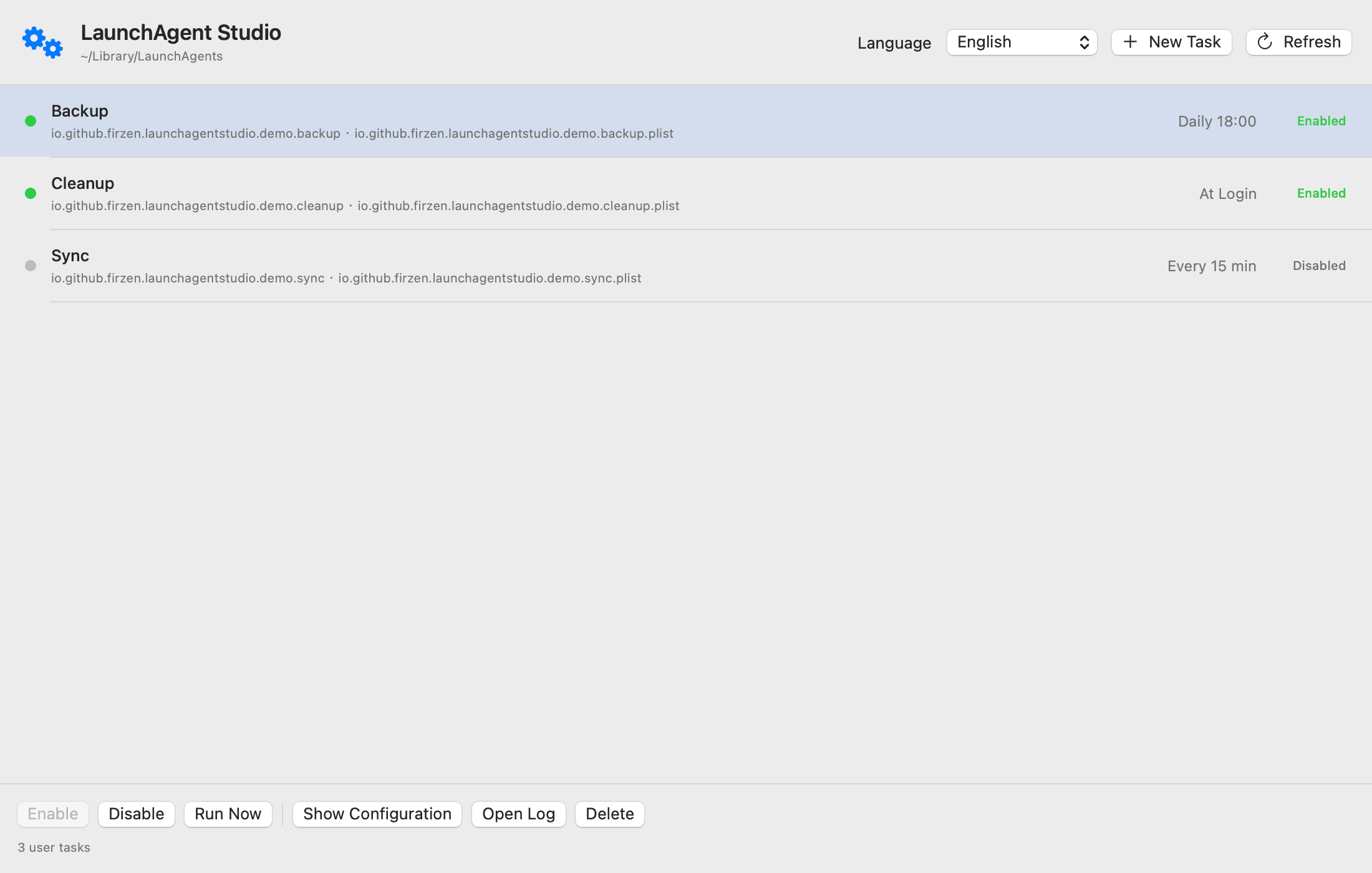
Visual list of user LaunchAgents with friendly app identification
Enable, disable, run, inspect, create, schedule, and delete tasks
Calendar and interval scheduling without editing plist files
English and Simplified Chinese interface
Native macOS app with no administrator privileges required
Open source under the MIT License
Replace crontab for user-level scheduled jobs on macOS
Restart an app or run a script at a fixed time each day
Inspect which apps installed background LaunchAgents
Temporarily disable startup helpers and update agents
Create launchd tasks without manually writing plist XML

AI video with native sound, paid per clip. Nothing stored.

A calmer Mac menu bar, one click away.

Enterprise Software. Intelligent Automation. Global Impact.


Comments
3I built LaunchAgent Studio after a scheduled app restart exposed how difficult it is to understand and manage launchd jobs through plist files and Terminal commands. What began as one automation grew into a native visual manager for inspecting existing agents and creating reliable schedules. I would especially value feedback from macOS users who currently rely on crontab, launchctl, or hand-written plist files.
Building PZERO, saving you money - pzero.studio
Scheduling user LaunchAgents from a calendar without editing plist XML, and without admin privileges, is the right cut for a local macOS tool. If you ever need AI for the rest of the business, PZERO is at pzero.studio
The part of launchd that actually burns people isn't writing the plist, it's the silence afterwards: a job exits non-zero and you only find out days later by digging through launchctl print. If the agent list surfaced last run time and last exit status per job, that alone would beat crontab for most user-level work. Curious how you handle StartCalendarInterval catch-up runs after the Mac wakes from sleep, since that is where launchd and cron quietly disagree.