

Free browser-only file tools. Fast, private, no clutter.
4.8(6)12ProductivityDesignPhoto Editing
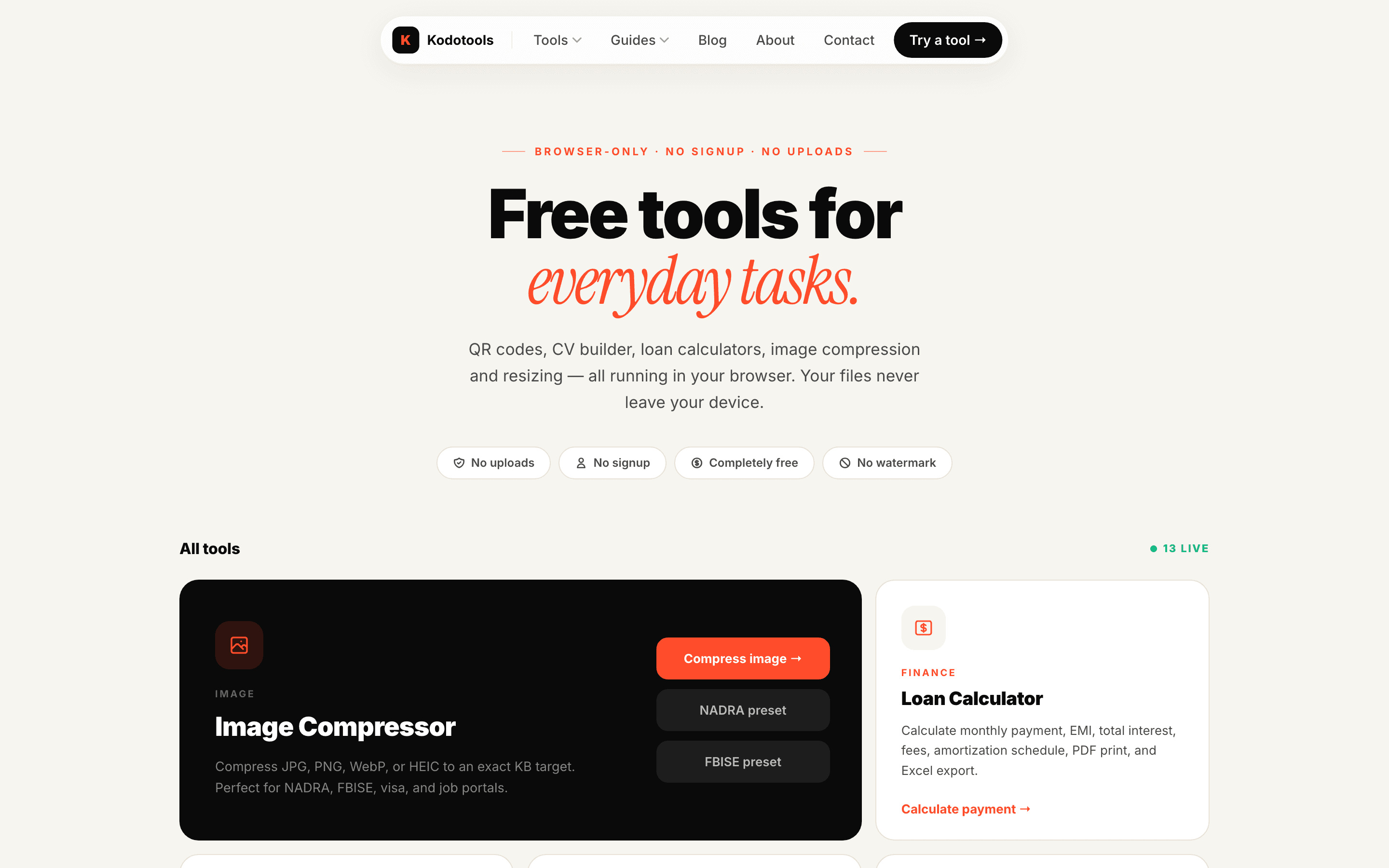
Kodotools is a growing hub of free, browser-only file utilities built for people stuck with strict file requirements on job, visa, exam, and government forms. Compress an image to an exact KB, convert between JPG/PNG/WebP/HEIC, resize photos, make a passport photo, add a name and date to a photo, generate QR codes, build a CV, or turn images into a PDF. Every tool runs 100% in your browser, so your files never touch a server — no uploads, no signup, no watermark, no limits. Fast, private, no clutter.
Indie maker building Kodotools — free, private, browser-only file tools

AI video with native sound, paid per clip. Nothing stored.

A calmer Mac menu bar, one click away.

Enterprise Software. Intelligent Automation. Global Impact.


Comments
12Indie maker building Kodotools — free, private, browser-only file tools
Hey 👋 I built Kodotools out of a simple frustration: filling out a job, visa, or exam form and getting rejected because a photo is a few KB too big, in the wrong format, or missing a name and date. Most "fix it" tools upload your file to a server, add a watermark, or make you sign up. Kodotools does none of that — every tool runs 100% in your browser, so your files never leave your device. Compress to an exact KB, convert and resize images, make passport photos, add name & date, generate QR codes, or turn images into a PDF. Free, private, no clutter. Would love your feedback — especially which tool you'd want next 🙏
Indie developer building Meeting Executor, an AI meeting assistant
The "compress to an exact KB target" feature stands out — most compressors make you guess and re-export until you land under a portal's limit, so targeting the number directly removes that whole loop. And doing everything 100% in-browser is the right architecture for this category, since people are handling ID photos and documents they'd rather not upload to a server. Genuine question: for the passport photo maker, do the country specs cover background and layout requirements too, or mainly dimensions?
The exact-KB compression target is the feature I didn't know I needed — portals that reject a 260KB photo because the cap is 200KB are exactly where generic compressors fail, and targeting the number directly removes the export-and-retry loop. Curious how you implement it: do you iterate quality and dimensions together, or quality only? Holding the resolution steady while still hitting the target is where most tools give up. Also nice that the passport photo specs are built in — that's usually gated behind a paywall on other sites.
Compressing an image to an exact KB target is genuinely useful — government and exam portals (like the NADRA/FBISE cases you list) reject uploads for being just a few KB over, and doing it fully in-browser means ID photos never leave the device. Combining that with the 'add name & date to photo' tool covers the whole exam-photo workflow in one place. Does the passport photo maker include preset dimensions per country, and can you chain tools (e.g. resize → add name → compress) without re-downloading in between?
Doing the exact-KB compression in the browser is the right call for ID photos; nobody wants a passport scan sitting on a random server. One question from someone who deals with a lot of camera exports: HEIC from iPhones often carries orientation in EXIF rather than in the pixels. Does the HEIC to JPG conversion bake the rotation in, or does the output rely on the viewer honouring the EXIF tag? Portals usually strip EXIF, so a baked rotation would save people a rejected upload.
One small idea for the compressor: after compressing, show the final pixel size next to the KB. Some exam forms (SSC, IBPS) check both, and people usually find out only when the upload fails. Also curious whether it lowers quality first or resizes first when it can't hit the target. Nice that it all stays in the browser for ID photos.
The 'compress to an exact KB target' feature is the standout — most tools make you guess and re-export repeatedly to hit a portal's limit. One suggestion for the passport photo maker: list the supported country dimension presets upfront, since those requirements are oddly specific and people often have to hunt them down. And good call keeping everything fully client-side — that's the right architecture for ID documents.
The use-case list is what sells this — NADRA, FBISE, visa and exam portals with strict KB limits are a real pain point, and 'compress to an exact KB target' solves the exact frustration of re-exporting five times. The passport photo maker with country specs plus name/date stamping shows you understand the exam-form workflow end to end. Keeping everything 100% in-browser with no signup is the right trust model for ID documents.
Keeping ID photos on the device is useful. Could the compressor warn when a size target would make text or a face unreadable, so users know to choose another format or resolution?
Startup & SEO enthusiast
What I appreciate here is how precisely the use cases are scoped — NADRA/visa/exam portals with strict KB limits, adding name-and-date to exam photos, passport specs per country. Most file-tool sites are generic; this one reads like it was built by someone who actually suffered through the South Asian exam/visa paperwork gauntlet. Keeping passport photos and ID images 100% on-device is the right privacy posture for this category — uploading an ID photo to a random server is exactly what users here shouldn't do. The no-signup/no-watermark/no-limits combination removes every reason not to try it.
Indie maker from Quebec, Canada. I build Dégustons Local (tasting journal for beers, wines & cocktails) and Techno-Solution (free PC diagnostics in your browser). IT technician by day.
Building browser-only tools that process files locally is the right call for privacy — no uploads means sensitive documents like ID photos or CVs never leave the device. I'm curious about performance with large files: does the compression stay responsive in the UI during heavy operations, or is there a practical file-size limit where users should expect a wait?
Founder
I appriciate websites with tools like this a lot!