

All-in-One KDP, Puzzle & Book Creator Studio
KDPage is an all-in-one cloud platform purpose-built for Amazon KDP self-publishers, low-and-medium content creators, educators, and indie authors. It eliminates the frustration of formatting errors and manual design by combining algorithmic puzzle engines, dynamic cover sizing, and 300 DPI vector PDF exports into a single browser-based workspace.
### The Problem KDPage Solves
Self-publishing on Amazon KDP is notoriously unforgiving. General design apps like Canva were never built for book manufacturing—they require manual spine width math, lack automated 0.125" bleed margins, and force creators to draw puzzle grids cell-by-cell. This frequently results in Amazon print rejection emails ("Interior file has elements outside the margin") or account warnings for duplicate, shared templates.
KDPage solves this by automating the entire creation and compliance workflow from start to finish.
### Core Capabilities & Studios
🧩 Algorithmic Puzzle Engines
- Deterministic Backtracking Solvers: Generate Sudoku (Easy to Evil), Crosswords, Cryptograms, and Kakuro with guaranteed single valid solutions.
- Shape-Masked Labyrinths: Create vector mazes inside custom geometric shapes (Hearts, Circles, Stars, Triangles, Hexagons) with verified solution paths.
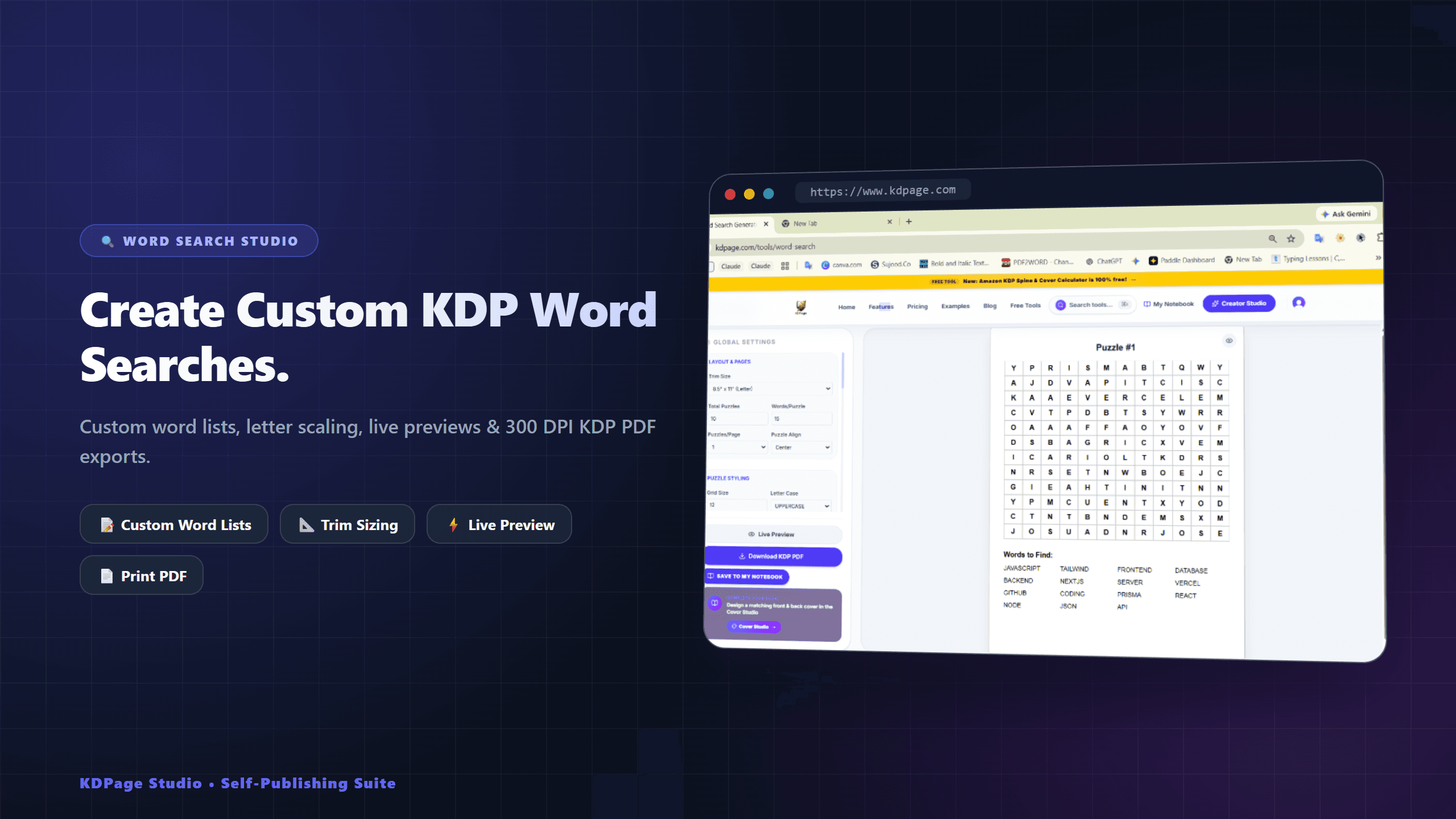
- Themed Word Searches: 8-directional word placement engine supporting custom word lists, bulk CSV imports, and auto-generated answer keys.
- Automated Solution Compiling: Automatically formats solution answer keys at the back of your book (4-up or 6-up grids) with matching page references.
🎨 Full-Wrap Cover Studio (Paperback & Hardcover)
- Dynamic Spine Calculation: Uses official Amazon formulas (White, Cream, and Color paper stocks) to calculate exact spine thickness in real-time.
- Automatic Bleed & Safety Guides: Live visual overlays for 0.125" bleed, trim lines, and barcode safety zones prevent cover rejection errors.
- Built-in Typography & Asset Library: Access curated fonts, SVG shapes, and high-resolution Unsplash cover backgrounds.
🛠️ 30+ Free Publisher Tools (Zero Signup Required)
A complete suite of standalone publishing utilities available for free at kdpage.com/tools:
- KDP Spine & Cover Size Calculator (Inches, mm, and 300 DPI pixels)
- Royalty & Printing Cost Estimators (US, UK, DE, CA marketplaces)
- ISBN-13 Barcode Generator with EAN-5 price supplements
- KDP Bleed & Margin PDF Validator
- Free Book Planner & Chapter Progress Tracker
- Downloadable Interior Templates (Lined, Dot Grid, Graph)
🖨️ 100% KDP Print-Ready Vector Exports
Export complete books as unified, resolution-independent vector PDFs at 300 DPI. Puzzles stay razor-sharp at any print size, with zero pixelation or compression artifacts.
💼 Commercial Rights Included
All interiors, covers, and puzzle sheets generated with KDPage include 100% royalty-free commercial use rights. Authors keep 100% of their royalties across Amazon KDP, Etsy, and IngramSpark.
Start creating today at https://www.kdpage.com or explore 30+ free publishing tools at https://www.kdpage.com/tools.
6 ratings

AI video with native sound, paid per clip. Nothing stored.

A calmer Mac menu bar, one click away.

Enterprise Software. Intelligent Automation. Global Impact.


Comments
6Hey Fazier community! 👋 I'm thrilled to introduce KDPage (https://kdpage.com) — an all-in-one online publishing studio and free utility suite built specifically for Amazon KDP authors and self-publishers. The Problem: Publishing books on Amazon KDP can be frustrating. Creators constantly face margin/bleed print rejections, struggle with complex spine width math, and end up paying $20–$30/month for clunky, outdated software just to generate simple puzzles or templates. Why We Built KDPage: We wanted to give creators a modern, fast, and accessible alternative. That’s why we built: • 30+ 100% Free Tools: Spine calculators, bleed & margin checkers, barcode generators, and royalty estimators with ZERO registration required. • Automated Puzzle Studio: Generate print-ready Sudoku, Mazes, Word Search, and Kakuro books with auto-generated solutions in seconds. • Drag-and-Drop Cover & Interior Studio: Precision 300 DPI layout tools calibrated to Amazon KDP’s exact 2026 print standards. We’re constantly building and improving based on creator feedback. I’d love to know: 1. What features would make your publishing workflow even easier? 2. What challenges do you currently face with Amazon KDP or book creation? Thank you so much for your support and feedback! ❤️
Dealing with Amazon KDP print rejections and manual spine math is easily one of the most frustrating parts of self-publishing. Packaging puzzle generators, spine calculators, and 300 DPI exports into one platform solves a massive headache for creators
Thanks so much, Ankur! You hit the nail on the head. Nothing kills a publisher’s momentum faster than waiting days for Amazon KDP review only to get a "cover dimensions and bleed error" rejection. That exact frustration is why we built KDPage—to calibrate every canvas, spine, and 300 DPI export to KDP's exact manufacturing specs automatically so books get approved on the first try. Are there any specific trim sizes or puzzle interior types you find yourself creating most often? Would love to ensure we support everything in your publishing workflow!
For the shape-masked mazes, can creators set difficulty independently of the page size and export a matching solution key? A batch preview of puzzle and answer pages would be especially useful before printing an activity book.
Hi Decoder Tester, Yes, absolutely on all three points! 1. Independent Difficulty: For shaped and masked mazes (circle, heart, custom silhouettes), puzzle difficulty is controlled by grid density and cell resolution, completely decoupled from the document trim size. You can dial in Easy, Medium, or Hard independently whether you're targeting 8.5x11" or 6x9". 2. Automated Solution Keys: Every generated maze automatically solves and outputs its matching solution key with the path highlighted. In the book compiler, you can bundle these solution keys directly into the back section of your book (e.g., 4-up solution grids). 3. Batch Layout & Preview: Inside the BookBuilder studio, you get a full multi-page visual layout preview where you can inspect your puzzle pages alongside their matching answer pages before exporting the final 300 DPI vector PDF. Feel free to take the Maze Studio for a spin in KDPage—would love to hear your thoughts on the workflow!
Love this! I'm a big word puzzle fan — I do the daily Blossom puzzle at https://blossomwordgame.uk/ every morning with my coffee. The themed word search engine sounds perfect for turning custom word lists into printable puzzle books. Definitely going to try this out!