

Hide irrelevant LinkedIn jobs. Highlight the ones that fit.
4.8(6)18Side projectsLinkedInHiring
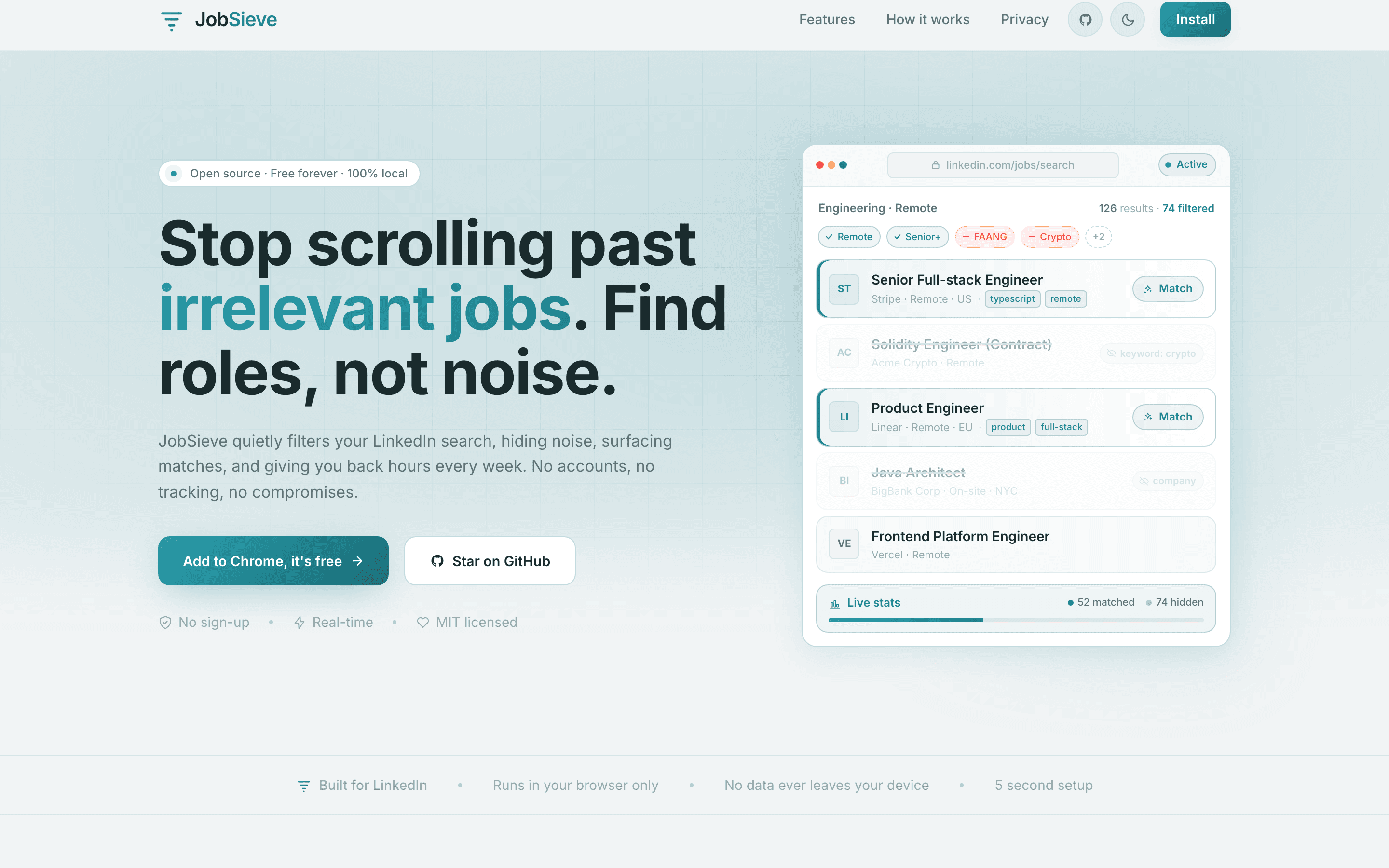
JobSieve is a free, open-source Chrome extension that filters your LinkedIn job search. Block companies, locations, and keywords you don't want; highlight the skills and roles you do. It hides promoted, viewed, and already-applied jobs automatically as you scroll — running 100% locally, with no account and no tracking.
4.8
6 ratings

AI video with native sound, paid per clip. Nothing stored.

A calmer Mac menu bar, one click away.

Enterprise Software. Intelligent Automation. Global Impact.


Comments
18vSoftware Email Recovery Software
very helpful this for me
Glad it helps! Thanks for checking it out.
Nice work! This solves a real problem and the onboarding process seems straightforward. Wishing you a successful launch.
Thank you! I appreciate it. Hope it saves you time.
Data science
JobSieve has great potential and offers some useful features, but I encountered a few issues that could be improved. Please contact me so I can share detailed feedback and suggest the changes I'd like to see. Email: [email protected]
Thanks for sharing this. I’ll review the issues and get back to you.
Really useful idea! LinkedIn job searches can get cluttered quickly, so being able to hide promoted, viewed, and irrelevant listings is a huge time-saver. I especially like that JobSieve runs locally with no tracking. Congrats on the launch! 🚀
Thank you! I’m glad the local filtering and privacy features stood out.
Filtering LinkedIn jobs locally without tracking is a thoughtful approach, especially for users who browse hundreds of listings every week. The ability to hide promoted posts and unwanted companies can save a lot of time. It would be interesting to see support for custom filtering rules or keyword presets that can be shared across devices.
Thanks for the thoughtful idea. Shared presets would be a useful next step.
This is the kind of small browser tool I’d actually keep installed. Hiding promoted, viewed, applied, no-salary, and wrong-location jobs locally fixes a very real LinkedIn search annoyance without asking for an account. Curious if filter presets can be exported or synced manually between machines?
Thanks! Exportable filter presets are a great idea. I’ll keep that in mind.
i write a16z speedrun scout checks within 24hours | Co-Founder & CTO at Dial AI
The job search friction JobSieve solves is genuinely significant. LinkedIn's feed gets polluted with promoted listings, past applications, and companies you've already rejected - which kills momentum when you're trying to find the right role. Being able to filter by company, location, and keywords locally means you actually focus on new, relevant opportunities instead of scrolling through noise. The fact that it's open-source and runs entirely locally is especially valuable - zero account creation, zero tracking, which matters when you're managing sensitive career info. For any active job seeker, this saves real time every time you open LinkedIn.
Thank you! Keeping it local and private was a key goal. Glad it feels useful.
i write a16z speedrun scout checks within 24hours | Co-Founder & CTO at Dial AI
The job search friction is real. Most people scroll LinkedIn for hours wasting time on promotions, companies that don't fit, and roles they've already applied to - which kills momentum and makes job searching exhausting. JobSieve removes that noise with simple filters that run locally. The fact that it blocks promoted posts and auto-hides viewed jobs means your feed stays clean and relevant as you scroll. For job seekers especially, this saves hours per week and makes the search process feel focused instead of scattered. The open source angle is smart too - since it's client-side only, users who value privacy can audit exactly what it's doing.
Thanks a lot! I built it to make job searches less tiring while keeping everything local.
Two things would decide it for me. First, do keyword blocks match the full job description or only title and company? Most of the noise in my searches comes from postings that bury "hybrid, 3 days onsite" halfway down the description. Second, since this reads LinkedIn's DOM, how do you handle their frequent markup changes - are the selectors in a config you can update without waiting on a Chrome Web Store review? Auto-hiding already-viewed and applied roles is the feature I didn't know I wanted; that repetition is most of why the search feels endless.
Thanks for the detailed questions. I’m checking both keyword matching and how to make selector updates easier.