

AI Desktop Assistant - Real-time guidance for any software
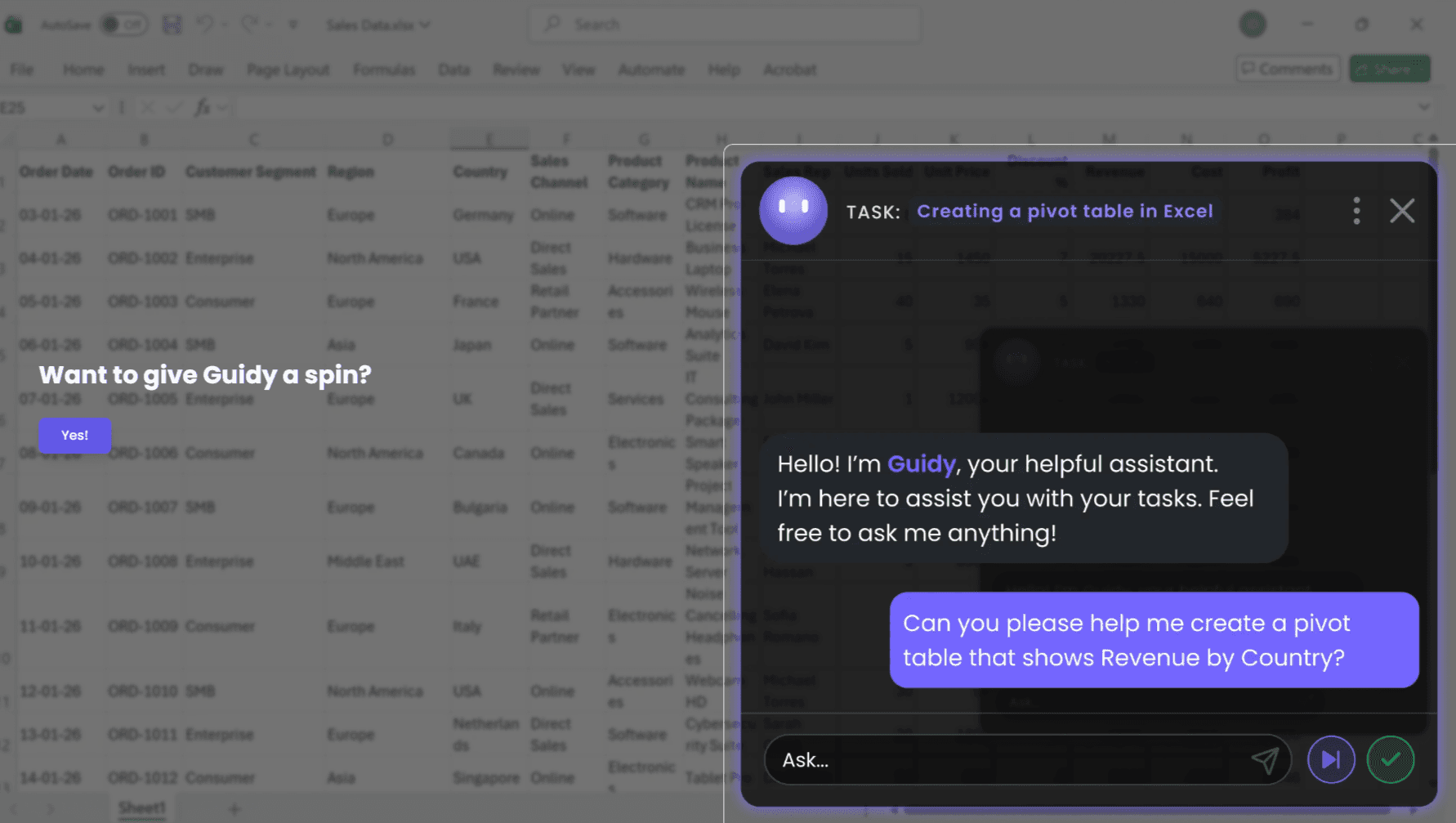
Guidy is the AI desktop assistant that steps in the moment you need it, giving you real-time guidance on your actual screen. Think of it as having a knowledgeable friend right next to you.
Every day, simple tasks take longer than they should just because you don't know where to click. An AI desktop assistant that guides you step by step beats hectic googling every time.
Most AI tools connect to apps one at a time. Guidy skips all of that. It reads your screen rather than connecting to each app individually. It’s your Excel AI assistant, your Outlook AI assistant, your Google Sheets AI helper, your Microsoft Word AI editor, and anything else you have open.
Guidy is the AI desktop assistant that only reads it when you ask, and never stores, watches or shares what it sees. Your screen remains personal at all times. There’s no background access, no data collected.
4.8
6 ratings
Download to try for free.
Visit deal
AI video with native sound, paid per clip. Nothing stored.

A calmer Mac menu bar, one click away.

Enterprise Software. Intelligent Automation. Global Impact.


Comments
3Hey Fazier fam 👋 We're the team behind Guidy — the AI assistant that shows you exactly where to click, instead of just telling you. Ever open a new tool and just... freeze? That's the moment Guidy exists for. It watches your screen and guides you step by step in real time, no more digging through help docs or YouTube tutorials at 2am. We built it because we got tired of watching smart people struggle with software that should just explain itself. Would love for you to give it a spin and tell us what you think. Smart tips are worth sharing 🙌
i write a16z speedrun scout checks within 24hours | Co-Founder & CTO at Dial AI
Learning new software is exhausting because you're constantly googling where to click next. Having an on-screen AI that understands your context and walks you through it step-by-step changes the game. What's especially smart is that Guidy reads your screen instead of requiring app integrations. Works everywhere - Excel, Outlook, Google Sheets, anything you open. No friction, instant help when you need it.
I am a solo dev who loves create tools that simplify life.
Very interesting tool. As the assistant need screenshots of the screen to analyze and guide user, i wonder how it doesn't end in explosion of token usage.