

Free Online File Converter — No Upload, No Account
4.8(6)7ProductivityVideoAudio
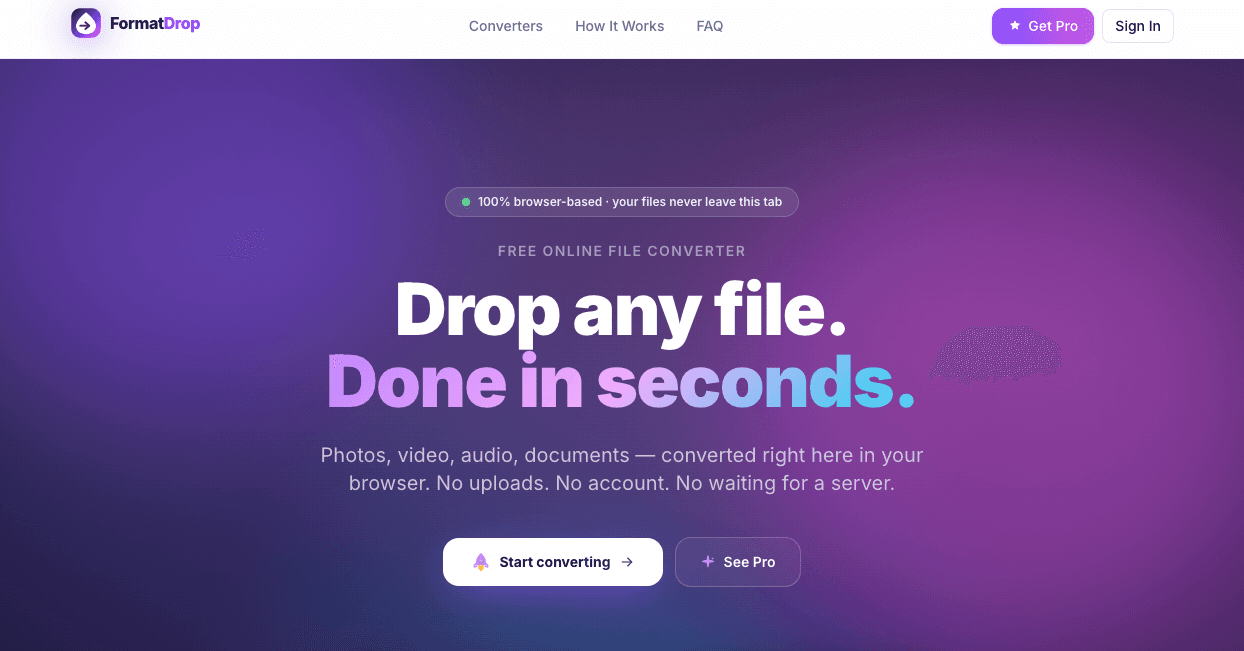
Convert JPG, PNG, HEIC, MP4, MP3, PDF and 80+ formats instantly in your browser — no file upload, no account, no watermark.
• Instant video transcription from social links
• AI-generated summaries of full videos
• No download or upload required
• No account needed for first 2 videos
• Supports 20+ languages
• Works directly in browser
• Pro plan ($10/mo) unlocks batch processing (10 videos at once)
• Multi-video combined summaries
• Up to 50 requests per day on Pro
• Turn YouTube videos into study notes
• Extract key insights from TikTok or Reels
• Repurpose video content into blog posts or newsletters
• Save time instead of watching long videos
• Research competitor content quickly
• Create summaries for clients or teams
• Improve accessibility with readable transcripts
• Translate spoken content into other languages


AI video with native sound, paid per clip. Nothing stored.

A calmer Mac menu bar, one click away.

Enterprise Software. Intelligent Automation. Global Impact.


Comments
7Hi! Meet FormatDrop — a privacy-first file converter that runs entirely in your browser. Your files never leave your device. No servers. No accounts. No waiting. ⸻ ⚡ What you can do • Convert images (JPG, PNG, WebP, HEIC, AVIF, GIF, SVG, BMP, TIFF) • Convert video files (MP4, MOV, AVI, MKV, WebM) • Convert audio formats (MP3, WAV, FLAC, AAC, OGG) • Convert documents (PDF, DOC and more) • Works with 80+ formats in total • Runs fully in your browser (client-side processing) ⸻ 🔒 Why people use it • Zero file uploads — everything stays on your device • No account required • No waiting in queues or server processing • Fast, local conversion • Works on any modern browser ⸻ 🚀 Whether you’re converting a photo, video, audio file, or document — FormatDrop makes it simple, fast, and private. Try it and see how file conversion should actually work.
Much-needed product.
Maker of AutoBlogMatic — a WordPress plugin that researches, writes and publishes SEO-optimized articles on autopilot. Pay once, bring your own AI key, no monthly fees.
Client-side, no-upload conversion is the right call here — for anything sensitive (IDs, contracts, raw photos) the 'files never leave your device' guarantee is a real differentiator over the usual upload-to-a-server converters. The 80+ formats with no watermark and no account is a generous free tier. One question: for the heavier video formats (MP4/MKV via what I assume is ffmpeg.wasm), how large a file can it realistically handle before the browser runs out of memory?
reat question — for the heavier video formats (MP4/MKV via ffmpeg.wasm), the practical limit is mostly dictated by the user’s device memory rather than a hard cap in the tool itself. In real-world usage, modern laptops typically handle files in the ~100–300 MB range comfortably, depending on codec complexity and available RAM. Beyond that, performance becomes inconsistent — especially on lower-end machines or when the browser already has multiple tabs open. Because everything runs fully client-side, we deliberately avoid hard limits and instead rely on graceful failure (conversion may slow down or fail if memory is exhausted). For larger files, we generally recommend splitting or compressing before conversion to ensure a smoother experience.
Running everything client-side is the right call for a file converter — nobody wants to upload sensitive documents to a random server. The 80+ format support is impressive for a browser-based tool. How does it handle larger video files? Browser-based processing can hit memory limits with big MP4 or MKV files. Would be useful to know the practical file size ceiling before performance degrades.
PhD in AI, solving real stuffs
remove the dot badge in your LP otherwise it looks like vibedslop :)
Brand and Product Designer
How is it different from file converter?