

Fill any PDF or Word form in seconds with AI
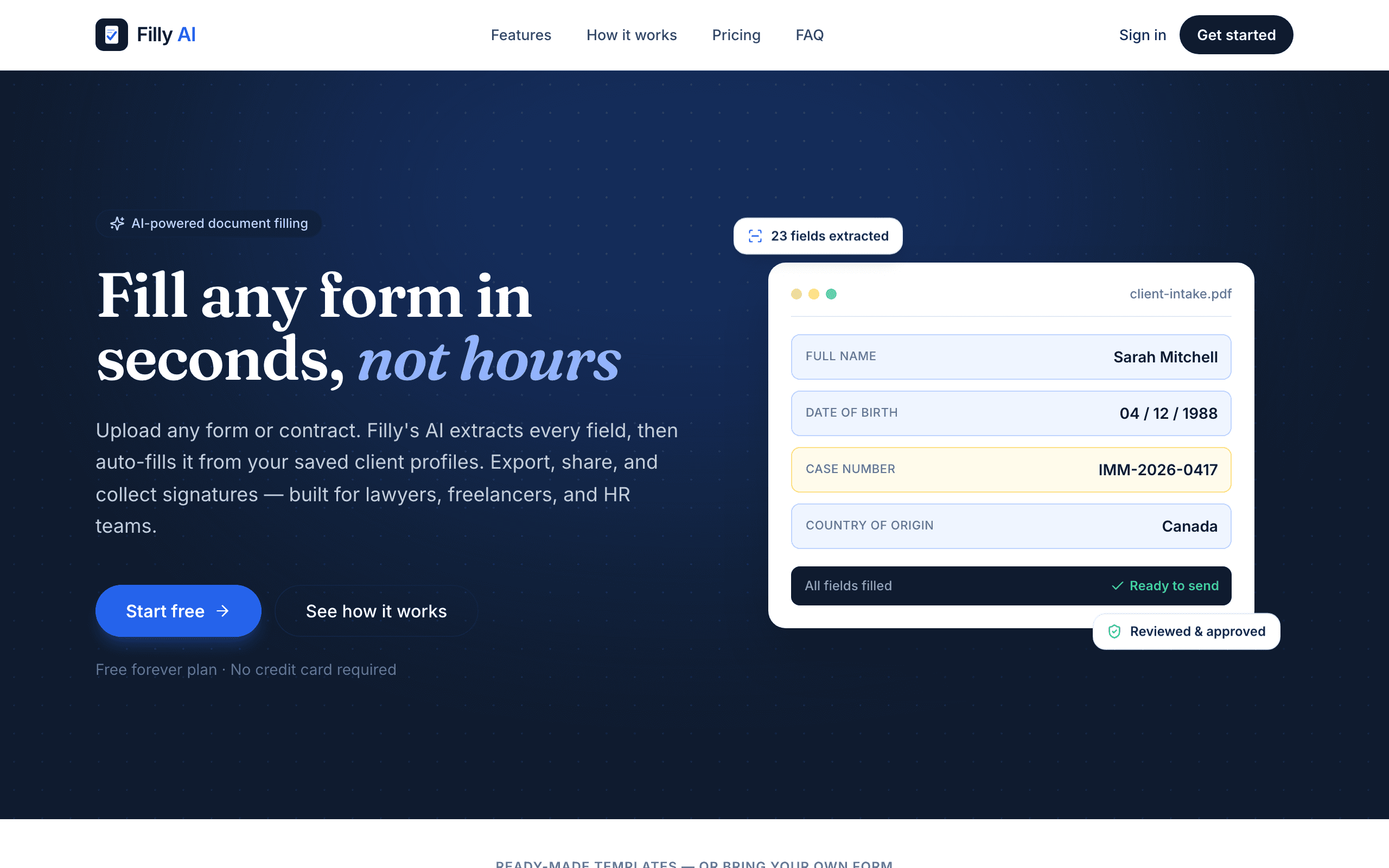
Filly AI reads any PDF or Word form, extracts every field, and autofills it from a saved client profile in seconds. Review and adjust the placement, export a pixel-perfect document, share a no-login link for review, or collect an e-signature with a full audit trail. Includes built-in IRS forms (W-9, W-4, I-9), 25 ready-made templates, and an AI assistant that answers questions while you fill.
41 people supporting this launch
4.8
6 ratings
solo founder of Filly Ai

AI video with native sound, paid per clip. Nothing stored.

A calmer Mac menu bar, one click away.

Enterprise Software. Intelligent Automation. Global Impact.


Comments
37solo founder of Filly Ai
Hey everyone! I built Filly AI because I kept watching people (myself included) burn 20+ minutes retyping the same info into PDF forms every time a new one landed in their inbox. Filly reads any PDF or Word form, pulls out every field, and fills it instantly from a saved profile — then you can export a clean PDF, share a no-login link for someone else to review, or collect a legally-binding e-signature. It also ships with built-in IRS forms (W-9, W-4, I-9) and 25 ready-made templates so you're not starting from a blank form. Would love your honest feedback on the positioning and what we should build next!
i write a16z speedrun scout checks within 24hours | Co-Founder & CTO at Dial AI
Form filling is the exact friction everyone overlooks until they hit it. Most people either do manual retyping (which taxes focus and wastes hours across a year) or they abandon forms entirely. What Filly nails is the integration angle - saved profiles means second and third form fills become 30 seconds instead of minutes. The pixel-perfect export plus sharable review links removes the back-and-forth friction with clients or colleagues. Free tier with no credit card removes adoption friction entirely. This is exactly how productivity tools should be designed.
solo founder of Filly Ai
Dear Gal, Thank you very much for your Feedback!
The saved profile angle is the smart part. Retyping the same name, address, and tax ID into every new W-9 is exactly the repeat work nobody thinks to automate until they add up the hours. One thing I would put front and center before asking someone to save a profile: where does that data live and how is it protected? Those IRS forms carry SSNs and EINs, so the security story is probably as much of a buying decision as the autofill speed. If it is encrypted at rest and scoped per user, saying so on the page would ease the exact hesitation that stops people from saving their info in the first place.
solo founder of Filly Ai
Dear Miguel, thank you very much for your useful feedback. Noted for implementation.
Turning a plain-English description into a form and workflow is a strong starting point, especially when the generated result includes validation, conditional logic, and data structure rather than only a visual form. The key trust moment for me would be the editability of what AI generates: can a user inspect the logic, change a single rule, and see how that affects downstream workflow steps before publishing? If that stays transparent, Filly could remove a lot of the friction between “I know the process I need” and “the process is actually live.”
solo founder of Filly Ai
You've put your finger on the right trust axis, so let me be precise about where Filly actually sits — including where it doesn't. On editability: yes, and it's deliberate. When you describe a document in plain English, what comes back isn't a black box — it's a typed field schema you can open and change. Every field the AI inferred is editable: its label, its type (text, date, boolean, select, currency, number, signature), whether it's required, and the options on a select. You can add fields it missed or delete ones it invented. Then at fill time, every value is colour-coded by confidence and you can correct any of it before a single thing is exported or sent. Nothing leaves without you approving it. And the corrections stick: remap a field or nudge one into place once, and Filly saves that to the form — so the next fill is deterministic rather than re-guessed. But I should be straight about scope, because your comment describes something bigger than what Filly is today. It generates a fillable document — a typed field schema plus the body — not a workflow engine. There's no conditional-logic or validation-rule layer, and there are no downstream workflow steps to publish. So "I know the process I need" → "the process is live" is a promise I'm not going to make yet. What it does collapse is the narrower gap: "I need this document, filled correctly, for this person" → filled from a saved profile, reviewed, signed, and remembered for next time. If conditional logic and validation are the actual blocker in your process, I'd genuinely like to hear the specific workflow. That's a far better roadmap signal than me nodding along.
Founder of digital products 🐝
Saved profiles + IRS forms built-in is the killer combo. Everyone wastes hours retyping the same info into W-9s and W-4s. If the autofill placement is truly accurate on scanned PDFs (not just digital ones), this becomes a no-brainer for freelancers and small firms. Clean launch 🔥
solo founder of Filly Ai
Dear Richie, thank you very much for your feedback. honestly it means a lot to me in this stage.
Filly AI presents a practical solution to one of the most repetitive administrative tasks: completing complex PDF and Word forms using information that already exists in client records. Its ability to detect form fields, populate them from a saved profile, and preserve the original document layout could significantly reduce manual data entry for accounting firms, HR teams, legal practices, insurance providers, healthcare organizations, and other document-heavy businesses. The product’s strongest feature is its end-to-end workflow. It does more than simply extract and insert data. Users can review field placement, make corrections, export a pixel-accurate document, share it through a no-login review link, and collect an electronic signature with an audit trail. This makes Filly AI more useful than a basic PDF autofill tool because it supports the complete document preparation and approval process.
solo founder of Filly Ai
Thank you so much for your feedback!
Founder of GIF Face Swap, building AI tools for fast, shareable GIF creation.
Turning arbitrary PDF and Word forms into reusable, profile-based workflows solves a very real source of repetitive admin work. The review link and e-signature flow make it useful beyond individual form filling, particularly when a client or teammate needs to check the result. How does Filly handle scanned or non-standard forms where field positions vary, and can users save corrections as a reusable mapping for future packets?
solo founder of Filly Ai
Dear Haowen, Thank you verymuch for the feedback! yes, all corrections will be saved for future use.
HI
Filly AI solves a genuinely repetitive problem by filling PDF and Word forms from saved client profiles in seconds. The review links, accurate document exports, built-in tax forms, and e-signature support make it more than a basic autofill tool. It looks especially valuable for freelancers and document-heavy teams. Great launch!
solo founder of Filly Ai
Dear Cina, thank you very much!
The form-filling pain is real — most tools OCR a PDF fine but choke on the weird government forms with nested tables and checkboxes. How does Filly handle non-fillable/scanned PDFs and multi-page forms where a field depends on context from an earlier page? If it reliably maps "my info" to the right fields across a scanned 10-pager, that's the genuinely hard part — curious what your accuracy looks like there.
solo founder of Filly Ai
Great question — you've put your finger on exactly the hard part, so let me be straight rather than quote a number I can't back up. There are two paths under the hood. If the PDF has a real AcroForm layer, it's deterministic. We read the actual field objects out of the PDF — type, rect, page, radio groups — and fill them natively. No guessing, and the export is pixel-identical to the original. If it's flat or scanned (i.e. the government reality), there's no field layer to read. So: OCR for the text, then an AI + geometry pass that locates the blanks and checkbox squares from the rendered layout and builds a typed field map — label, type (text / checkbox / radio / date / signature), page, and bounding box. On your multi-page point: the whole document's text goes to the model in one pass, not page-by-page. So a field on p7 can be resolved from a definition on p2. Each detected field keeps its page and rect, so placement stays correct even when the semantics came from elsewhere. But the thing that actually makes "my info → the right field" reliable isn't the first pass — it's that the field map and your per-form mappings are persisted. The first fill of a nasty 10-pager may need you to correct a few fields in review; every fill of that form afterwards is deterministic and instant. It stops being a guess. Nothing exports without a human review step — values are colour-coded by confidence, and you can drag, retype, toggle checkboxes, or drop in a field where the AI missed one. On accuracy: I don't have a benchmark I'd defend publicly yet, so I won't invent one. What I can tell you is where it's been weakest — nested-table checkbox groups were the worst area (long forms were silently truncating the detected field list; we fixed that this week), and a few structurally-broken government PDFs fail to parse outright, where we tell you so rather than silently mangle the output. If you've got a specific scanned 10-pager that's been beating other tools, send it over. That's exactly the case I'd rather fail on in private than in your workflow.
Clean concept — the saved-profile approach is what actually makes this stick vs. a one-off autofill tool. Curious how it handles multi-page forms where a field on page 3 depends on something filled in on page 1 — that's usually where autofill tools start guessing wrong. If the placement holds up on scanned/non-fillable PDFs too, this is an easy daily-driver for anyone doing freelance admin or HR paperwork.
solo founder of Filly Ai
Thanks — and yes, that's exactly the bet. A one-off autofill saves you five minutes once; a saved profile compounds every time the same client hits a new form. On the page-3-depends-on-page-1 case, let me split it in two, because they behave very differently: Consistency — the same value appearing in several places (name, SSN, case number, entity type). This one is genuinely solved, and solved deterministically: every instance is filled from the one client profile, so page 1 and page 3 can't disagree with each other. That's the class of error most autofill tools actually make, and profiles kill it by construction rather than by guessing well. Derived values — "enter the amount from line 12", or "if you checked 3a, skip to line 7". Here I'll be straight with you: there's no computed-field engine. The model does see the entire document's text in a single pass rather than page-by-page, so it usually understands the reference — but I'm not going to dress that up as a dependency graph. Those land in the review step flagged for you instead of being silently guessed. I'd rather you correct one field than unknowingly trust a wrong one. On scanned / non-fillable: there's no field layer to read, so we OCR the text, then an AI + geometry pass locates the blanks and checkbox squares and builds a typed field map with page and bounding box. Anything it can't confidently place surfaces as an unplaced value you can drop into position (or have a vision pass place for you). The part that matters: once placement is right for that form, it's persisted — every future fill of it is exact and instant. So the honest version: the first pass on a nasty scan may need a nudge. The second one shouldn't. If HR paperwork is your world, that's squarely who this is for — I'd love to hear which forms are eating your week.
Hi, I just discovered your project on Fazier and I really like the direction you’re taking. I noticed a strong growth opportunity that could help you reach more targeted users, especially through Reddit community marketing, citation building, and strategic email outreach. Many brands are missing thousands of potential customers because their audience is already discussing their problems, looking for recommendations, and searching for solutions inside niche communities. I help businesses turn those conversations into brand visibility, trust, traffic, and qualified leads through authentic Reddit engagement and conversion-focused email strategies. I’d love to share a few growth ideas tailored specifically to your project. Best Regards, Olayinka Adeoye +1 479 739 7382
helping next generation
it's remember me the plugin of google Chrome Fake Filler
solo founder of Filly Ai
plugin is in the roadmap
Independent software development for browser extensions, workflow tools, automation systems, and small products that respect user privacy.
I build document tools myself so I clicked on this expecting to be unimpressed, but the shareable review link with no login is genuinely useful — the usual "can you check if I filled this right" loop happens over email attachments and it's miserable. How is the field detection holding up on scanned PDFs though? In my experience that's where these tools fall apart, when the form is a photocopy of a photocopy from some government office.
solo founder of Filly Ai
Ha — appreciate the skepticism, and since you build these too I'll skip the pitch. You're right that scans are where it's weakest, so let me tell you what actually happens rather than claim it holds up. Two paths. If the PDF has a real AcroForm layer, we read the field objects straight out of it — type, rect, page, radio groups — and it's deterministic. Boring, works. If it's flat or scanned there's no field layer to read, so: OCR the text, then an AI + geometry pass that locates the blanks and checkbox squares from the rendered layout and builds a typed field map — label, type, page, bounding box. On a clean scan that's fine. On a photocopy of a photocopy, it degrades. Exactly like you'd expect, and I'm not going to pretend otherwise. What I optimised for instead is failing loudly. The dangerous failure in this category isn't a missed field — it's a confidently wrong one. So anything the model can't place with confidence doesn't get silently dropped or guessed into the neighbouring box; it surfaces as an unplaced value, flagged, that you drag into position (or have a vision pass place). Everything's colour-coded by confidence and nothing exports without you approving it. Two specifics, since you'd find them anyway: - Nested-table checkbox groups were the worst area. On long forms the detected field list was silently truncating — that was a real bug, fixed this week. - A handful of structurally broken government PDFs (dangling page-tree refs) fail to parse outright. We now say so and tell you to re-save, rather than quietly mangling the output. And the part that actually matters for your photocopy scenario: corrections persist. Fix the placement on that awful county form once and it's saved to that form — every future fill of it is exact and instant. First pass may need a nudge; the second shouldn't. No accuracy benchmark I'd defend publicly, so I won't quote one. If you've got a genuinely cursed scan, send it over — I'd much rather it fail on my machine than yours.
The saved profile flow is the part that makes this more than a faster PDF editor. For freelancers and small teams, the real win is not filling one form once, but avoiding the same retyping across W-9s, W-4s, client onboarding packets, and random Word docs. The two things I would want very clear before using it are accuracy on scanned/non-fillable forms, and where sensitive profile data is stored. If those are handled well, especially for tax forms with SSNs or EINs, this becomes a much easier trust decision.
saas dev
the clanest one i saw did you vibe coded this ?
solo founder of Filly Ai
yes i did
Independent builder — 15+ yr shipping small, free tools for creators and packaging them as MCP servers.
The AI assistant answering questions mid-fill is a nice touch — most form tools skip the friction point where users get stuck on "what does this field actually mean." Is it grounded in the form's own field context, or more general? Would love to know how you keep it from hallucinating fake IRS guidance on W-4/W-9 nuances.
This is the truly useful product that can liberate our productivity. It looks great
Cool, nice UI. Really modern.
Founder, CEO and developer at OutblogAI and PhotoGptAI
This is very helpful specially when you mass apply for something! Thanks!
Looks good but how it handle confidently identify?