

After Effects-grade videos, prompted. Free to start
DevMotion turns prompts into motion-designed videos. Open the editor in your browser, chat with Claude/Gemini/Kimi/Grok, and it builds the timeline — layers, keyframes, captions, backgrounds, 3D mockups. Or drive it from your IDE via the MCP server.
Record your screen + cam, auto-caption and auto-dub in any language, generate B-roll with Seedance 2.0, and export once — DevMotion re-lays out for 16:9, 9:16 and 1:1 up to 4K.
Free plan, no install, no credit card.
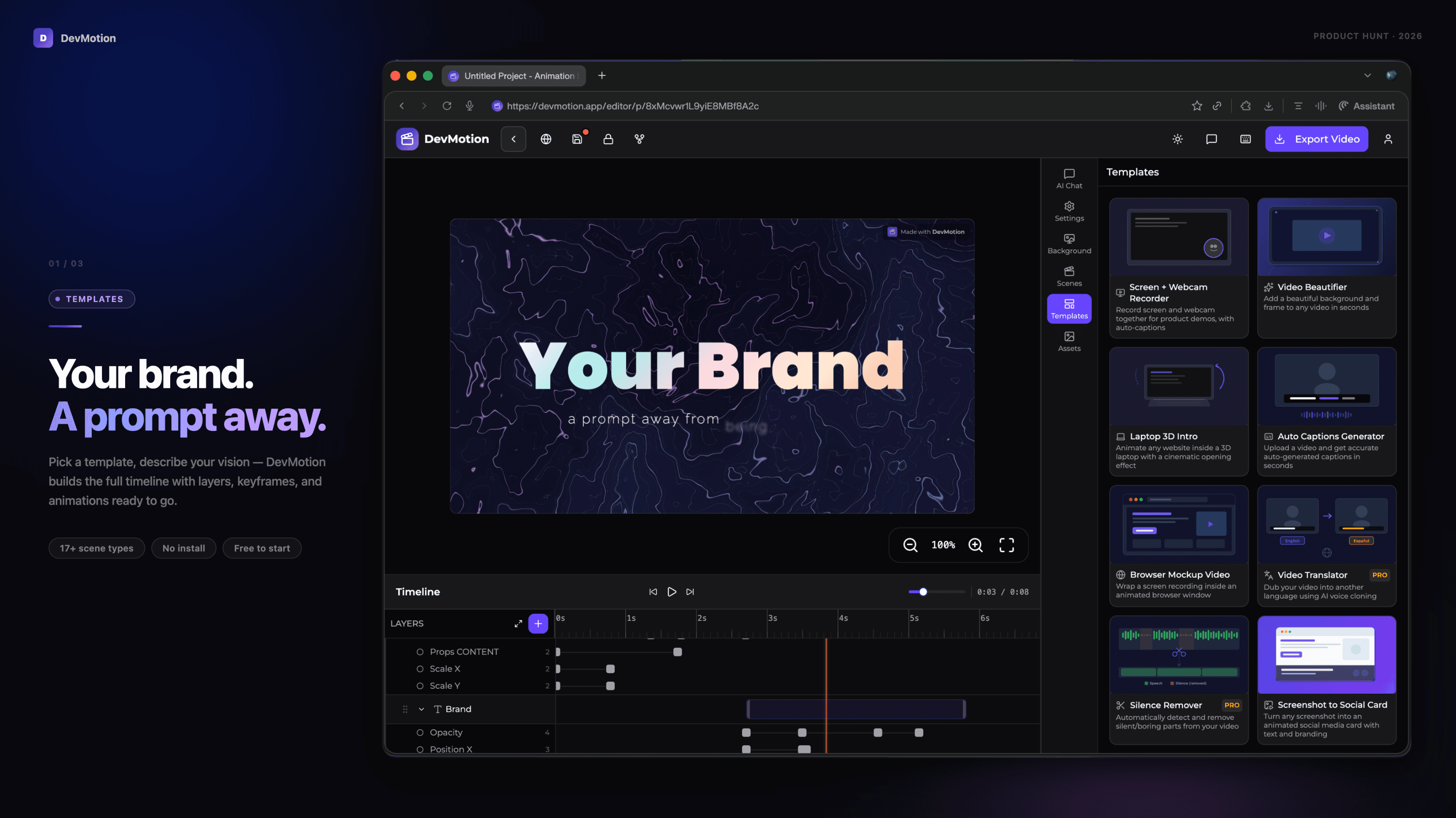
What's actually in the box:
Why I built this. Every time I wanted a decent demo video for a product, I hit the same wall: After Effects is a cliff, CapCut is fine for TikTok but weak for software demos, and the AI tools either generate clips you can't edit or edit videos you can't generate. I wanted one place where I could prompt a motion-designed scene, drop in a screen recording, auto-caption it, dub it into three languages, and export one project to every aspect ratio. That didn't exist. So here we are.

AI video with native sound, paid per clip. Nothing stored.

A calmer Mac menu bar, one click away.

Enterprise Software. Intelligent Automation. Global Impact.


Comments
6Hey Fazier 👋 I'm Emanuele — AI engineer, 15+ years in, dad of two, building DevMotion on nights and weekends. Why I built this. Every time I wanted a decent demo video for a product, I hit the same wall: After Effects is a cliff, CapCut is fine for TikTok but weak for software demos, and the AI tools either generate clips you can't edit or edit videos you can't generate. I wanted one place where I could prompt a motion-designed scene, drop in a screen recording, auto-caption it, dub it into three languages, and export one project to every aspect ratio. That didn't exist. So here we are. What's actually in the box: 🎬 Full timeline + keyframe editor in the browser (no install, no Adobe) 💬 Chat with Kimi K2.6, Claude Sonnet 4.6, Grok 4.1, Gemini 3 Pro — they edit the timeline directly 🎥 Seedance 2.0 video generation (text-to-video with synced audio) 🎤 Screen + camera recording, AI auto-captions with word-level timing, AI dubbing with voice cloning 🧩 17+ layer types: browser mockups, 3D laptops, phones, code blocks, terminals 📐 One project → every platform: 16:9, 9:16, 1:1, up to 4K 🤖 MCP server so Claude/Cursor can drive the editor autonomously (claude mcp add --transport http devmotion https://devmotion.app/mcp) 🔌 REST API + webhooks for programmatic/batch rendering Pricing: Free plan is genuinely usable (full editor, 20 AI credits, 5 exports/month, MCP access). Creator is $9/mo, Pro is $29/mo. Manual timeline editing is free forever for everyone. What I'd love from you today: Break it. Tell me where it's janky — I'll be in the comments all day. If you try it and have thoughts, I'd honestly love to hear them live — book 30 min with me. Feature requests go here so they don't get lost: devmotion.canny.io Thanks for looking. Upvotes help, but honest feedback helps more. — Ema
Developer
Good quality support. I tried this tool, stumbled on some issues i couldnt figure out myself, but the support was fast and really helpful, we resolved all issues within a minutes. Thank you!
Helpful product something which I'm looking for as a solo dev recording my product demo,.
I reviewed and it's very interesting! Good job
i like build apps
looks good,and it realy helpful
Developer / Tinkerer / Stoic
Browser-based, AI-prompted, 4K export — this is the tool I wanted every time I needed a product demo and didn't want to learn Premiere. The MCP integration is a sleeper feature. Congrats on the launch