
Convertica is a set of 46 PDF, image and archive tools that run in the browser. No account, no install, no watermark on the result. Pick a tool, drop a file, get it back. We built it because the browser tools we kept using failed on the unglamorous details: text you type into a PDF here is written as real, selectable text with the font embedded, so Cyrillic, Arabic and Devanagari come out right instead of turning into boxes, and page size conversion measures the actual ink on the page so A4 to Letter never silently clips your margins. Seven languages, each written rather than machine-dumped, right to left included. Files are deleted automatically after processing. There is also a REST API and an MCP server, so the same conversion routes work from Claude, Cursor or your own scripts.
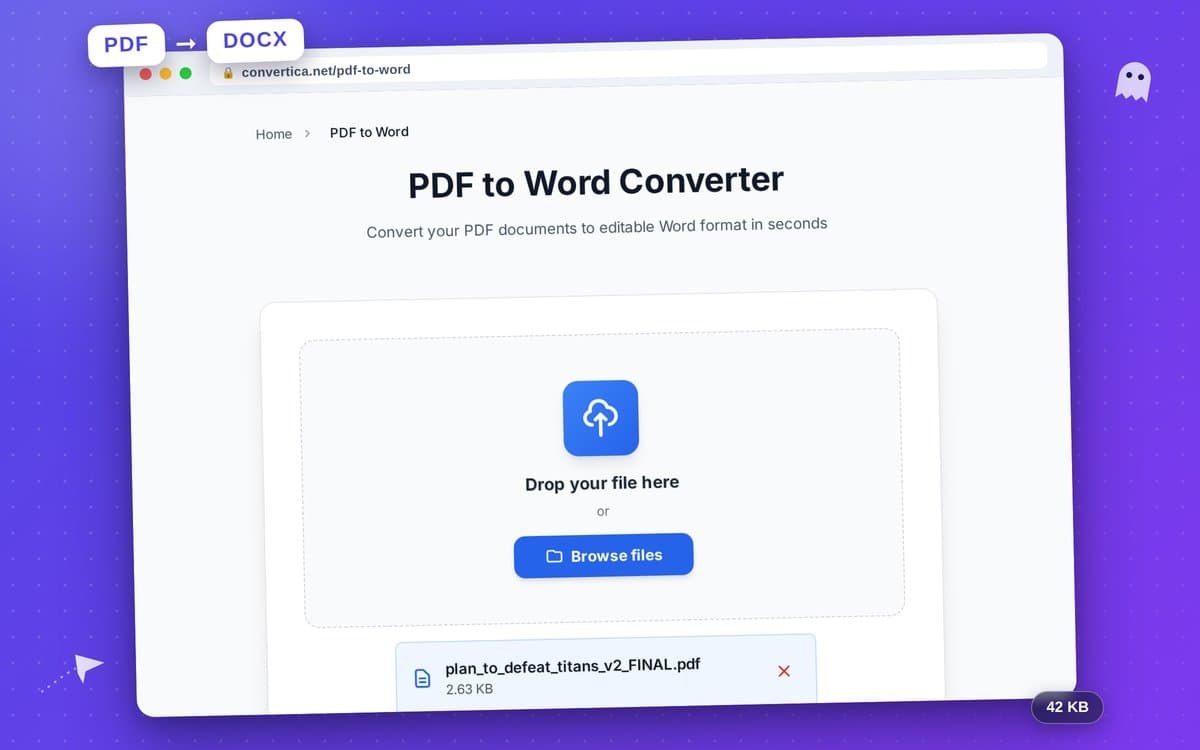
Convert between PDF and Word, Excel, PowerPoint, JPG, HTML, text, EPUB, Markdown and PDF/A. Merge, split, compress, rotate, crop, reorder and delete pages. Edit a PDF directly: type text, place images, whiteout, highlight and sign. Protect or unlock a PDF, password-protect a ZIP or an image. Generate a full favicon package from one upload: favicon.ico, every PNG size, Apple touch icon, PWA icons, manifest and the HTML snippet. Convert HEIC to JPG, optimise images, pull text out of an image with OCR. Change page size between A4, Letter and Legal without cropping anything off. REST API and an MCP server for the same 35 conversion routes.
Someone on a borrowed laptop who needs one PDF merged and does not want to install Acrobat or hand over an email address. A student turning lecture slides into a printable handout. A small business owner filling in and signing a contract without a desktop suite. Anyone working in Russian, Arabic or Hindi whose text turns into boxes in other browser editors. Developers and AI agents that need the same conversions from a script, an API call or an MCP client.
48 people supporting this launch
4.8
6 ratings


AI video with native sound, paid per clip. Nothing stored.

A calmer Mac menu bar, one click away.

Enterprise Software. Intelligent Automation. Global Impact.


Comments
25Hi Fazier. We build Convertica, 46 PDF, image and archive tools that run in the browser with nothing to install and no account to create. The reason it exists is unglamorous. Every browser PDF editor we tried flattened typed text into a picture of text, and every one of them turned Cyrillic, Arabic or Devanagari into boxes. So we ship the Noto fonts and write real embedded, selectable text instead. Same story with page size: converting A4 to Letter in other tools quietly clipped margins, so ours measures the actual ink on the page and only scales when it has to. Seven languages, each written rather than machine-dumped, right to left included. Files are deleted automatically after processing. There is a REST API and an MCP server too, so the same routes work from Claude or Cursor. Happy to answer anything, and if you find a file we mangle, send it over. Those are the bug reports we actually want.
Turn podcasts, audio, and video into accurate, editable text in minutes — 98%+ accuracy, 50+ languages, free to start.
Really like that the files are processed locally in the browser and automatically deleted after processing. That’s a big plus for PDF tools, especially when working with sensitive documents. Having 46 tools with no signup or watermark makes this a very practical utility to bookmark.
The part of Convertica that stands out is the focus: "46 free PDF and image tools, no signup, no watermark" is one job, described plainly, instead of a feature list to wade through.
Learn how to communicate. Practice it with AI.
This is actually useful. Love that there’s no signup or watermark nonsense. Congrats on the launch; will definitely keep this bookmarked!
Embedding real selectable text with Noto fonts instead of flattening it is the detail that actually matters for Cyrillic and Devanagari docs, does the OCR path preserve that too?
It is creative and useful. Convert between PDF and Word, Excel, PowerPoint, JPG, HTML, text, EPUB, Markdown and PDF/A. It's a key feature for users.
The browser-first privacy and font embedding are the strongest differentiators here. Preserving selectable text across Cyrillic, Arabic, and Devanagari solves a problem most PDF tools ignore. One useful addition would be a small per-tool privacy badge showing whether processing is fully local or temporarily server-side, since that distinction matters for contracts and sensitive files.
The parity between the browser tools, REST API, and MCP server is a strong idea: teams can solve a one-off task first and automate the same route later. A public compatibility table showing which of the 35 routes are available in each interface, plus file-size limits, would make that path easier to evaluate. Since some conversions may be server-side, stating the exact deletion window per tool would also strengthen the privacy promise.
From Idea → MVP → Marketing → Traction → Funding → Growth | We turn early-stage chaos into working products and investor traction.
Love it, the best tool ever
Dev
Amazing product, Really liked it
Amazing product, Really liked it
Independent Developer and Cybersecurity Engineer
An all‑in‑one, feature‑rich toolkit covering PDF manipulation, file conversion, image processing and API capabilities — incredibly practical for developers and daily workflow automation.
**PvZ Fusion** is a fan-made version of *Plants vs. Zombies* that introduces a unique fusion system, allowing players to combine different plants and create powerful new hybrids.
Amazing product, Really liked it
Convertica es una herramienta muy práctica para resolver tareas cotidianas con PDFs, imágenes y archivos sin instalar nada ni crear una cuenta. Tener 46 utilidades gratuitas, sin marcas de agua, la convierte en una alternativa rápida para conversiones, edición, compresión, OCR o firma de documentos.
The small web isn't dead. It just got hard to find.
The Convertica website stands out with its modern design, intuitive navigation, and clear presentation of its services. The content is well-structured, and its strong focus on conversion optimization and measurable results creates a professional and trustworthy impression.
Convertica Your product has strong potential, but I found a few key improvements that could make it even better. I'd love to share my feedback and suggestions—please contact me at [email protected].
The REST API and MCP server sharing the same 35 routes as the browser tools is the right call — we went through a similar decision with Sowiks (screenshot capture and sharing) and keeping one code path instead of a separate "automation" product saved us from the two drifting apart. Curious how file size limits work across the two: does a large scanned PDF get the same ceiling through the API as it does dropped into the browser, or is one path more generous than the other?
Founder
Doing the lords work
Monitor how AI platforms mention your brand, compare competitors, and improve your visibility.
Great product. Will check it out
Embedding real selectable text with Noto fonts is the kind of detail that makes a PDF tool dependable for multilingual documents. A per-tool privacy label—local-only versus temporarily server-processed, plus deletion window and file limits—would make it easier to trust with contracts. Is that compatibility and privacy matrix on the roadmap?