
Better monitoring for Claude Code and Minimax rate limits
Checking /usage for claude or going on the Minimax api page to check for usage, felt wrong, so I built the thing I wanted: a tiny menu bar app that shows your usage percentage at all times.
A few things I’m proud of:
• Burn rate analysis. It doesn’t just show your current percentage. It tells you whether you’re on pace to hit the limit, and roughly when.
• Desktop widgets. I keep a small widget on my desktop so I can see my usage without even clicking the menu bar icon.
• Adaptive polling. When your usage is stable, it polls less often. When things are moving, it speeds up. Keeps the data fresh without hammering the API.
• Minimax support. If you use Minimax’s Token Plan for coding, Code Meter tracks that too. Just paste your API key.
It’s a native macOS app. SwiftUI, Liquid Glass, no Electron. Runs in the menu bar with no dock icon. Feels like it belongs on your Mac because it does.
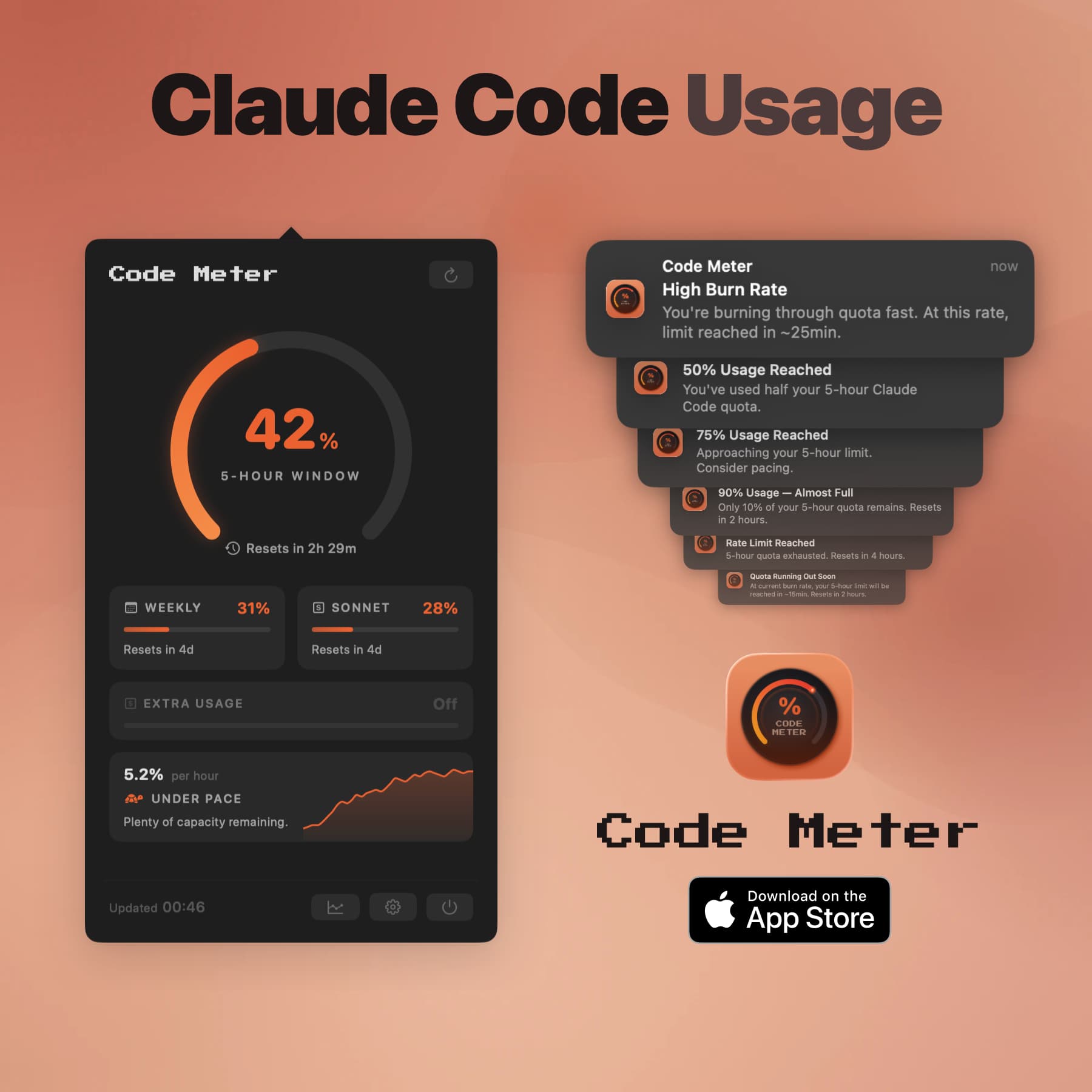
• Real-time usage gauge in the menu bar with color-coded status
• Per-model breakdowns for Opus and Sonnet
• Burn rate analysis - see if you’re pacing well or burning too fast • Projected exhaustion warnings (“you’ll hit the limit in ~15 minutes”)
• Smart notifications at 50%, 75%, 90%, and 100% usage
• Desktop widgets (small & medium) for at-a-glance monitoring • Usage history charts (Now, 6H, 1D, 1W)
• Minimax AI Token Plan support (via API key)
Perfect companion when building with Claude Code or Minimax
6 ratings
Working 9-5 , Building 5-9.

AI video with native sound, paid per clip. Nothing stored.

A calmer Mac menu bar, one click away.

Enterprise Software. Intelligent Automation. Global Impact.


Comments
1Burn-rate projection is the useful part here. A raw percentage doesn't tell you whether you'll hit the limit before the window resets, and this does. Adaptive polling is a thoughtful touch for a menu bar app too. Does it keep usage history across resets, so you can see which days or sessions burn the most?