
ClearWrite is a free, zero-signup AI writing assistant designed to refine tone, eliminate unintended passive-aggressiveness, simplify dense corporate jargon, and humanize robotic drafts with 100% ephemeral privacy. Built for professionals, founders, and ESL writers who need their emails, proposals, and customer communications to land with clarity, warmth, and authority.
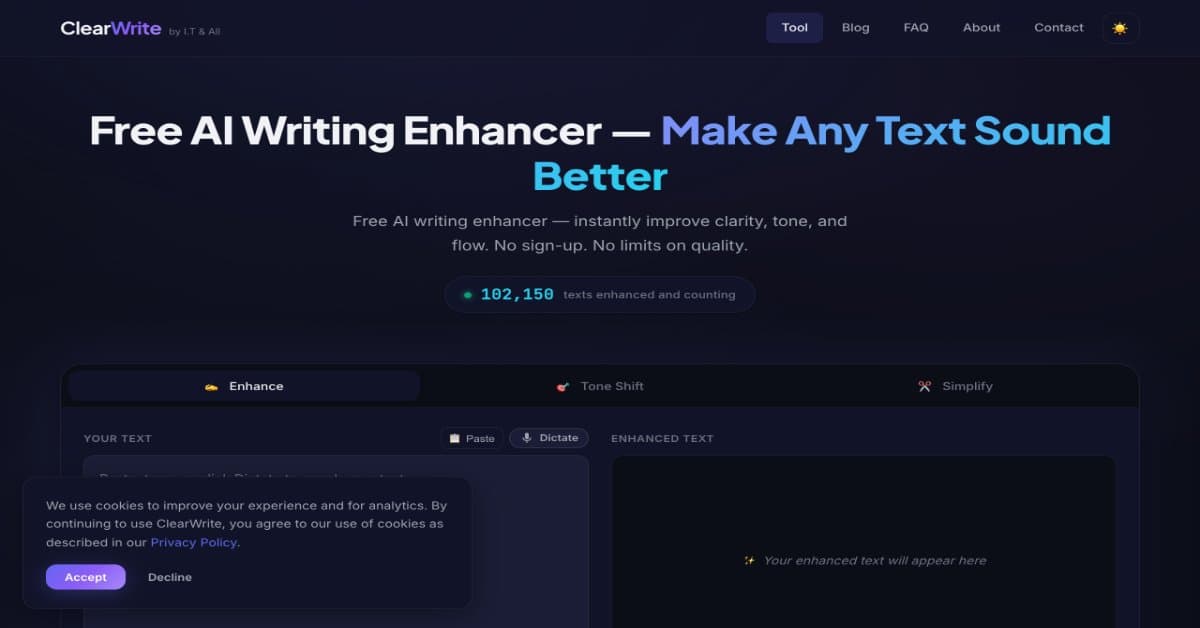
• Three transformation modes: Enhance, Tone Shift, and Simplify.
• Tone options: Professional, Casual, Friendly, and Academic.
• Zero signup or personal data collection required.
• 100% ephemeral privacy: Text is transformed in real-time and discarded immediately.
• Instant voice dictation and copy export.
• Executive email polish to eliminate unintended harshness or passive-aggression.
• Simplifying complex technical or legal drafts for general business audiences.
• De-robotizing AI drafts into authentic, engaging human tone.
• International ESL workplace communications for confidence and authority.
77 people supporting this launch
4.8
6 ratings


AI video with native sound, paid per clip. Nothing stored.

A calmer Mac menu bar, one click away.

Enterprise Software. Intelligent Automation. Global Impact.


Comments
10Hey Fazier community! We built ClearWrite because we were tired of sounding accidentally harsh, passive-aggressive, or robotic in work emails and client messages. ClearWrite gives you instant tone shifting (Professional, Friendly, Casual, Academic), text simplification, and polishing with zero signup and 100% ephemeral privacy—nothing is ever saved. Try it out completely free at https://itandall.com and let us know what you think!
The zero-signup angle is the differentiator, most tone tools want an account before you can fix one email. Two things that would make it stick for ESL writers specifically: dialect options, British vs American spelling and phrasing, because half the tools silently rewrite everything into US English and that can embarrass you in front of a client. Also a side-by-side diff of original vs rewritten text, when a tool changes three sentences you want to see exactly what it touched before pasting. A keep-my-voice toggle that preserves your usual contractions and sentence length would help too, otherwise everyone's emails start sounding the same.
Help full for writes
The passive-aggressive detection is a smart angle; that is the tone problem I actually run into in work emails. Does Simplify keep technical terms intact, or does it rewrite them too?
Operations Lead at Innflow
A tone shifter is handy for turning a blunt first draft into something friendlier before sending it to a client. Does it keep names and domain terms untouched when rewriting, and can I set a default tone so I do not pick it every time?
The ephemeral privacy model is the real headline for me — a writing tool that discards text immediately after transforming it removes the one worry that keeps sensitive workplace drafts out of AI tools. The 'de-robotizing AI drafts' use case is well chosen too, since the dead giveaways of AI prose are becoming a workplace signal in themselves. Question: with instant voice dictation, does the dictated text flow through the same Enhance/Tone Shift/Simplify modes, or is dictation a separate pipeline?
A free tone shifter is a smart entry point, since tone is the part of rewriting people struggle with most — grammar checkers already cover correctness. The useful test is whether it preserves formatting and inline links when pasting marketing copy, because most rewriting tools flatten structure and you end up reformatting everything by hand.
The Simplify mode sounds handy for ESL writers. Does it keep technical terms and product names unchanged, or can it rewrite them too? A way to mark words as protected would help with API docs and legal text. Also, does the passive-aggressive check explain which phrase triggered it?
If a user pastes a long email thread, does Tone Shift rewrite only the reply or also the quoted messages below it? Being able to select just the part to rewrite would save a cleanup step.
A structured mirror for your life path.
Catching unintended passive-aggressiveness is the mode I'd use most. Tone is often what goes wrong in work email, not the content. Making Simplify its own mode, separate from tone, is a smart split too.