

BulkPixel is a free, open-source macOS app for batch image conversion, resizing, and automation. Convert multiple images at once, save reusable presets, automate folders with Magic Directories, or use the CLI in scripts and developer workflows.
Everything runs locally on your Mac. No account, no cloud uploads, and no subscription.
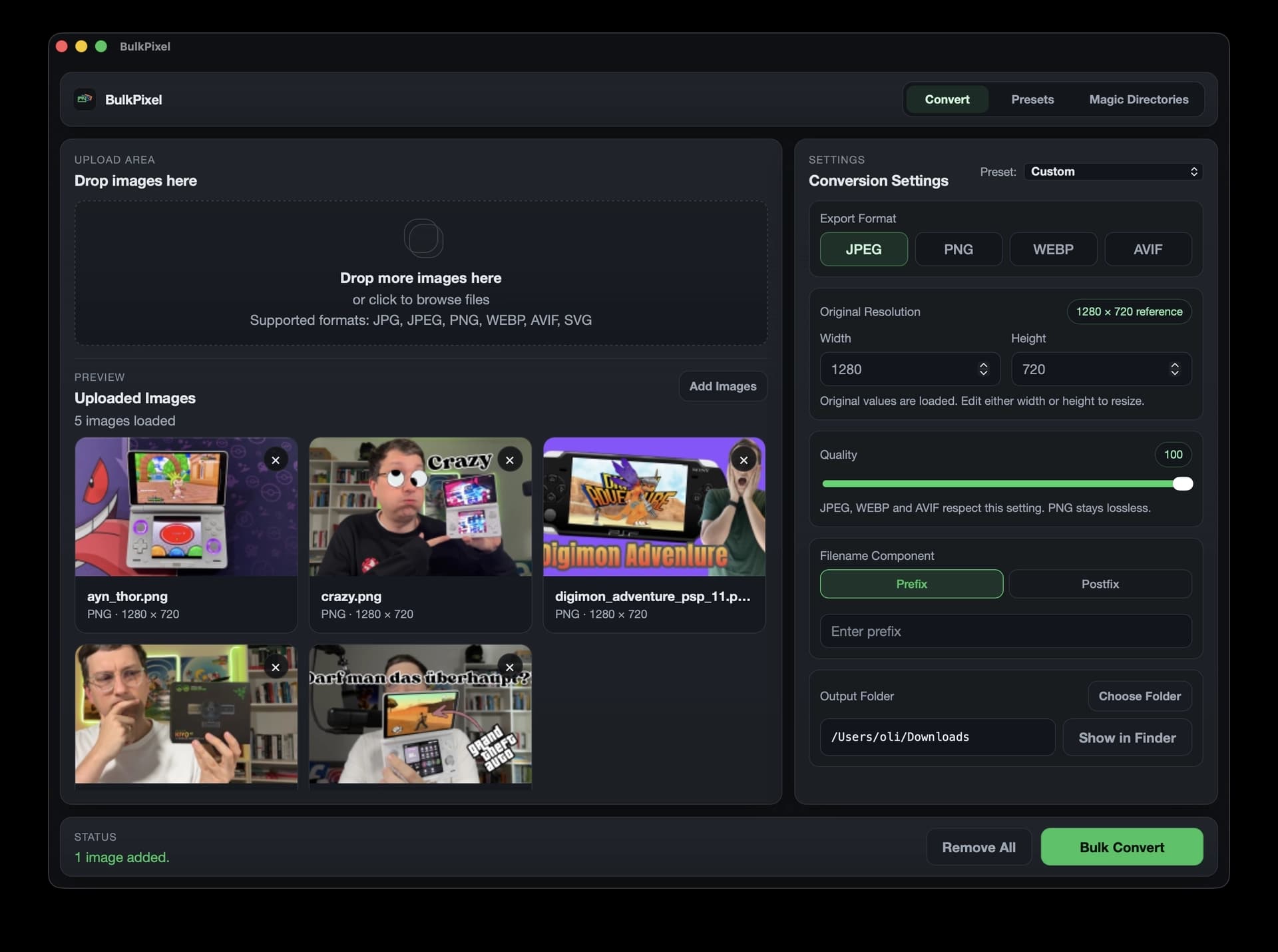
BulkPixel is designed for developers, designers, bloggers, journalists, and anyone who regularly works with large numbers of images.
Typical use cases include preparing screenshots for websites, converting PNGs to WebP or AVIF, creating standardized blog thumbnails, resizing image batches, removing metadata before publishing, automatically processing files dropped into a folder, and integrating image conversion into scripts or development workflows.
Instead of repeating the same export settings manually, you can save them once as a preset and reuse or automate the entire workflow.
4.8
6 ratings
Founder @ dynamiq. | Tech- & Wirtschaftsjournalist | 15+ Years in Tech

AI video with native sound, paid per clip. Nothing stored.

A calmer Mac menu bar, one click away.

Enterprise Software. Intelligent Automation. Global Impact.


Comments
16Founder @ dynamiq. | Tech- & Wirtschaftsjournalist | 15+ Years in Tech
Hey Fazier 👋 I built BulkPixel because I kept running into the same boring workflow: resize images, convert formats, rename files, strip metadata, repeat on multiple Files.
hi
Great product In the era of AI , even if product is great if their is no visibilty then its useless.
Building PZERO, saving you money - pzero.studio
Batch converting, resizing, renaming, and stripping EXIF from JPEG, PNG, WebP, and AVIF on macOS with reusable presets and Magic Directories keeps image prep local and free. If leftover model capacity would help the business, PZERO is at pzero.studio.
amazing and easy to use product
Founder @ dynamiq. | Tech- & Wirtschaftsjournalist | 15+ Years in Tech
Thank you very much :)
The combination of reusable presets and local folder automation looks useful for preparing app screenshots. How do Magic Directories handle files that are still being copied into the watched folder? A clear policy for partial files and output-name collisions would make this easier to trust in an automated publishing workflow.
Building the future
I noticed more and more of these apps that have image generation on device. Last time I tried stuff like this it was really slow, how does this compare to models like nano banana or gpt image 2.5 ?
Founder @ dynamiq. | Tech- & Wirtschaftsjournalist | 15+ Years in Tech
Not sure if you understood BulkPixel. It doesn't generate images; it converts and resizes them. I resized 1,500 images on my Mac in about 10 minutes. I wouldn't waste that many AI tokens on a task like this. You can simply let your agent use BulkPixel via its integrated CLI.
The fully local batch pipeline plus reusable presets is a strong differentiator—especially the EXIF removal and CLI support for repeatable workflows. Supporting AVIF/WebP and Magic Directories makes it practical for site asset prep.
Founder @ dynamiq. | Tech- & Wirtschaftsjournalist | 15+ Years in Tech
Exactly. The goal is to make repetitive image workflows fast, local, and reproducible without relying on cloud services or burning AI tokens. Presets, Magic Directories, and the CLI are all built around that idea.
Going native instead of browser-based for this is the right call once you're doing large batches — I run a browser-only bulk image tool (UtilsDock) and the tab memory ceiling is the first wall you hit past a few hundred files, something a native macOS app with Magic Directories just doesn't have to worry about. Does the CLI expose the same presets you build in the GUI 1:1, or is preset syntax different between the two?
Founder @ dynamiq. | Tech- & Wirtschaftsjournalist | 15+ Years in Tech
Yep, 1:1. The GUI and CLI use the same preset database, so a preset you create in the app can be used directly with something like bulkpixel convert --preset "Blog Header" --input .... You can also create, update, and delete presets from the CLI, and those changes show up in the GUI as well. No separate preset format to maintain.
Does this have image generation on-device?
Founder @ dynamiq. | Tech- & Wirtschaftsjournalist | 15+ Years in Tech
No, BulkPixel doesn't generate images. It's focused on local image conversion, resizing, presets, and batch processing. You can also use it through the integrated CLI, which makes it easy to plug into scripts or AI agents.
Presets plus a fully local pipeline is the right call for batch work. One question on EXIF removal: do you keep the orientation tag, or bake the rotation into the pixels first? Stripping everything is a classic way to end up with a batch of phone photos that suddenly show up sideways.
"No account, no cloud upload, no subscription" is a refreshing stance, and it matches a design choice we made too - keeping processing entirely local builds a kind of trust that's hard to fake. Free and open-source on top of that is a strong combo. For the batch renaming on export: can the naming pattern include the original folder name or a counter with custom padding (e.g. 001 vs 1), or is it limited to a fixed set of tokens?