

Turn plain screenshots into polished, scroll-stopping visual
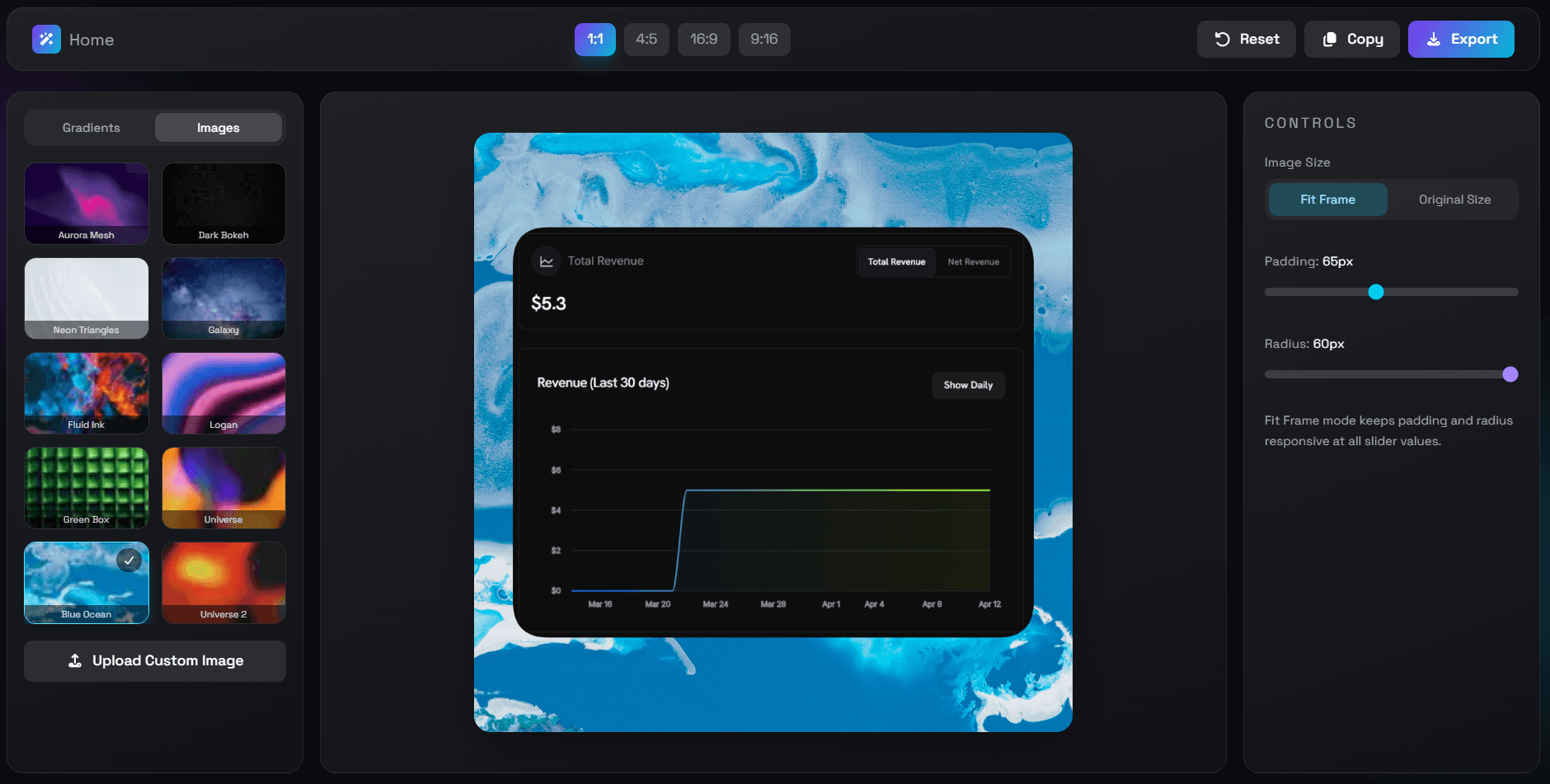
Turn plain screenshots into polished, scroll-stopping visuals that get more clicks. BeautifulScreenshots is a focused screenshot beautifier that allows you to upload your image, beautify it instantly with spacing, padding, and background, and publish with confidence. It features a clean UI/UX, no watermarks, and a one-time payment model, ensuring you can create premium visuals without the clutter of bloated tools.
78 people supporting this launch
4.8
6 ratings


AI video with native sound, paid per clip. Nothing stored.

A calmer Mac menu bar, one click away.

Enterprise Software. Intelligent Automation. Global Impact.


Comments
48I tried using a colorful gradient background for screenshots in my posts. And here's why everyone should use it (hint: it increases the reach of posts). Firstly, I saw big creators use gradient background in their post's screenshots. I didn't understand why they were doing this. Later I read somewhere that gradient colours are easy to capture attention and that's why creators were using it. So, I also started doing the same. And it Also increased engagement rates, likes and impressions on my posts. And I recommend you all do the same. Initially, I was using Canva to create gradient background screenshots. But it was very time consuming to do it every time from Canva. So, I started searching for tools for this specific use only. But all the tools I found have too many features, bad UIUX, and a watermark. So, I built my own as per my needs. A minimalist screenshot beautifying tool which only has padding and radius adjustment options with some beautiful gradient background and images. You can add your custom background image too.
Indiehacker
Okay, BeautifulScreenshots sounds neat! I always struggle making my screenshots look presentable. Might give this a try, especially with the gradient background tip! Hope it actually boosts my engagement.
I didn't thought but it makes a lot of difference. Earlier Post with screenshots not getting much reach. But once I started using better screenshots the reach was way more then a the normal one. I would recommend you to give it a try.
any chance of a "match-to-OG-image" preset (1200×630) for landing-page social cards? That's the format where the existing gradient tools tend to crop the subject in the wrong place.
Hey this is also a great thing to add. I will make sure to think about it and add it in next 1-2 weeks.
This is an interesting concept. It would be cool to see a the ability to add text over the image as well. Did you use the tool to generate the screenshots you uploaded on this launch?
Hey Adding text over images is a great idea. I will Make sure to add it in the next update. And also the screenshots I uploaded on this launch are generated using my tool itself.
The interesting thing here is that you intentionally kept the scope narrow instead of turning it into another bloated design suite. A lot of creators just want fast, clean screenshots without opening Canva or Figma for every post.
Exactly. Creators don't want top notch screenshots. They need simple, fast.
I actually like that this stays simple instead of trying to become another full design suite. Sometimes you just want a quick way to make screenshots look cleaner for X or LinkedIn posts without opening heavy tools like Canva or Figma. The one-time payment model is also refreshing compared to everything becoming subscription-based lately.
Hey Chris. Glad you resonated with the simplicity. That's the one of most important reason I built this tool. To post on X, Twitter, LinkedIn we don't need a big designing tool. I needed a simple one which can do my tasks in seconds. Also, most of the time I use my mobile to post. And if the tool is very heavy it is really difficult to use in the mobile. Because fitting all the UI in mobile screen is difficult. So, a minimalist tool is the solution over all this problems.
growth hacker
BeautifulScreenshots is a sharp, no-nonsense utility that does one thing well: makes your screenshots look like they belong in a feed worth following. If your current workflow involves wrestling with Canva every time you want to share a UI or a stat, this is an easy upgrade. Sometimes the best product is just the obvious thing, built cleanly and left alone.
The one-time payment model is a smart move — every other screenshot tool wants a subscription for something you use 30 seconds at a time. The "Fit Frame" option that keeps padding responsive is a nice detail too. Would be great to see a browser extension that lets you beautify directly from a screenshot shortcut without opening the app.
The one-time payment model is a smart move — every other screenshot tool wants a subscription for something you use 30 seconds at a time. The "Fit Frame" option that keeps padding responsive is a nice detail too. Would be great to see a browser extension that lets you beautify directly from a screenshot shortcut without opening the app.
The one-time payment model is a smart move — every other screenshot tool wants a subscription for something you use 30 seconds at a time. The "Fit Frame" option that keeps padding responsive is a nice detail too. Would be great to see a browser extension that lets you beautify directly from a screenshot shortcut without opening the app.
The one-time payment model is a smart move — every other screenshot tool wants a subscription for something you use 30 seconds at a time. The "Fit Frame" option that keeps padding responsive is a nice detail too. Would be great to see a browser extension that lets you beautify directly from a screenshot shortcut without opening the app.
The one-time payment model is a smart move — every other screenshot tool wants a subscription for something you use 30 seconds at a time. The "Fit Frame" option that keeps padding responsive is a nice detail too. Would be great to see a browser extension that lets you beautify directly from a screenshot shortcut without opening the app.
The one-time payment model is a smart move — every other screenshot tool wants a subscription for something you use 30 seconds at a time. The "Fit Frame" option that keeps padding responsive is a nice detail too. Would be great to see a browser extension that lets you beautify directly from a screenshot shortcut without opening the app.
Finance professional coding as a hobby and side hustle
How is this different from just prompting a screenshot in chatgpt?
Lover of film, tech and good food in no particular order
this looks neat but for modern laptops that have a PrtSc button that instantly takes a screenshot, wont I just do that rathen than visiting a web app?
Solo founder. Build dim0.net - an AI canvas for visual thinking
For now customization settings seem a bit limited. A prompt in Gpt image 2 can easily outdo this I'm afraid
Hey first of all the customisation settings are kept limited intentionally. Ofc you can use gpt to do this. But there are chances that gpt might change your image somewhere a bit. Also, Giving prompt to gpt every single time is very hectic. Using this tool is a better in terms of productivity.
Senior Marketing Expert
It's really amazing and very useful.
SEO/CRO
Love this! I take screenshots to send to clients several times a day and adding a small touch like this really does make the screenshots look nicer. Id like to be able to add our logo or other branding to seem more professional
Great tool, really great
Entrepreneur, software engineer, inventor, medical device expert
Aesthetic and helpful product! Who knew a screenshot product could be so useful.