

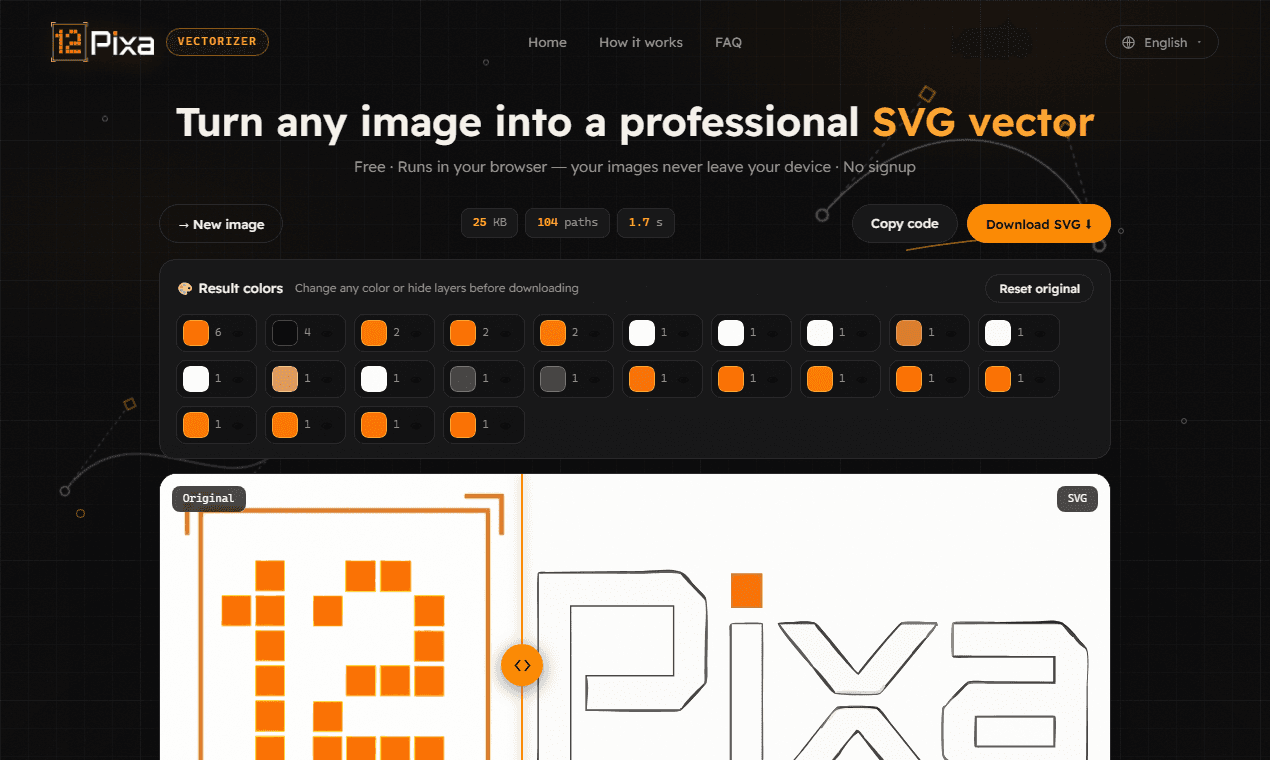
12pixa turns any image into a clean SVG — entirely inside your browser. The tracing engine (VTracer, compiled to WebAssembly) runs locally, so your file never leaves your machine: no upload, no server, no rate limit, and it keeps working offline once the page has loaded.
Presets for logos, lettering, artwork, photos and B&W stamps, plus a built-in colour and layer editor that lets you recolour any layer or drop the background before export. Output is standard SVG that opens in Illustrator, Inkscape and Figma.
Free, no account, no watermark, no limits — available in English, Arabic, Spanish, French, German and Turkish.
74 people supporting this launch
4.8
6 ratings


aijolabs.com

AI video with native sound, paid per clip. Nothing stored.

A calmer Mac menu bar, one click away.

Enterprise Software. Intelligent Automation. Global Impact.


Comments
30aijolabs.com
Hey Fazier 👋 I originally shipped a site with 65 small image tools. Almost nobody used 64 of them — so I deleted them and kept the one people kept coming back to: the image-to-SVG vectorizer. The hardest bug was in the colour editor. Grouping traced paths by exact hex looks fine on a synthetic test logo, but a real photographed emblem produced 3,122 distinct colours across 3,428 paths — so the top 24 swatches covered 2% of the image and clicking one did nothing visible. Switching to perceptual clustering with a weighted-RGB distance collapsed it to 18 layers covering 100% of paths. Everything runs client-side (VTracer compiled to WebAssembly), so your file never touches a server. That was the whole reason I built it — I wasn't willing to upload a client's unreleased logo to a random service. Free, no account, no watermark, no limits. I'd rather hear what it gets wrong than what it gets right — thin script fonts and scanned drawings are where most tracers fall apart.
I build & lead the engineering behind AI agents · Co-Founder & VP R&D @ Dial
This is elegantly simple - converting any image to clean SVG directly in the browser is exactly what many designers need. The offline-first approach is smart, especially for handling proprietary or sensitive designs. The perceptual color clustering solution you described is a great example of shipping focused solutions rather than bloated feature sets.
Co-founder @HighAdvocacy
Hey Piyush, Nice tool, it helps me a lot in my work
I am freelance
This is genuinely useful! 🔥 Turning images into clean SVGs directly in the browser—with no uploads, no limits, and offline support—is a fantastic combination. The privacy-first approach makes 12pixa stand out. 👏
The perceptual-clustering fix is the interesting part — collapsing 3,122 exact-hex colours down to 18 weighted-RGB layers is exactly why per-hex grouping falls apart on real photos. Since you flagged thin script fonts and scanned drawings as the weak spots: for scans, does a light denoise/threshold pass before tracing help, or does it just eat the hairlines you're trying to keep? And on script fonts, is the loss more about curve-fitting tolerance than colour clustering? Client-side via VTracer is the right call here — nobody should be uploading an unreleased logo to a random tracer.
Really respect the "65 tools down to 1" story — that's the discipline most multi-tool sites are missing (I run a calculator site myself, so I get the temptation to keep adding features nobody uses). Also glad it's WASM-based so client files never leave the browser — that's a real concern for design work. Bookmarking this.
Building Punchylime — AI ad creatives (video, UGC, image) from product photos in minutes. https://punchylime.com/
Client-side SVG conversion is a nice privacy win for brand teams who cannot upload assets to random SaaS. How do you handle complex gradients or embedded fonts when the output needs to stay editable in Figma?
good
hey try indihunt also it is provideing free ads of upto 1000 dollars https://indihunt.in/
Building ClaryFIRE, a free FIRE calculator.
Running the tracer in WASM so files never leave the browser is a smart call, a lot of "free" converters quietly upload your image to a server. The layer editor for recoloring before export is a nice touch too, most tools make you fix that in Illustrator after.
Reducing 65 tools to the one people actually used is a strong product decision. Local WASM and offline support also make this practical for unreleased brand assets. One useful addition could be showing path count and SVG file size before export, since a visually clean trace can still slow down Figma. Do you already simplify paths, or offer a fidelity-versus-complexity control?
tried this and converted a logo from png to svg, overall it works ok, but I would recommend working on how edges are treated, the edges of my SVG didnt look so great
The VTracer-in-WASM setup is the right call for unreleased logos. After perceptual clustering, can I merge two layers before export, or only recolour them? 18 layers beats 3,122 hexes, but Figma still gets noisy if I only needed the mark plus one background. Thin script fonts are where tracers usually lose hairlines — is curve-fitting tolerance exposed, or only baked into the logo/lettering presets?
The VTracer-in-WASM setup is the right call for unreleased logos. After perceptual clustering, can I merge two layers before export, or only recolour them? 18 layers beats 3,122 hexes, but Figma still gets noisy if I only needed the mark plus one background. Thin script fonts are where tracers usually lose hairlines — is curve-fitting tolerance exposed, or only baked into the logo/lettering presets?
12pixa Your product has strong potential, but I found a few key improvements that could make it even better. I'd love to share my feedback and suggestions—please contact me at [email protected].
Product creator
Localizing a free tool into six languages including Arabic is the detail that stands out — almost nobody takes RTL seriously in editor UIs. Was mirroring the layer/colour editor much extra work on top of the translations, and do the non-English versions pull meaningful usage? The 65-tools-down-to-1 story is the best kind of focus.
So I spent the past year building the version I actually wanted. No signup, no email collection, no registration, no ads on any plan including the free one. You make a poll, share a link, and nobody has to create anything. Not you, not the people answering. Everyone tells me I need to collect emails for this to work and they're probably right. But I get enough email already and I didn't want to be another thing in someone's inbox.
Building PZERO, saving you money - pzero.studio
12pixa running VTracer as WebAssembly locally is the part that sells it for me, since an unreleased client logo never leaves the machine. The layer editor that lets you recolour or drop the background before export saves the usual round trip into Illustrator. Curious how the B&W stamp preset handles scanned line drawings, since that's where most tracers get noisy. Nice that it keeps working offline once the page has loaded.
Since you're already on perceptual clustering with weighted-RGB, OKLab is worth trying in the same code path — weighted-RGB is a reasonable approximation but it falls apart in blues and purples, where it merges colours a human reads as clearly distinct. Same ΔE threshold idea, just perceptually uniform. On scanned drawings, the thing that usually kills tracing isn't the tracer — it's JPEG ringing plus paper texture feeding noise into the speckle filter. A light median pre-pass on the luminance channel before you trace tends to buy more than any tracer parameter does.
Running VTracer locally via WebAssembly is the right call — no upload means I can vectorise client logos without a privacy conversation. Does the layer editor let you merge similar colour layers before export?
Clean SVG conversion in the browser is one of those jobs I always assumed needed a desktop app. Does it trace photos too, or is it built mainly for logos and flat graphics? Either way, bookmarked for the next time someone sends me a pixelated logo.